
 Zoe Nora
Did you know over 60% of American households now use smart audio devices? This big change in how we enjoy media has transformed our home sound experience.
Choosing the right home audio upgrade can seem overwhelming with so many options. We’re here to make it easy for you. Our aim is to make sure your sound environment fits your needs perfectly.
Finding the right wireless streaming speaker means knowing today’s tech. Our advice will help you pick the best gear for your space. Let us show you how to find the perfect wireless streaming speaker for your lifestyle.
Key Takeaways
- Understand the current landscape of home audio technology.
- Learn how to match hardware to your specific room acoustics.
- Discover the benefits of modern connectivity features.
- Gain confidence in navigating complex technical specifications.
- Identify the best equipment for your personal listening habits.
What is a Wireless Streaming Speaker?
Getting to know a wireless audio system is key to setting up your dream home sound. These devices have changed how we enjoy music by getting rid of cables.
Definition and Features
A wireless streaming speaker connects directly to your home network. It’s different from old models that needed a physical link to an amplifier. These units get high-quality audio from the internet or your media server.
These devices use a mobile app to control playback. This app lets you link units in different rooms for a unified multi-room listening experience. Key features include:
- Seamless integration with popular music streaming services.
- Advanced digital signal processing for optimized sound output.
- Automatic firmware updates to ensure long-term compatibility.
How It Differs from Traditional Speakers
The main difference is in how they connect and power. Traditional setups use passive speakers and a receiver via copper wire. A Wi-Fi speaker is an active system with built-in amplification.
These systems use your network, offering flexibility that wired setups can’t match. You’re free to place them anywhere, improving your living space’s look.
| Feature | Traditional Speakers | Wireless Streaming Speaker |
|---|---|---|
| Connectivity | Wired (RCA/XLR) | Wi-Fi/Bluetooth |
| Amplification | External Receiver | Built-in Internal Amp |
| Control | Physical Knobs/Remote | Smartphone App/Voice |
| Installation | Complex Wiring | Plug and Play |
Choosing between these technologies depends on your preference. Traditional setups offer detailed control, while a Wi-Fi speaker provides an easy, high-quality experience for a modern home.
Benefits of Wireless Streaming Speakers
Switching to a wireless audio system brings more than just ease. It lets us set up a space that’s both modern and tidy. No more tangled cords or messy wires.
Freedom of Placement
One big plus is being able to put your speakers anywhere. Forget about messy cables or hiding them under furniture.
Now, you can place a wireless audio system anywhere. Whether it’s on a bookshelf or a kitchen counter, it’s all about ease.
Easy Streaming from Multiple Devices
Today’s tech lets us control our music from phones, tablets, or computers easily. A multi-room speaker setup means everyone can play their tunes in different rooms.
This makes your home feel like one big, connected space. You’ll enjoy:
- Instant connectivity with all your devices.
- Syncing music in every room.
- Easy-to-use apps for volume and source control.
Improved Sound Quality
Many think wireless means lower sound quality. But today’s tech proves that wrong. Modern high-fidelity systems make your music sound amazing.
Choosing a top-notch multi-room speaker means better sound. It uses advanced tech to spread sound evenly, so every spot in your room gets great sound.
Popular Technologies Used in Wireless Speakers
We look at the key technologies behind today’s top audio gear. These devices use certain protocols to send high-quality sound wirelessly. Knowing these standards helps you pick the best gear for your home.
Bluetooth Connectivity
The Bluetooth speaker is a top pick for those who love ease. It lets you pair your phone quickly and easily with the speaker. It’s great for taking on the go, as it works without needing a network.
Bluetooth is super handy but has some downsides. It has a limited range and can compress audio. Still, most modern versions offer reliable connections. Just make sure you’re not too far away to avoid losing the signal. It’s perfect for outdoor events or quick setups.
Wi-Fi Streaming
If you want the best sound, a Wi-Fi speaker is the way to go. These speakers connect to your network, offering more bandwidth for clear, lossless audio. This means you can enjoy high-quality music without the sound quality loss of lower connections.
Wi-Fi speakers also let you sync multiple units across rooms. This creates a unified audio experience in your whole house. It’s a top choice for serious music lovers.
Smart Assistant Integration
Many speakers today are smart speakers, with built-in voice assistants. This lets you control your music, adjust the volume, or even manage other smart devices with voice commands. It turns your speaker into a central hub for your home.
Adding a smart assistant makes using your media much easier. You don’t need to grab your phone to change songs or playlists. This tech keeps your listening experience smooth and hassle-free.
How to Choose the Right Wireless Streaming Speaker
Choosing the right audio companion starts with your lifestyle and room layout. It’s not just about the brand name. It’s about how well the device fits into your daily life. By focusing on your needs, you can make sure your investment brings joy for years.
Consider Your Space and Listening Habits
Before buying, think about the room where your wireless streaming speaker will go. Big rooms need powerful speakers to fill the space. Smaller rooms or offices might do with a smaller unit. Consider if you want music in the background or high-quality audio for listening.
Also, think about how you use your device. If you move between rooms, choose a speaker that supports multi-room audio. Consistency in your listening environment is important for the best audio experience.
Look for Sound Quality and Feature Set
When checking audio quality, look for a smart speaker with balanced sound. Good speakers have clear vocals and a wide soundstage for an immersive experience. This makes your music feel alive.
Features like voice control are also important. They let you control your music without your hands. Make sure the device works well with your streaming services for a smooth experience.
Assess Battery Life and Portability
If you’ll be moving your speaker around, choose a portable speaker. Check the battery life to make sure it lasts long enough. A dead battery can ruin a party.
Also, think about durability for mobile speakers. Look for water-resistant models for use near pools or patios. A rugged, high-capacity portable speaker lets you enjoy music anywhere.
Easy Setup: Getting Started with Your Speaker
We aim to make your switch to wireless audio seamless, starting with the box opening. Setting up a modern Wi-Fi speaker is easy. It connects your home to great sound in just a few minutes.
Unboxing and Initial Setup
First, check the box for the power cable and any guides. Proper placement is key for the best sound in your room. Place your speaker on a stable, flat surface, away from corners to avoid sound reflections.
“The secret to great sound isn’t just the hardware; it is how you integrate that hardware into the unique geometry of your living space.”
Connecting to Your Device
Most devices come with a control app to make setup easy. Download the app to your phone or tablet to connect your Wi-Fi speaker to your network. For Google users, follow the setup instructions for quick recognition.
Troubleshooting Common Setup Issues
Don’t worry about connectivity problems. Most can be fixed easily. First, check if your device is on the same network as your speaker. If not, try restarting your router and speaker to fix the issue.
| Step | Action | Goal |
|---|---|---|
| 1 | Power On | Initialize hardware |
| 2 | App Sync | Link to network |
| 3 | Firmware Update | Ensure stability |
| 4 | Test Audio | Verify output |
By following these steps, your Wi-Fi speaker will work at its best. Correct settings now mean fewer interruptions later.
Best Brands for Wireless Streaming Speakers
Finding the right audio equipment can be tough. Knowing which brands lead in innovation helps. We’ve looked at the top companies to find the best match for you and your smart home.
“The best sound is not just about the hardware; it is about how seamlessly the technology integrates into your daily life.”
Sonos
Sonos is known for its exceptional multi-room ecosystems. Their software is top-notch, making it easy to play music in different rooms.
Bose
Bose is a leader in premium sound quality and design. People choose Bose for a clear, rich sound that’s perfect for any music lover.
JBL
For a tough Bluetooth speaker, JBL is the go-to. They make speakers that can handle rough conditions and still sound great.
Ultimate Ears
Ultimate Ears is all about portable speakers for outdoor fun. Their speakers are waterproof and shockproof, great for adventures.
| Brand | Primary Strength | Best Use Case |
|---|---|---|
| Sonos | Multi-room Sync | Home Audio |
| Bose | Sound Fidelity | Living Room |
| JBL | Durability | Outdoor Bluetooth speaker |
Choosing a brand depends on your needs. Whether you want a home setup or a tough portable speaker, these brands offer top-notch options.
Comparison of Top Wireless Streaming Speakers
Looking at the latest audio gear helps us see which devices are worth the money. When picking a wireless streaming speaker, we need to look beyond the price. We should check the quality of the parts and the software it comes with.
Price Points and Value
The market has many choices, from cheap portable speakers to expensive home systems. The cheaper ones are easy to carry, while the pricier ones have superior build quality and more features.
The best deals are often in the middle, where you get good features without spending too much. Buying from a well-known brand means you’ll get better support and reliable performance over time.
Sound Quality Ratings
When testing a high-fidelity speaker, we focus on soundstage, bass, and clarity. These factors affect how well a speaker plays your favorite songs.
The best speakers keep the sound balanced, even when it’s loud. Cheaper speakers might sound fuzzy, which can ruin the listening experience.
| Brand | Sound Clarity | Bass Depth | Value Rating |
|---|---|---|---|
| Sonos | Excellent | Deep | High |
| Bose | Very Good | Balanced | Good |
| JBL | Good | Punchy | Excellent |
User Reviews and Testimonials
Real feedback gives us a true picture of how a wireless streaming speaker works in real life. People often talk about how easy it is to use and how reliable it is every day.
We look at these reviews to find out what works well and what doesn’t. A high-fidelity speaker that gets lots of praise for being easy to set up and stable is usually the best choice for your home.
“The clarity and depth of sound from my modern setup have completely changed how I enjoy music at home.”
Enhancing Your Listening Experience
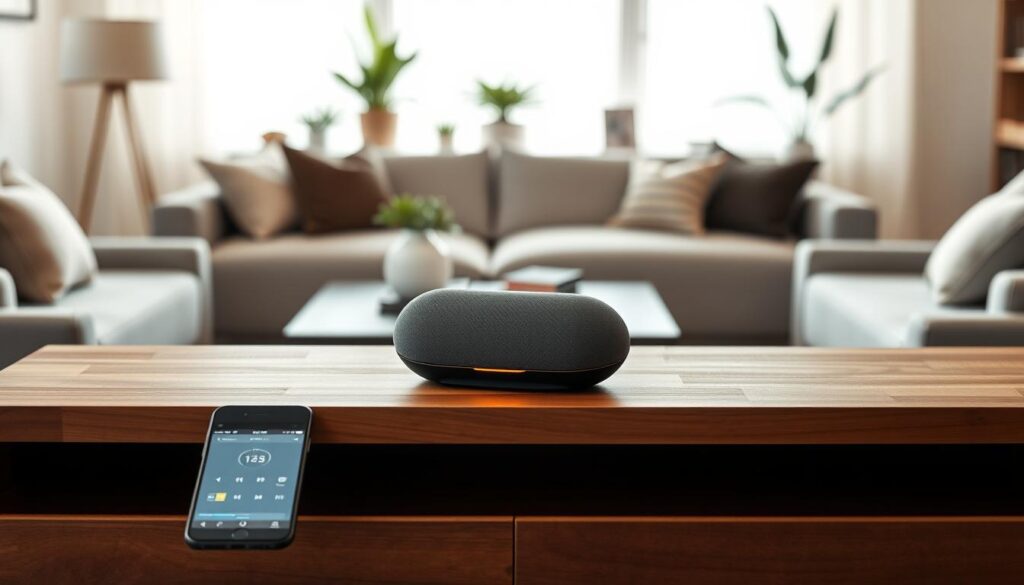
Creating a rich sound environment is simpler than you think. By expanding beyond one unit, you can fully enjoy your wireless audio system. This lets you experience deeper, more detailed sound all over your home.
Using Multiple Speakers in One Setup
Connecting several units can fill your home with music. A multi-room speaker setup lets you sync audio across different zones. This means your favorite playlist can follow you from the kitchen to the living room.
Most modern systems use a dedicated app to connect these devices. This creates a seamless listening experience. Every room plays the same track in perfect harmony.
Creating a Home Theater Atmosphere
You can turn your living room into a cinematic space by setting up your speakers as rear channels. Placing units behind your seating area creates a surround sound effect. This brings movies to life.
This setup adds depth to your audio, making you feel like you are in the action. Make sure your devices are at ear level for the best results.
Customizing Sound Settings and Equalization
Every room has unique acoustics that can change how your music sounds. Using the equalization (EQ) settings in your speaker’s app helps you fine-tune the output. This ensures your audio is crisp and balanced, no matter the room size.
If you own a high-fidelity speaker, try adjusting bass and treble. These small tweaks can make a big difference in your audio experience.
| Configuration Type | Primary Benefit | Best Use Case |
|---|---|---|
| Multi-Room | Consistent audio flow | House parties and chores |
| Surround Sound | Immersive depth | Movies and gaming |
| Stereo Pair | Wide soundstage | Dedicated music listening |
Maintenance Tips for Your Wireless Speaker
Keeping your audio gear in top shape is key for long-lasting performance. Whether you have a multi-room speaker or a high-fidelity speaker, regular care is crucial. It keeps the inside parts and outside look great. By sticking to a few easy habits, your system will stay a trusted part of your home.
Regular Cleaning and Care
Dust and dirt can build up on speaker grilles, affecting sound quality. Use a soft, dry microfiber cloth to clean the outside of your device. Stay away from harsh chemicals or abrasive cleaners to avoid harming your audio gear.
- Keep your speakers out of direct sunlight to avoid color changes.
- Make sure the area around your multi-room speaker is dry and not humid.
- During cleaning, check for any loose cables or connections.
Keeping Software Updated
Modern audio devices need firmware to work right and sound great. Manufacturers often update this to improve performance and security. Always check your app for updates on your high-fidelity speaker.
Updating your software is usually easy and happens automatically. It keeps you up-to-date with the latest features and fixes. This simple step can prevent many common problems.
Battery Maintenance Best Practices
If your device is portable, the battery is very important. Good charging habits help your speaker last longer. For more on keeping your device’s power up, see these tips to extend battery life.
Avoid extreme temperatures to keep your battery healthy. If you won’t use your speaker for a while, try to keep the battery at about fifty percent. Regular maintenance is the best way to protect your investment and enjoy great sound for years.
Frequently Asked Questions About Wireless Speakers
Starting with wireless audio can raise many questions. People often want to know how their devices work to get the best sound.
How Do Wireless Speakers Work?
These devices use radio frequencies instead of cables. A Bluetooth speaker connects to your phone or tablet easily. This makes streaming music simple and quick.
Wi-Fi systems offer a more stable and clear sound. This is typical in a smart speaker. It gets music from the internet or a local server for better quality.
Can Wireless Speakers Be Used Outdoors?
Many speakers are made for outdoor use. They’re great for parties or trips to the park. But, check the ingress protection (IP) rating before using them near water or dust.
A tough Bluetooth speaker can handle splashes and light rain. Make sure the charging ports are sealed to avoid damage outdoors.
What to Do if the Sound Drops Out?
Signal drops are common. If your sound cuts out, move your speaker closer to your device. Thick walls or metal can block the signal.
For a smart speaker, restarting your router can help. Updating your firmware also fixes bugs and improves performance. Keeping your software up-to-date ensures smooth operation.
Conclusion: Elevate Your Music Experience with Wireless Speakers
Choosing the right audio gear changes how you enjoy music at home. Look into different brands and setups to match your lifestyle and budget.
Start by considering a portable speaker for high-quality sound in every room. These devices mix convenience with great performance, keeping your music going all day.
Final Thoughts on Choosing and Enjoying Your Speaker
Quality audio gear is worth it for years of clear sound. Whether it’s a Bose unit or a Sonos system, your choice affects your space. Try out different models to find the sound you like best.
Encouraging Technology Adoption and Exploration
Today’s audio tech makes creating your own sound easy. You can try multi-room setups or a single, versatile portable speaker. By embracing these advancements, you get a deeper listening experience every day. Begin your search now and see how premium wireless audio can change your life.