
 Zoe Nora
Did you know modern digital libraries hold over 250,000 unique audio assets across 700 distinct categories? This scale shows why these elements matter to creators who want to capture audience attention. We see them as vital components of professional storytelling, not mere decoration.
By adding high-quality Sound effects (SFX), editors can improve pacing, realism, and emotional impact. Whether you produce a cinematic film or daily podcast, the right audio creates a truly immersive experience for listeners. Skillful timing and mixing separate amateur projects from polished, industry-standard content.
This guide explains how to select, license, and use these auditory layers effectively. Our goal is to help you transform your production workflow into a more expressive, engaging process.
Key Takeaways
- Audio assets serve as fundamental tools for pacing and narrative emphasis.
- Modern libraries offer vast catalogs exceeding 250,000 unique options.
- Strategic mixing is essential for maintaining professional production quality.
- Proper licensing ensures your creative work remains protected and legal.
- Effective use of audio significantly boosts audience retention and engagement.
How sound effects shape video and podcast edits
Sound effects act as invisible glue for visual and audio stories. Viewers focus on pictures, but audio shapes how they feel about each scene. Strategic sound design creates presence and keeps audiences engaged from start to finish.
One effective way to ground a project in reality is through foley recording. We capture custom sounds, such as footsteps, fabric movement, and clinking glasses. This adds texture that stock libraries often miss and makes each movement feel authentic and tactile.
Beyond realism, sound heightens emotion and guides the story’s rhythm. A sharp, unexpected impact can build suspense, while a light, whimsical sound can emphasize a comedic beat. These choices shape the viewer’s mood without explaining why.
In podcasting, these techniques work a little differently. With no visual component, we rely on foley recording and ambient layers to build a mental image. A background sound can transport listeners to a busy street or quiet room, adding context for an interview or story.
Ultimately, the goal is a seamless experience where audio feels like a natural extension of the content. Whether editing a fast-paced video or long-form podcast, intentional sound choices add clarity and impact to a compelling story. By balancing subtle environmental cues with bold, stylized effects, we turn simple edits into immersive experiences.
Which types of SFX do editors use most often?
We group sound effects into families, so you can find the right audio match for your story. These groups help you build a cohesive soundscape that supports your visual narrative. Whether you make a podcast or high-end video, knowing your tools is the first step toward professional quality.
Foley and everyday action sounds
Foley sounds support realistic storytelling. They mimic subtle sounds from human movement and object handling, which often disappear during the first recording. Authenticity is the main goal because these sounds place viewers inside the scene.
- Footsteps on various surfaces like gravel, wood, or tile.
- Cloth movement, such as the rustle of a jacket or denim.
- Object handling, including keys jingling, pens clicking, or dishes clinking.
Transitions, impacts, and whooshes
Use transitions and impacts to direct attention or stress a sudden change. These sounds act as rhythmic punctuation in your edits. They work especially well in fast social media content and high-energy advertising.
Whooshes suggest motion, while heavy impacts give weight to visual hits or title reveals. These effects maintain momentum and keep viewers engaged as segments change.
Ambience and environmental sound
Ambience creates the “room tone” that keeps a scene from feeling sterile. High-quality field recording lets editors capture each location’s unique character, from city traffic to wind in a forest. These layers create a sense of place that dialogue alone cannot provide.
Environmental sound design often includes:
- Interior room tones, such as the low drone of an air conditioner.
- Public space atmospheres, like the distant chatter of a busy cafe.
- Nature sounds, including birds, rain, or flowing water.
UI, notification, and production effects
Modern digital stories often need sounds that clarify user actions or editorial changes. UI and notification effects help tech videos, tutorials, and podcasts. These sounds give the listener immediate feedback, showing that a button was pressed or a message arrived.
Production effects, such as cartoon accents or stylized digital blips, connect complex information with entertainment. They make digital interactions feel more tactile and satisfying for your audience.
When should video editors add sound effects?
Careful audio choices can turn a simple cut into a cinematic experience. Use audio sampling with a clear goal, such as highlighting a visual transition or grounding a scene in reality. Choose each moment carefully so your sound design feels planned, not accidental.
Add sound when viewers see actions, sudden reveals, or title animations. When a character touches an object, a soft effect shows the action’s physical weight. Pans and zooms can use soft whooshes to guide the viewer’s eye across the frame.
“Sound is half the experience,” as many industry veterans often remind us. This idea shows why audio sampling should support the story without overpowering dialogue. If effects hide speech or distract from a strong performance, they weaken the story.
For social media and fast-paced trailers, timing calls for more intensity. Use punchy, rhythmic effects with quick cuts to keep viewers engaged through steady audio feedback. Still, keep balance so every edit does not feel exaggerated or chaotic.
Consider this guide when choosing effects for your timeline:
| Visual Event | Effect Type | Goal |
|---|---|---|
| Hard Cut | Subtle Room Tone | Maintain Continuity |
| Object Reveal | Impact or Ding | Draw Attention |
| Title Animation | Swoosh or Pop | Add Polish |
| Emotional Shift | Atmospheric Drone | Set the Mood |
Your goal is to use audio sampling to build a cohesive environment. Whether you edit a feature film or a short-form social clip, the best effects are felt rather than consciously heard. Trust your instincts, but keep your primary audio tracks clear.
When should podcast editors add sound effects?
Cinematic sound design transforms a standard interview into a rich, immersive narrative journey. Unlike video, visuals provide context, but podcasts rely entirely on audio to build a world. Sound must guide the listener’s imagination without cluttering the primary message.
The best time to add these elements is when they serve a clear narrative purpose. Whether you produce a documentary, fiction series, or branded show, support the story instead of distracting listeners. Restraint is your most valuable tool when working with audio-only formats.
We recommend adding sound effects at specific moments to heighten listener engagement. Consider these key opportunities to apply cinematic sound design techniques:
- Scene-setting ambience: Establish the location of an interview or story segment immediately.
- Transitions: Use subtle audio cues to signal a shift in time, location, or topic.
- Emotional punctuation: Emphasize a dramatic reveal or a shift in tone with a carefully chosen sound.
- Archival reconstruction: Bring historical accounts to life by layering period-appropriate background noises.
- Deliberate silence: Sometimes, removing all effects is the most powerful way to highlight a speaker’s words.
Intelligibility remains our top priority. If an effect competes with dialogue, lower it or remove it entirely. We suggest using professionally recorded and organized libraries to find the right assets quickly.
A consistent sonic perspective makes your cinematic sound design feel like a natural part of the story, not an afterthought.
How to choose the right SFX for a scene or segment
Strong sound design starts with understanding how audio supports the visual story. Choose between diegetic audio, which comes from the scene’s world, and non-diegetic effects that shape audience emotion. Whether you build a workflow for creating dozens of individual sounds or use a library, aim for total immersion.
Before choosing a file, assess the action, setting, and point of view. A sound for a wide shot may feel disconnected in a close-up. Check the duration and intensity against visual pacing; frequencies that clash with dialogue can make a clean mix harder later.
Search by descriptive keywords and production purpose, then compare results for the right texture and mood. Authentic diegetic audio matters, but creative exaggeration can highlight a moment. A subtle footstep may need low-end for listeners using a high-quality center channel speaker.
Genre expectations also shape sound selection. Horror films need different textures than corporate documentaries, so keep the audience’s perspective in mind when layering elements.
| Factor | Diegetic Audio | Non-Diegetic Audio |
|---|---|---|
| Source | Visible in the scene | Added for emotional impact |
| Purpose | Realism and immersion | Editorial emphasis |
| Processing | Needs spatial matching | Needs mix balance |
| Frequency | Naturalistic range | Hyper-real or stylized |
These steps help each piece of diegetic audio and each non-diegetic flourish serve the story. Consistency in your choices leads to a more professional, polished final product.
How to sync and edit SFX for natural timing
The difference between a good edit and a great one often comes from tiny sound-effect timing. When you source high-quality assets through royalty-free licensing, you can shape files for your story. Good synchronization makes impacts, whooshes, and ambient layers match the visual action.
To do this, focus on cue-point selection. Find the exact frame when an action happens, such as a foot hitting the ground or a door latching shut. Pre-laps trigger sound slightly before the visual, helping the brain sense action as immediate and realistic.
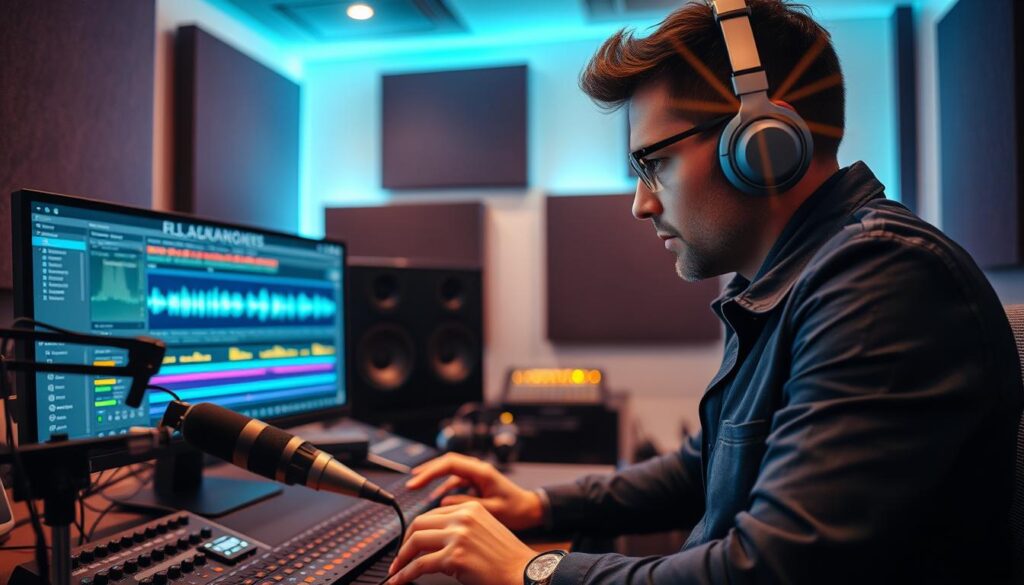
Managing audio tails and decay also keeps a mix clean. An abrupt cutoff jars listeners. Apply subtle fades so each clip’s natural resonance fades smoothly, preventing audio from feeling “stuck on” while blending with the background.
“Sound design is the invisible glue that holds a story together, turning flat images into a living, breathing world.”
Modern software can align audio with motion, but these tools are only starting points. Even with files cleared under royalty-free licensing, human review remains essential. Manually adjust offsets for rhythm, creative intent, and the scene’s emotional tone.
| Technique | Best Used For | Primary Benefit |
|---|---|---|
| Manual Sync | Character movement | Maximum precision |
| Pre-laps | Transitions | Anticipatory tension |
| Layered Timing | Complex environments | Depth and realism |
| Automated Tools | Repetitive background | Time efficiency |
The goal is seamless flow, so the audience forgets they are watching an edit. Combine technical precision with creative judgment to make every sound effect serve the story. Trust your ears over software defaults to maintain high production quality.
How to mix SFX with dialogue, music, and original audio
Mastering the mix helps audiences hear every word while enjoying an immersive soundscape. A high-quality WAV file format provides the dynamic range needed for a professional finish. Start with gain staging to keep levels consistent across all tracks.
Clarity is king in any production. Prioritize dialogue above every other element to keep speech clear. Use ducking to lower music or ambient effects when someone speaks.
This prevents sound design from covering the main message.
Equalization (EQ) works like a surgical tool for audio. Cutting unnecessary low frequencies from sound effects creates room for the human voice. Automation adjusts levels over time, so the mix feels natural instead of static.
“The best sound design is often the kind you don’t notice; it simply supports the story and makes the world feel real.”
When working with a WAV file format, you can apply reverb or transient shaping without losing fidelity. Panning effects slightly left or right can separate them from center-panned dialogue. Check the final mix on multiple devices, including headphones and mobile speakers, to ensure it translates well.
| Technique | Primary Purpose | Best Use Case |
|---|---|---|
| Gain Staging | Balance levels | Initial project setup |
| Ducking | Prioritize speech | Music and background SFX |
| Equalization | Frequency clarity | Removing muddy bass |
| Panning | Spatial depth | Creating a wide soundstage |
Finally, preserve your production audio’s original character. Background-noise removal should be used sparingly, or the voice may sound robotic. Balance these technical adjustments with your creative vision to achieve polished, professional sound.
What to check before using an SFX library
Protect your workflow with a careful checklist for every sound effect library you consider. Before adding new assets, review file quality and license terms. Early checks can prevent delays and copyright disputes later.
When you assess technical quality, choose files that sound clean and professional. Confirm the audio received proper noise reduction to remove unwanted hum or hiss. High-quality libraries usually use consistent sample rates, such as 48kHz or 96kHz, with mono or stereo channels.
Always check that the file format, including WAV or AIFF, works with your editing software.
Beyond technical details, review the licensing agreement carefully. Confirm that your license covers your needs, including:
- Commercial publication and client-based work.
- Broadcast, advertising, and social media distribution.
- Use in podcasts and derivative creative works.
- Permissions for artificial-intelligence applications or machine learning training.
Understand your subscription’s administrative rules. Check seat limits when working with a team, because some licenses limit file access. Keep proper records, especially for attribution rules or royalty-free status.
To reduce risk, choose rights-cleared collections with human-verified metadata. This helps ensure accurate labels and safer legal use in your projects. Shared library tools can keep your team consistent while each asset meets internal standards for noise reduction and audio fidelity.
Conclusion
Mastering sound design can turn a standard project into an immersive experience. Intentional use of Sound effects (SFX) adds realism and strengthens your audience’s emotional connection. Careful choices guide listeners through your story with precision.
Our workflow follows a clear process: identify each clip’s purpose, choose the right asset, and sync it with visual rhythm. Balancing these layers with dialogue and music creates a professional mix. You can explore how spatial audio enhances your listening experience by adding depth and dimension.
Epidemic Sound and Artlist offer libraries with over 1.2 million professionally recorded sounds. Their wide variety helps you find the right fit for any scene. Always check your licensing agreements before publishing to protect your creative work.
Great storytelling needs a selective, technically controlled approach. Experiment with textures and timing to develop your unique style. Regular practice with Sound effects (SFX) sharpens your editorial instincts and elevates the quality of your final output.