
 Zoe Nora
Did you know over 60% of modern homeowners now prioritize seamless connectivity when upgrading their living spaces? Creating a whole home audio system is no longer a luxury for high-end estates. Today, you can start with just two speakers and expand your setup to cover kitchens, bedrooms, and patios.
Whether you want the best multiroom wireless speaker system or prefer a custom installation, balance your budget with your room layout. Connectivity options and control interfaces may feel overwhelming at first. Focus on your listening habits to build an intuitive, professional setup.
Our guide to a Multiroom audio system simplifies these choices, from selecting hardware to mastering multi-room audio configurations. We will walk you through each step so music flows smoothly from one room to the next.
Key Takeaways
- Start small with a basic setup and scale your equipment as your needs grow.
- Prioritize compatibility between your devices to ensure a smooth user experience.
- Consider your room layout and acoustics when placing speakers for the best performance.
- Evaluate different control options, such as voice commands or dedicated mobile apps.
- Set a clear budget early to balance high-quality sound with long-term expansion goals.
Understanding Multiroom Audio Systems
Music can shape your home’s mood by reaching several rooms. A multiroom audio system connects devices that play music throughout your home. Linked devices create smooth listening as you move from the kitchen to the bedroom.
What is a Multiroom Audio System?
At its core, a networked audio system connects your digital music library and streaming services. It can group speakers to play one song together or send different streams to separate zones. Your home network sends high-quality audio signals to each part of your living space.
Benefits of Multiroom Audio Systems
The main benefit of a multiroom sound system is a unified listening experience. You do not need to carry a portable speaker from room to room. Instead, one interface lets you manage your entire home audio setup.
- Synchronized Playback: Keep the party going by playing the same track in every room simultaneously.
- Independent Control: Let family members listen to their own music in different zones without interference.
- Scalability: Start with one or two speakers and expand your setup as your needs grow over time.
Key Features to Look For
When choosing a multiroom audio system, focus on reliability and easy use. A strong networked audio system needs a stable connection to prevent playback dropouts. Choose systems with simple mobile apps, voice control integration, and support for favorite streaming platforms.
| Feature | Basic System | Advanced System |
|---|---|---|
| Connectivity | Bluetooth Only | Wi-Fi & Ethernet |
| Control | Physical Buttons | App & Voice Control |
| Scalability | Limited | Unlimited Zones |
| Audio Quality | Standard | High-Resolution |
Choosing the right multiroom sound system depends on how you use music each day. Focus on these key features to gain years of enjoyment and flexibility from your investment.
Types of Multiroom Audio Systems
Planning your audio setup starts with one major choice: the system’s basic structure. Your renovation plans and connection goals will guide the best foundation for home audio.
The best multi room music system balances simple controls with lasting reliability. Whether you build a new home or upgrade an existing space, understanding your options comes first.
Wireless vs. Wired Systems
Wired systems remain the gold standard for unmatched stability and clear, high-fidelity sound. They usually need Ethernet cables inside walls, so they suit new construction or major renovations. Wall cavities are easier to reach during this work.
In contrast, wireless multiroom speakers give existing homes great flexibility. You can expand the system without drilling into walls or managing complex cables. They use your home network to stream audio and create a clean look in any room.
Integrated vs. Standalone Solutions
Integrated platforms serve as a central brain for your audio system. They let you control many components through one unified interface. These platforms suit users who want a seamless experience across rooms without managing different apps.
Standalone products focus on specialized performance in specific zones. For example, you might choose a high-end amplifier for the living room and a compact speaker for the kitchen. Many modern setups use hybrid designs to combine wireless expansion with a powerful wired backbone.
| System Type | Best For | Installation Difficulty | Reliability |
|---|---|---|---|
| Wired | New Construction | High | Excellent |
| Wireless | Existing Homes | Low | Good |
| Hybrid | Flexible Needs | Medium | Very High |
Assessing Your Space for Audio Needs
Great sound starts with understanding how your rooms affect audio performance. Before buying equipment, take a detailed inventory of your home’s physical features. This step helps your whole home audio system work as intended in every corner.
Room Size and Layout Considerations
Room dimensions guide your speaker choice. Large, open-plan areas often need more powerful drivers, while small rooms suit compact, discreet units. Also consider ceiling height because high ceilings can make sound fade quickly.
If you plan a multi zone audio system, consider how you use each room. Some areas may need separate volume control or different sources at the same time. For expert guidance, learn how to design the perfect multi-room audio setup for your home, so your layout supports your lifestyle.
Acoustic Treatment and Soundproofing
Sound waves act differently around various materials in your home. Hard surfaces like tile, glass, and hardwood floors reflect sound, often causing harsh echoes and less clarity. Add soft furnishings, such as rugs, heavy curtains, or upholstered furniture, to absorb unwanted reflections.
“Good acoustics are the foundation of any great listening experience, turning a simple room into a concert hall.”
If your space sounds too reflective, add acoustic panels to your walls or ceilings. These additions greatly improve your multi zone audio system by tightening the soundstage. Balancing your room’s acoustics creates an immersive setting for your whole home audio system.
Connectivity Options for Multiroom Systems
A stable link between your speakers and music source supports smooth playback. Device communication affects your audio system’s reliability and range throughout your home.
The right technology keeps music in sync across rooms. Consider how signals travel to protect high-fidelity sound from interruptions.
Wi-Fi vs. Bluetooth Connectivity
Bluetooth is praised for its simple setup and easy use. Yet, it uses a direct point-to-point link, which limits range and often harms multiroom synchronization.
In contrast, a networked audio system uses home Wi-Fi to share high-quality audio data. Wi-Fi offers enough bandwidth for lossless streaming and lets you control several zones from one interface.
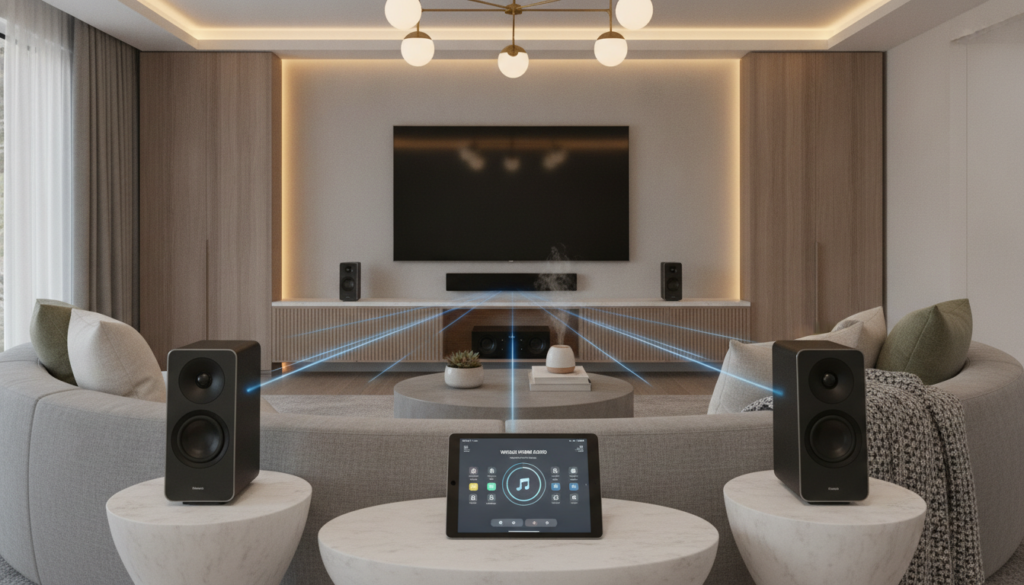
Wi-Fi also prevents audio dropouts when you move out of range. Using your existing router keeps every speaker connected, whatever its location in the house.
Integration with Smart Home Devices
Modern audio solutions work best with your existing technology. A well-planned smart home audio setup works smoothly with voice assistants, televisions, and AV receivers.
Platforms like AirPlay 2 and Google Cast connect mobile devices with speakers. These protocols support multi-room groups, so you can play one song in the kitchen and living room at once.
Services such as Spotify Connect and Tidal Connect improve this experience by sending streaming work to the speaker. This saves phone battery and keeps music playing if you receive a call.
Your connectivity choice should match your needs for convenience and sound quality. Strong network standards create a flexible space for changing entertainment needs.
Choosing the Right Speakers
Choosing speakers is the most important step in building your audio environment. The hardware you choose for your multiroom speaker system determines your music’s clarity, depth, and impact. Consider how each design fits your living space for balanced sound.
In-Wall vs. Standalone Speakers
Architectural options, such as best wall mount speakers for home and office, create a clean, minimalist look. They hide in walls or ceilings and suit busy areas with little floor space. Discreet installation blends audio with your decor without adding clutter.
Standalone wireless multiroom speakers offer flexibility and easy setup. They suit renters or people who move audio equipment between rooms. High-performance models often have larger drivers for a stronger sound profile in main living areas.
Power and Sound Quality Considerations
When judging performance, consider the connection between amplifier power and speaker sensitivity. Larger rooms need more power to fill space without distortion. Low-sensitivity speakers need a stronger amplifier to reach the volume of high-sensitivity models.
Bass needs and listening distance also affect your choice. For a cohesive multiroom speaker system, match each driver design to its zone’s acoustic needs. Careful placement helps sound waves reach listeners with little interference, creating an immersive experience.
| Speaker Type | Best Use Case | Installation Complexity | Aesthetic Impact |
|---|---|---|---|
| In-Wall | Dedicated Media Rooms | High | Minimalist |
| Standalone | Flexible Living Spaces | Low | Visible |
| Powered Bookshelf | Home Offices | Medium | Modern |
Ultimately, the best wireless multiroom speakers balance your style preferences with your acoustic goals. Assess your room size and listening habits to create a setup with consistent, high-quality audio throughout your home.
Sound Source Options
A high-quality multi room music system starts with careful source planning. Your setup depends on hardware that handles digital and physical inputs. Choose gear that combines modern ease with high-fidelity sound.
Streaming Services and Compatibility
Most listeners use Spotify, Tidal, or Apple Music for daily listening. Before choosing a brand, always verify that its app supports your preferred services. Native support makes grouping speakers and managing zones easier.
Compatibility means more than playing a song. Some platforms send different tracks to different rooms at once, while others allow one house-wide stream. Check these limits for a smooth networked audio system experience.
Local Audio Sources
Local storage matters for listeners with personal libraries of high-resolution files. You can connect USB drives to speakers or stream files from a dedicated music server or NAS drive. This method gives unmatched control over sound quality without internet access.
For physical media, choose equipment with auxiliary inputs. Many modern systems are Linkplay-compatible, so you can connect legacy devices, including turntables or CD players. Routing analog signals through your networked audio system lets you enjoy your vintage collection throughout your home.
The best multi room music system adapts to your habits. Whether you are a dedicated streamer or physical-record collector, supported sources can provide years of listening satisfaction.
System Control and Management
Controlling a multi zone audio system should feel simple and seamless for everyone at home. Whether hosting a dinner party or relaxing on a quiet Sunday, managing playback in different areas supports a high-quality experience.
We should consider how different interfaces shape our daily music use. A well-designed system lets us start playback, group rooms, or remove specific zones with a few screen taps.
Mobile Apps and Interfaces
Most manufacturers provide dedicated mobile apps with deep control over their hardware. These apps often provide the best way to save favorite presets, including radio stations or curated playlists, for quick access.
Besides proprietary apps, many people prefer universal protocols such as AirPlay 2 or Google Cast. These tools let us stream directly from favorite music services. AirPlay 2 provides individual volume sliders for selected speakers, giving precise control over sound levels in every room.
Voice Control Features
Integrating voice assistants has made the modern smart home audio setup hands-free. By linking speakers to Amazon Alexa, Google Assistant, or Siri, we can change tracks or adjust volume with simple voice commands.
People who prefer a tactile approach can use wall-mounted interfaces to manage audio without a nearby smartphone. These panels often act as a central hub, letting us monitor our entire multi zone audio system at a glance. Combining these physical controls with voice automation creates a truly responsive and accessible environment for everyone at home.
Budgeting for Your Multiroom Audio System
When we invest in a home sound system, we must plan for current and future costs. A multiroom sound system is rarely a one-time purchase because needs can grow with your home. Long-term planning helps prevent equipment from becoming outdated too soon.
Initial Costs vs. Long-Term Investment
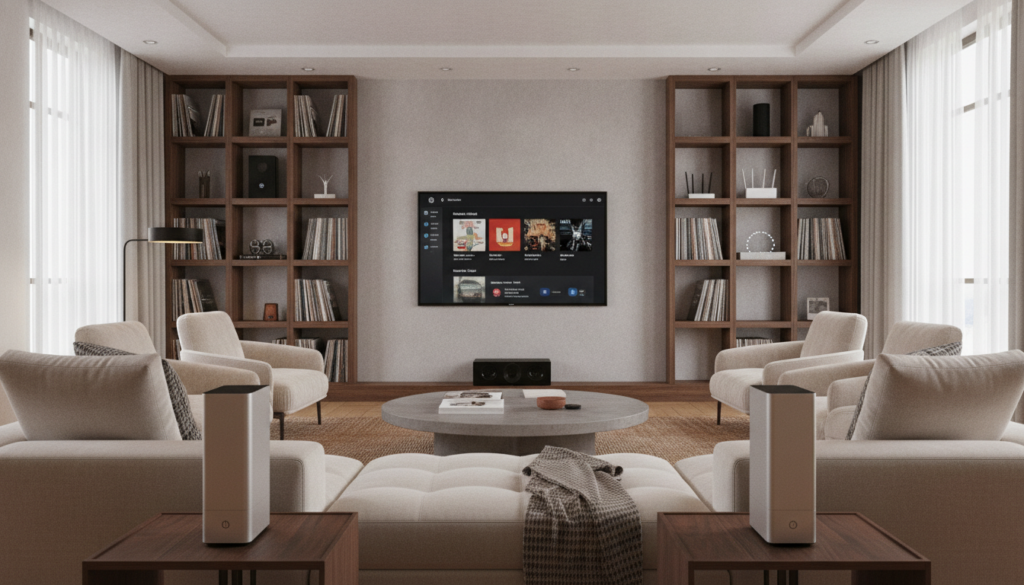
A quality networked audio system often begins with standalone speakers. The Denon Home series ranges from approximately $249 for smaller units to $749 for premium models. These costs create a strong base for listening.
However, these purchases are the beginning of a modular ecosystem. An early investment in a higher-tier component may reduce future replacement costs. Quality hardware often provides better software support and lasts longer, protecting your investment for several years.
Hidden Costs to Consider
Many people overlook extra costs that can turn a simple setup into a professional-grade multiroom sound system. High-quality cabling, wall mounts, and network upgrades can support a stable networked audio system. Without a strong home network, even expensive speakers may struggle to keep a steady connection.
We should also plan for acoustic improvements to achieve the best sound quality. Rugs, curtains, and specialized panels can greatly change how music fills a room. These costs often remain outside the sticker price but support a premium experience.
| Component Category | Entry-Level Budget | Premium Investment | Maintenance Focus |
|---|---|---|---|
| Speakers | $250 per unit | $750+ per unit | Firmware updates |
| Network Gear | Standard Router | Mesh Wi-Fi System | Signal stability |
| Accessories | Basic Wiring | Acoustic Treatment | Room calibration |
Installation Options: DIY or Professional?
After selecting your equipment, decide how to bring your sound system to life. Your choice depends on your technical comfort and your home’s complexity.
Pros and Cons of DIY Installation
Setting up a multiroom speaker system yourself often costs less and suits hands-on users. Many modern wireless devices offer plug-and-play setup through a smartphone app and stable Wi-Fi.
Flexibility is this method’s main benefit. You can move speakers between rooms or expand your setup without special tools. However, network interference and connectivity problems can make DIY work frustrating.
When to Hire a Professional Installer
Although wireless options are convenient, a whole home audio system may need professional precision. We recommend hiring an expert for architectural in-wall speakers, extensive cable runs, or complex structural changes.
Professional installers provide acoustic calibration and network optimization. They help audio perform well in every corner of your space. If you connect audio with lighting, security, or advanced home automation, a professional helps systems communicate smoothly.
Professional labor is especially wise for new construction or major renovations, when wiring can hide behind walls. It gives your whole home audio system a clean, polished look and protects your investment from improper installation.
Final Tips for Selecting Your Multiroom Audio System
Building the right home sound setup takes careful planning and hands-on testing. Visit local showrooms to hear how different speakers perform in real-world settings. Test mobile app response and voice command accuracy to ensure our Multiroom audio system meets daily needs.
Listening Tests and Demonstrations
Prioritize live demonstrations before choosing a brand. Compare the sound signature of Sonos with Bluesound or Denon HEOS to identify our preferences. Check that our preferred streaming services work smoothly with the hardware, preventing future frustration.
Making the Right Choice for Your Lifestyle
Choosing the right Multiroom audio system means balancing technical protocols with long-term goals. Weigh closed ecosystems against open standards, such as AirPlay 2 or Google Cast. Platform-agnostic options, such as Linkplay, offer flexibility if we later mix brands.
Our final choice depends on how well the equipment fits our floor plan and listening habits. Consider our budget and potential for future expansion so our investment stays useful. A well-planned setup brings high-quality music to every corner of our home for years.