
 Zoe Nora
More than 70% of professional recording studios rely on Avid Pro Tools for daily production tasks. This industry standard needs specific software architecture for stable, high-fidelity performance during complex sessions.
The Avid Audio eXtension format supports modern digital audio workstations. Choosing the right AAX plugin helps producers, engineers, and composers work smoothly in their creative environment.
Whether you focus on synthesis, sampling, or detailed mixing, your software must perform reliably under pressure. Compatibility, budget limits, and genre needs can overwhelm many creators.
We curated a list of the 14 best AAX plugins for music to help streamline your workflow. These tools support professional results and keep your creative process efficient.
Key Takeaways
- Pro Tools requires specific software formats to maintain high-level studio stability.
- Selecting the correct tools directly impacts your mixing and mastering efficiency.
- Compatibility is the most critical factor when building your digital production library.
- Modern creative software now offers robust support for professional audio environments.
- Investing in high-quality digital tools helps you achieve industry-standard sound quality.
What is an AAX Plugin?
If you use Pro Tools, you may wonder why sessions require specific plugin formats. Avid Audio Extension, or AAX, is the main format for modern Pro Tools environments. It replaced older standards, such as RTAS and TDM, and gives engineers and producers a more unified experience.
This format helps developers make their software work smoothly with the host application. This focus on AAX plugin compatibility supports stable, reliable workflows during complex mixing sessions.
Definition and Purpose
An AAX plugin is software designed to process audio signals within the Pro Tools ecosystem. It connects your digital audio workstation with external processing power. Unlike other formats, it meets the high demands of professional studio environments.
Many users prefer AAX because it removes the need for third-party wrappers. Native support helps prevent crashes and latency issues often linked to unsupported VST formats. This reliability explains why industry professionals choose the Avid standard.
Key Features of AAX Plugins
AAX plugins use two distinct modes: Native and DSP. Native plugins use your computer’s CPU to process audio, so standard setups can run them. DSP plugins need dedicated Avid HDX hardware to offload processing, making them ideal for large-scale recording projects.
The format also offers strong cross-platform support. Whether you work on a Mac or Windows machine, performance should remain consistent. Maintaining high AAX plugin compatibility keeps projects portable and easy to manage across different studio systems.
| Feature | AAX Native | AAX DSP |
|---|---|---|
| Processing Source | Computer CPU | Avid HDX Hardware |
| Primary Use | Mixing and Editing | Large Tracking Sessions |
| Hardware Needs | Standard Interface | Dedicated DSP Cards |
| Performance | Variable by CPU | Consistent Low Latency |
Benefits of Using AAX Plugins
In modern production, plugin format affects session performance. Many users think format changes a track’s sound, but it often affects stability and system management. Using AAX plugin software helps connect creative ideas with computer hardware limits.
Improved Audio Quality
This format’s main benefit is not different sound, but reliability during processing. With AAX DSP, we move heavy calculations from the computer’s main CPU to dedicated hardware.
This change keeps audio clean and free from artifacts during sessions with many tracks. This architecture provides several key benefits:
- Reduced latency during recording and playback.
- Consistent performance across complex signal chains.
- Better management of high-sample-rate audio files.
Enhanced Workflow Efficiency
Beyond processing power, AAX plugin software streamlines our daily tasks. Modern tools like Serum 2 and Infiltrator 2 show how deep integration can improve mixing.
These tools offer visual modulation and integrated effects that respond instantly to our inputs. A unified environment means less time managing windows and more time focusing on music.
This integration gives our productivity a significant boost. When software communicates smoothly with the host, we achieve professional results with less effort.
Popular AAX Plugins in the Market
The audio software market has several leaders known for strong performance. You can choose virtual instruments such as Serum 2 and Pigments 7, or creative effects like RC-20 Retro Color and Infiltrator 2. To find the best AAX plugins, learn which developers offer reliable tools for your workflow.
Waves Audio
Waves Audio remains a major name in professional audio. Its catalog includes classic analog console emulations and modern surgical EQs. Many engineers rank its bundles among the top AAX plugins for reliable performance and sonic character.
iZotope
iZotope changed audio repair and mastering with advanced machine learning. Its software analyzes audio and suggests useful settings. This innovative approach helps producers create professional results with greater speed and precision.
Universal Audio
Universal Audio is known for high-fidelity hardware emulations. Its specialized processing captures the warmth and depth of vintage studio gear. These plugins suit users who want authentic analog sound in a digital environment.
| Developer | Primary Focus | Best For |
|---|---|---|
| Waves Audio | Mixing & Processing | Standard Studio Tasks |
| iZotope | AI & Restoration | Mastering & Cleanup |
| Universal Audio | Analog Emulation | Vintage Character |
How to Choose the Right AAX Plugin
Before you decide to buy AAX plugins, check how they fit your creative workflow. Each producer faces different needs, from complex sound design to clean, professional vocal mixing.
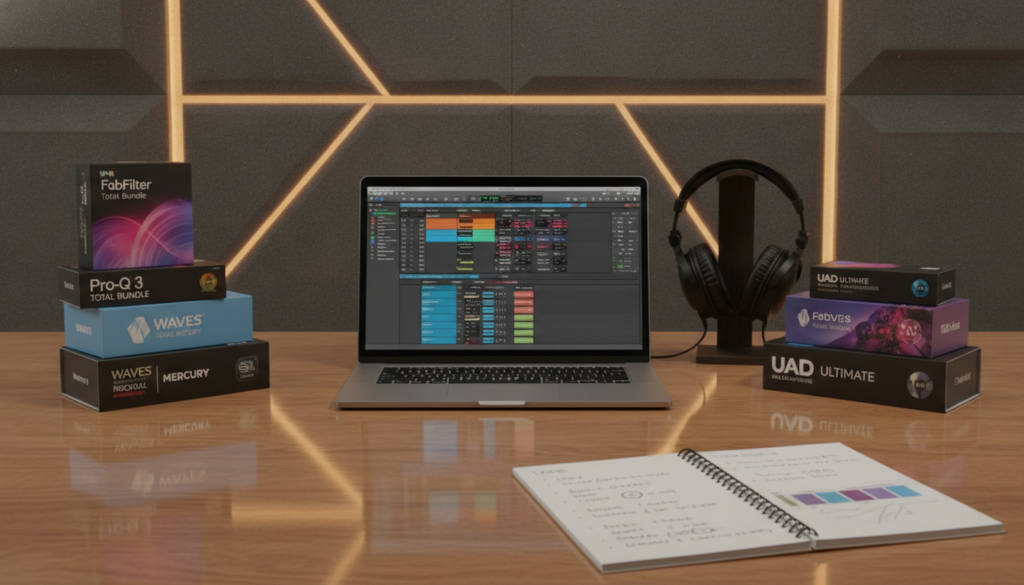
Consider Your Audio Needs
Start by identifying your main production role. If you create electronic music, you may need advanced synthesizers for bass and lead textures. However, post-production work calls for restoration tools and precise dynamics processing.
Always check that your software matches your specific version of Pro Tools. Matching your tools to your goals helps you create music instead of troubleshooting technical limits.
“The best tool is the one that allows you to capture your creative vision without getting in the way of the process.”
Budget Considerations
You do not need to spend a fortune for professional results. Premium options like Pigments 7 offer deep synthesis capabilities, but many free alternatives help beginners get started.
When you buy AAX plugins, consider their long-term value. Mixing high-end paid software with reliable free tools can build a versatile studio arsenal.
| Plugin Category | Primary Use Case | Example Option |
|---|---|---|
| Synthesis | Sound Design | Pigments 7 |
| Dynamics | Mixing/Mastering | HAZE |
| Restoration | Audio Cleanup | ATTRACTOR |
Installation and Setup of AAX Plugins
Adding new software to your digital audio workstation starts with a careful setup routine. Beginners and experienced engineers can follow the right steps to prevent errors. A reliable AAX plugin download expands your sonic palette.
System Requirements
Before installation, check that your computer meets the required specifications. Check your operating system and confirm that your Pro Tools version supports the latest software releases. Also, confirm enough disk space for installation files and related sample libraries.
You must understand the difference between AAX Native and AAX DSP requirements. Native plugins use your computer’s CPU, while DSP versions need special hardware acceleration. Read the manufacturer’s documentation to confirm support for your chosen format.
“The quality of your production is only as good as the stability of your tools; always prioritize a clean and organized installation process.”
Step-by-Step Installation Guide
After confirming compatibility, begin the AAX plugin download. Many developers, including Spitfire Audio, require a dedicated manufacturer application first. This manager handles licensing, downloads, and software updates automatically.
Use these steps to complete your setup:
- Download and install the manufacturer’s management software if required.
- Log in to your account to verify your purchase and initiate the AAX plugin download.
- Ensure the installer points to the correct plugin folder within your Pro Tools directory.
- Launch Pro Tools and allow the software to scan for new plugins upon startup.
If complex settings cause trouble, you can learn Pro Tools fast with expert music production to streamline your workflow. Organizing your plugin folders will save time during future sessions. Finally, activate your licenses through the correct cloud or hardware key management system to complete the process.
Tips for Optimizing AAX Plugin Performance
High-performance studio work requires regular care for your software tools. As sessions grow, even powerful computers may struggle with heavy processing loads. Smart habits help protect your creative flow from glitches and latency.
Regular Updates
Keep every software component updated for better stability. Manufacturers release patches that fix compatibility issues and improve CPU efficiency. Some developers offer major product updates at no cost to existing owners, keeping your toolkit modern and reliable.
Check manufacturer portals regularly to prevent crashes during critical sessions. Staying current helps you avoid bugs fixed in newer versions. Before a system-wide update, confirm that your plugins work with your current version of Pro Tools.
Resource Management
Efficient session management helps keep CPU usage low. Use lightweight tools when heavy processing is not needed to reduce processor strain. For example, the resource-conscious Molot Compressor can manage dynamics across multiple tracks without overloading your system.
When you need to fill production gaps without heavy strain, explore a high-quality AAX plugin free option. These tools often handle secondary tasks well, saving primary processing power for demanding instruments. Balance your plugin chain to keep your computer responsive throughout mixing.
| Optimization Strategy | Primary Benefit | Implementation Frequency |
|---|---|---|
| Software Updates | Stability and Compatibility | Monthly |
| Resource Monitoring | Reduced CPU Load | Per Session |
| Plugin Selection | Workflow Efficiency | As Needed |
Best Practices for Using AAX Plugins
A professional mix starts by turning your creative vision into clear choices. A comprehensive AAX plugin list helps, but thoughtful, restrained use creates the best results.
A clean signal flow supports every successful project. Proper gain staging helps each plugin work in its best range and prevents unwanted digital distortion.
Creating a Balanced Mix
A balanced mix needs careful choices about space and frequency. Rather than stack dozens of effects, use parallel processing to blend dry and wet signals. This method keeps your audio natural while adding texture or depth.
Restraint can be your most powerful tool. Audit your session often, and remove plugins that do not support the song’s emotional impact. A lean session improves CPU management and helps you make clearer decisions.
Layering Sounds Effectively
Layering builds rich, immersive soundscapes without cluttering the frequency spectrum. With complex tools like Serum 2, use the ten-slot effects rack to shape each layer before reaching the master bus.
Reorderable modules in plugins like RC-20 can create movement without overcrowding the mix. The macro system in Infiltrator 2 lets you automate subtle changes that keep listeners engaged throughout the track.
Effective layering balances complexity with clarity. Ensure each layer serves a clear purpose, such as adding width, grit, or harmonic interest to the overall sound.
AAX Plugins for Different Genres
Whether you make high-energy dance tracks or cinematic soundscapes, software choices shape your signature style. Choose the right AAX plugin for your musical goals, so your creative vision reaches the final mix.

EDM and Dance Music
Modern electronic music needs precise drums, strong impact, and changing textures that hold listeners’ attention. Choose tools with deep modulation and synthesis to expand your sound design.
For dance producers, these tools help create professional-grade tracks:
- Serum 2: A powerhouse for wavetable synthesis and complex lead sounds.
- Pigments 7: Offers incredible versatility for creating lush, evolving pads.
- XO: Perfect for organizing and sequencing drum samples with a unique interface.
- Infiltrator 2: An essential multi-effect tool for adding rhythmic movement to any sound.
Film and Game Scoring
Composing for visual media has different needs, with realism and emotional depth taking center stage. A high-quality AAX plugin supplies expressive instruments that bring each scene to life.
For film or game scores, choose instruments with authentic performance and granular textures. For instance, Pigments 7 uses advanced granular and sample engines to build atmospheric soundscapes.
Additionally, MODO BASS 2 provides twenty-two modeled instruments for highly responsive low-end parts. These tools help composers create realistic, organic, dynamic performances that stand out in any production environment.
Future Trends in AAX Plugin Development
Audio production changes quickly as developers expand what software can do. This progress points toward smarter AAX plugin tools that anticipate creative needs in Pro Tools.
AI Integration
Artificial intelligence is changing how we use every AAX plugin in our library. Tools like XLN Audio XO already show how machine learning maps samples for faster discovery. Future releases may offer smart processing that suggests mix changes based on the specific frequency content of our tracks.
New Technologies and Innovations
Generative sequencing is the next frontier for digital audio workstations. Arturia Pigments 7 offers a glimpse of this future through its advanced modulation systems.
Evaluate each new AAX plugin for CPU efficiency, creative control, and long-term update support. Choosing the right tools keeps your workflow productive as technology evolves.