
 Zoe Nora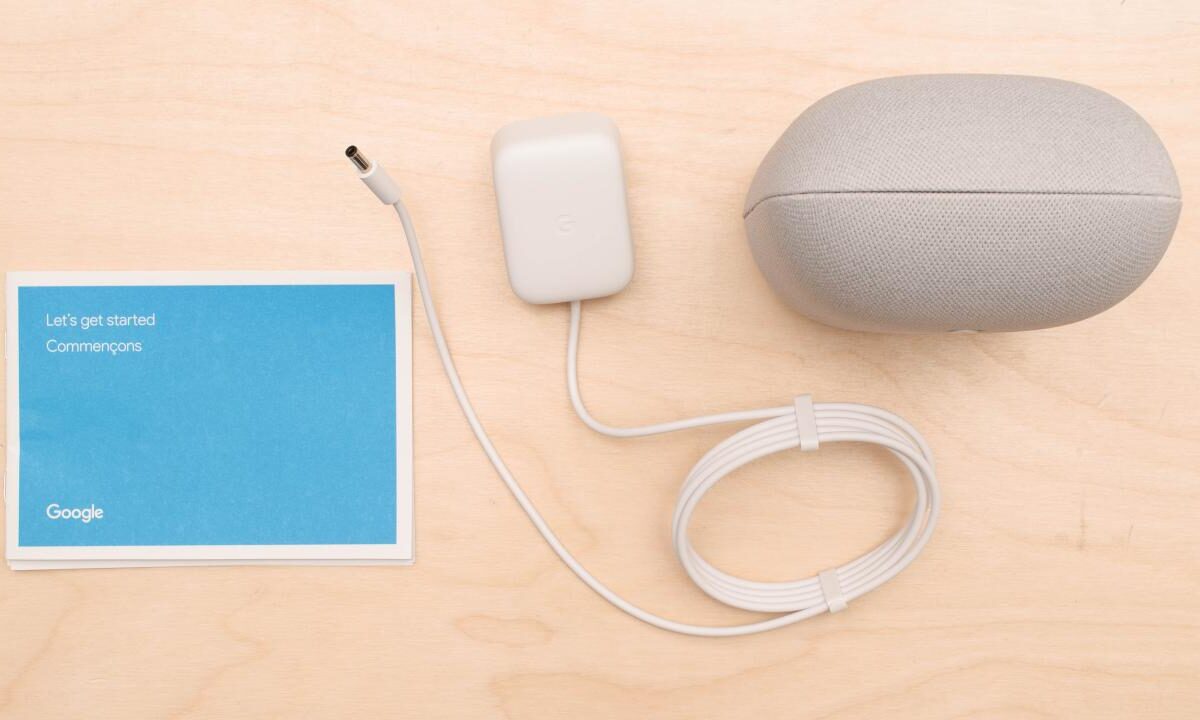
With Google Nest audio at the forefront, this speaker isn’t just about playing music; it’s about transforming your entire living space into a smart home hub. Imagine a device that not only delivers crisp, high-quality sound but also integrates seamlessly with your daily routines and smart devices. This overview dives deep into the impressive features, capabilities, and potential of Google’s innovative audio technology.
From advanced audio quality to smart home integration, Google Nest audio stands out in a crowded market. It combines superior sound technology with the convenience of voice commands, making it a versatile addition to any household seeking both entertainment and efficiency.
Understanding the Features of Google Nest Audio
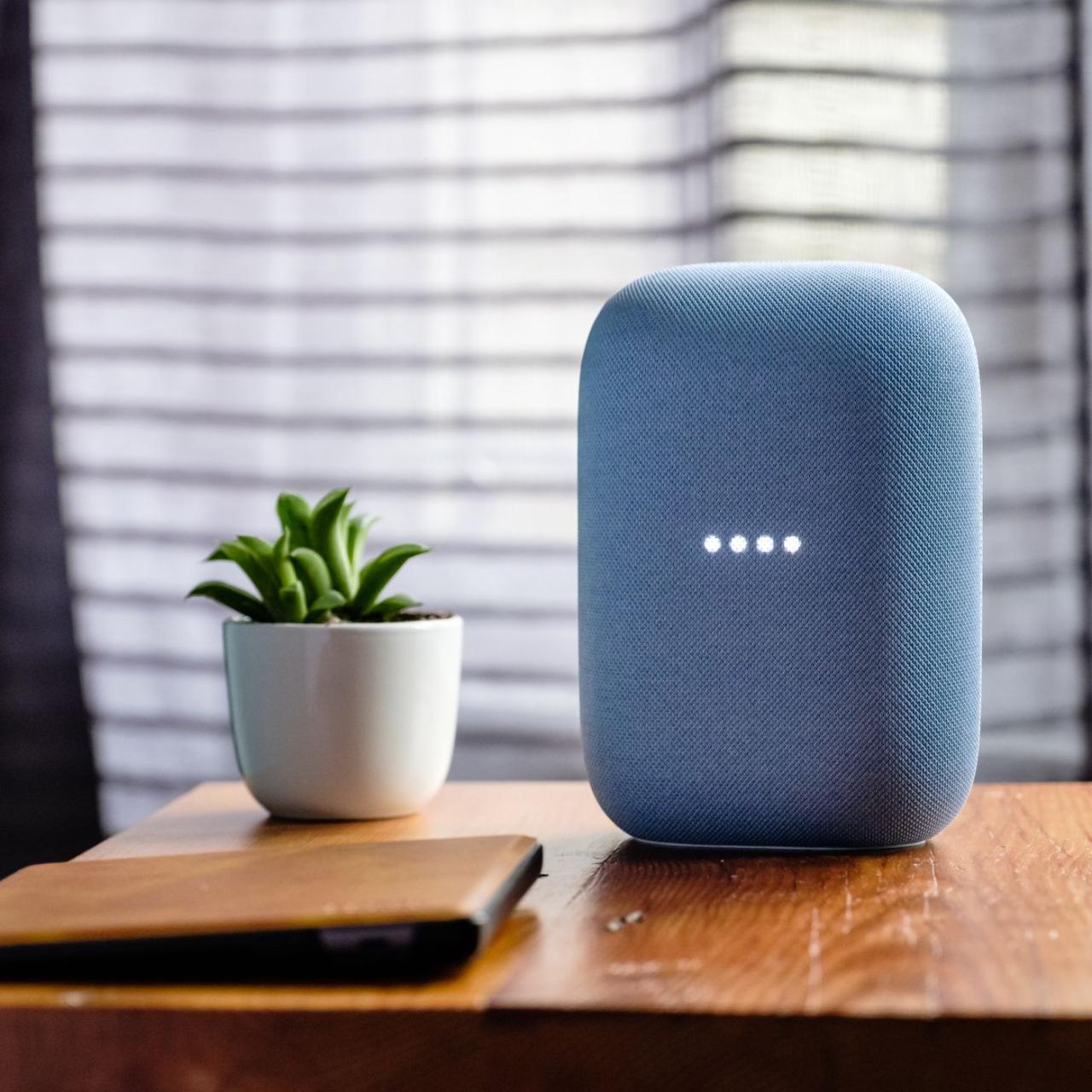
Google Nest Audio is a smart speaker that combines impressive sound quality with advanced smart home integration. Designed to seamlessly fit into any room, it enhances your audio experience while also acting as a central hub for controlling smart devices. This discussion will delve into the prominent features, sound technology, and integration capabilities of Google Nest Audio.
Prominent Features of Google Nest Audio
One of the standout features of Google Nest Audio is its ability to function as both a high-quality speaker and a smart assistant. It is equipped with a built-in Google Assistant, allowing users to access information, set reminders, and control compatible smart home devices through voice commands. Key features include:
- Voice Control: With the far-field microphone, Google Nest Audio can hear commands from across the room, making it convenient for users to interact without being in close proximity.
- Multi-Room Audio: Users can synchronize music playback across multiple Nest Audio devices in different rooms, creating a cohesive audio experience throughout the home.
- Personalized Experience: The speaker recognizes different voices and provides tailored responses, ensuring that each family member receives personalized information and recommendations.
Audio Quality and Sound Technology
Google Nest Audio is designed with audio quality as a top priority. Utilizing advanced sound technology, it delivers clear and balanced sound that enhances both music and voice playback. Its features include:
- Speaker Design: The device boasts a 75mm woofer and a 19mm tweeter, enabling deep bass and crisp highs for an immersive listening experience.
- Adaptive Sound Technology: Google Nest Audio adjusts its sound output based on the acoustics of the room, ensuring optimal audio quality regardless of the environment.
- High-Resolution Audio: It supports high-resolution audio playback, providing a richer sound experience for audiophiles.
Smart Home Integration Capabilities
Google Nest Audio serves as a central hub for managing smart home devices, making it an essential part of a modern smart home ecosystem. Its integration capabilities include:
- Compatible Devices: The speaker works seamlessly with a wide range of smart home devices, including lights, thermostats, and security systems from various manufacturers.
- Voice Activation: Users can control their smart home devices simply by speaking commands, enhancing convenience and accessibility.
- Home Routines: Customizable routines allow users to program multiple actions with a single command, such as turning off lights, adjusting the thermostat, and playing music with just one phrase.
“Google Nest Audio not only elevates your audio experience but also simplifies your smart home management, making it an indispensable device in any tech-savvy household.”
Comparing Google Nest Audio with Other Smart Speakers
With the surge in popularity of smart speakers, it’s essential to compare Google’s Nest Audio with other leading devices, such as Amazon Echo and Apple HomePod. Each device brings its unique features, pricing, and user experiences into the equation, offering potential buyers a variety of choices based on their preferences and needs.
When examining the key differences between Google Nest Audio and its competitors, several factors come into play, including sound quality, smart assistant capabilities, and design aesthetics. Each brand has tailored its offerings to cater to specific user demands.
Key Differences Among Smart Speakers
The distinct characteristics of Google Nest Audio, Amazon Echo, and Apple HomePod can significantly influence consumer preference. Below are the main points of differentiation:
- Sound Quality: Google Nest Audio is designed with a focus on clear vocals and robust bass, making it an excellent choice for music enthusiasts. In contrast, Apple HomePod is noted for its rich sound quality and spatial awareness, while Amazon Echo offers an overall balanced audio performance, catering to various listening preferences.
- Smart Assistant Capabilities: Google Nest Audio utilizes Google Assistant, praised for its extensive knowledge base and integration with Google services. Amazon Echo operates with Alexa, known for its compatibility with numerous smart home devices. Apple HomePod leverages Siri, which offers seamless integration within the Apple ecosystem but may fall short in terms of third-party device compatibility.
- Design and Aesthetics: Google Nest Audio features a minimalist design that blends well with various home decors. Amazon Echo has a more utilitarian appearance, while Apple HomePod boasts a premium, sleek look that appeals to Apple users.
Pricing and Value for Money
When comparing pricing, it’s crucial to evaluate the value each speaker provides relative to its price point. The current market pricing highlights the following:
- Google Nest Audio: Generally priced around $99, it offers a good balance of sound quality and smart features, making it a cost-effective choice for those invested in the Google ecosystem.
- Amazon Echo: The pricing for Amazon Echo typically starts at $99 as well, with frequent sales and promotions, providing excellent value, especially when bundled with other Amazon devices.
- Apple HomePod: Priced around $299, the HomePod targets users seeking superior audio quality, but its higher cost may deter budget-conscious consumers.
User Experience and Feedback
Understanding user experiences can provide insights into how well these devices perform in real-life settings. Feedback from consumers illustrates distinct preferences:
- Google Nest Audio: Users often commend its superior voice recognition capabilities and integration with Google services. The ease of use and intelligent responses from Google Assistant are frequently highlighted.
- Amazon Echo: Positive feedback centers on Alexa’s vast array of skills and smart home compatibility, making it a favorite for tech-savvy individuals looking to automate their homes.
- Apple HomePod: The premium audio quality receives accolades, particularly among audiophiles, but some users express frustration with its limitations outside the Apple ecosystem, affecting overall usability.
Setting Up Google Nest Audio in Your Home
Setting up your Google Nest Audio in your home can be an exciting process, as it enhances your living space with smart technology and seamless audio experiences. From unboxing to getting your device operational, the steps are straightforward and user-friendly.
The setup process begins right out of the box. Once you have unpacked your Google Nest Audio, you can follow these steps to get it ready for use:
Unboxing and Initial Setup
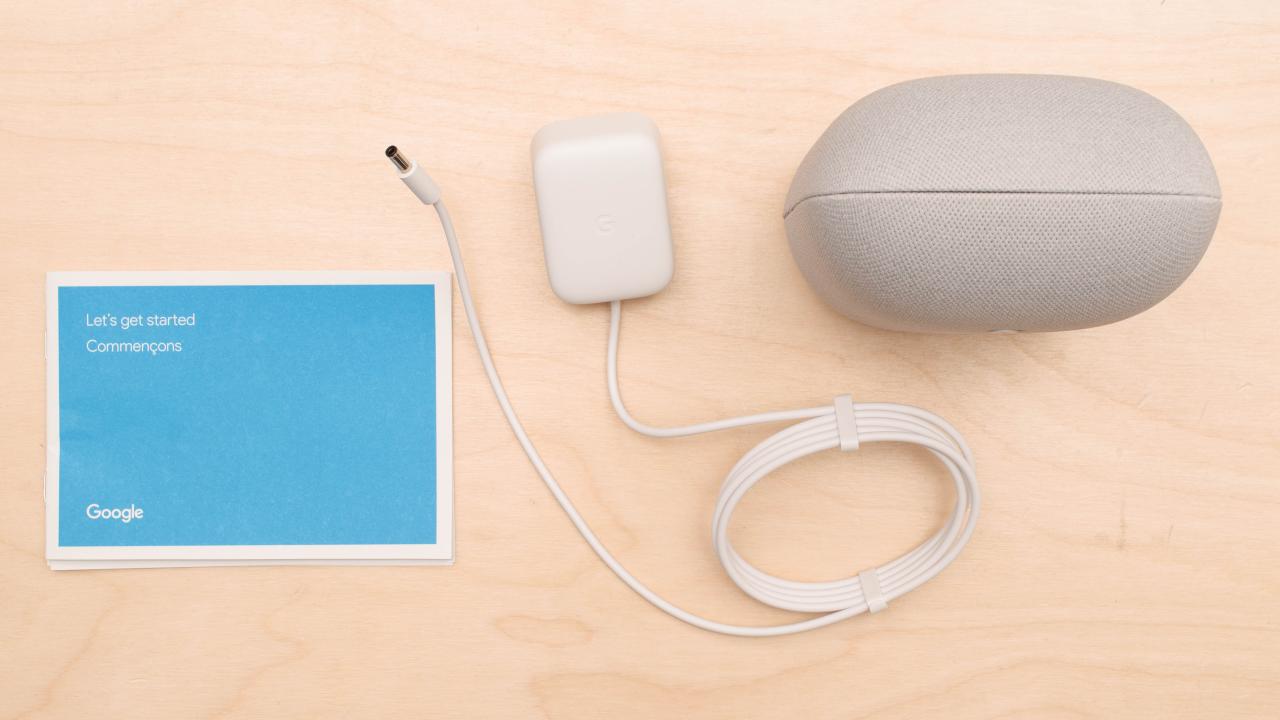
Unboxing your Google Nest Audio reveals the device, a power adapter, and a quick start guide. Begin by placing the speaker in an area where it can easily connect to Wi-Fi, typically in a central location in your home. Once positioned, plug the device into an electrical outlet.
Next, you’ll see a light indicator on the top of the speaker, signaling that it is powered on. To proceed with the setup, download the Google Home app on your smartphone or tablet. This app is essential for the initial configuration and connecting your Google Nest Audio to your home network.
Connecting to Wi-Fi and Bluetooth
Connectivity options for Google Nest Audio include both Wi-Fi and Bluetooth, allowing for flexible use based on your preferences.
To connect your speaker to a Wi-Fi network, open the Google Home app and tap on the “+” icon to add a new device. The app will guide you through the steps to select your Google Nest Audio from the list of available devices. Once selected, you will be prompted to choose your home Wi-Fi network and enter the password.
For Bluetooth connectivity, ensure that Bluetooth is enabled on your device. From the Google Home app, select the Google Nest Audio speaker, access the settings, and choose “Pair Bluetooth speaker.” This allows you to connect your smartphone or tablet directly to the speaker for streaming music or audio content.
Essential Apps and Services
Enhancing your Google Nest Audio experience involves integrating it with various apps and services. Below is a list of essential apps that improve functionality and user interaction:
- Spotify: A music streaming service that seamlessly integrates with Google Nest Audio for easy voice-activated playback.
- Google Play Music: Offers a vast library of songs and playlists, compatible with voice commands for easy access.
- Amazon Music: Another popular music streaming service that can be used with Google Nest Audio for diverse audio options.
- Google Assistant: The built-in virtual assistant that enables voice commands for controlling smart home devices, playing music, and getting information.
- YouTube Music: Streaming service that allows you to access a wide range of music and playlists, directly controllable via Google Nest Audio.
Integrating these apps not only makes your listening experience richer but also allows you to control your smart home devices effectively, making Google Nest Audio a multifunctional component of your home ecosystem.
Exploring the Voice Assistant Capabilities of Google Nest Audio
Google Nest Audio is equipped with Google Assistant, a powerful voice assistant that enhances its functionality and user experience. By integrating voice recognition technology with smart home management, entertainment, and information retrieval, Google Nest Audio allows users to interact with their devices seamlessly and efficiently.
Google Assistant provides a broad range of capabilities when paired with Google Nest Audio. It can assist with various everyday tasks, making it a helpful addition to any household. Users can leverage voice commands to control smart home devices, stream music, get updates on the weather, and much more, all while enjoying a hands-free experience.
Everyday Tasks Performed Using Voice
Voice commands on Google Nest Audio streamline everyday activities, contributing to a more connected and efficient lifestyle. Here are several notable tasks that can be accomplished using voice commands:
- Smart Home Control: Users can adjust lighting, thermostats, and security systems with simple voice commands, creating a comfortable and secure environment.
- Music and Entertainment: Google Nest Audio allows users to play music from various streaming services, set playlists, and even control volume levels through voice commands.
- Information Retrieval: Users can ask Google Assistant for real-time information, such as traffic updates, news briefings, or answers to factual questions, enhancing their daily routine with instant access to knowledge.
- Reminders and Timers: Setting reminders, timers, and alarms becomes a breeze with voice commands, helping users manage their time effectively.
- Shopping Assistance: Google Assistant can help users create shopping lists and even order items online, making errands easier and more efficient.
Voice recognition technology is continually evolving, and while Google Assistant is highly capable, it does have certain limitations. These limitations primarily arise in the areas of understanding complex commands, accents, and contextual nuances. Despite these challenges, substantial improvements are anticipated in the future. With advancements in machine learning and natural language processing, it is expected that Google Assistant will become even more adept at understanding diverse speech patterns and dialects, leading to a more personalized and accurate user experience.
The future of voice recognition technology holds potential for enhancing user interaction, ensuring that devices like Google Nest Audio can intuitively respond to a broader range of commands.
Personalizing Your Experience with Google Nest Audio
Customizing your Google Nest Audio experience can significantly enhance how you interact with your device, making it a personal assistant that truly fits your lifestyle. From adjusting settings to creating personalized playlists, there are numerous ways to make the most out of your Google Nest Audio.
Customizing Settings and Preferences
Google Nest Audio allows users to customize various settings to tailor the audio experience to their liking. You can alter the volume settings, adjust equalizer options, and manage voice recognition features to ensure the device understands you better.
Important customization options include:
- Volume Control: Easily adjust the volume via voice commands or the touch-sensitive controls on the device.
- Equalizer Settings: Fine-tune bass, midrange, and treble levels to suit your listening preferences.
- Voice Match: Set up Voice Match to have the device recognize individual voices within a household and provide personalized responses.
- Device Preferences: Customize your languages and linked accounts in the Google Home app for personalized content delivery.
Creating Personalized Playlists and Radio Stations
With Google Nest Audio, creating your personalized playlists and radio stations is a breeze. This functionality enables you to discover new music that aligns with your taste while also accessing your favorite tracks seamlessly.
To create personalized playlists:
- Using Streaming Services: Link your music streaming accounts such as Spotify or YouTube Music to access and curate your playlists via voice commands.
- Favorite Songs: Simply say, “Add this song to my playlist,” while listening to a track, and the device will automatically include it.
- Radio Station Creation: You can request your favorite genre or artist, and Google Nest Audio will generate a personalized radio station based on your preferences.
Incorporating Routines and Automations
Implementing routines and automations with Google Nest Audio can significantly streamline your daily tasks, making your life more efficient. This feature allows you to execute multiple commands with a single phrase, helping to create a smart home environment.
Key routines to consider:
- Good Morning Routine: Configure a routine that starts your day by playing the news, adjusting the thermostat, and turning on smart lights.
- Bedtime Routine: Set up a command to dim the lights, lock doors, and play calming music when you’re ready to sleep.
- Custom Commands: Create personalized phrases that trigger a series of actions, like “I’m home” to turn on lights and play your favorite playlist.
Maintenance and Troubleshooting Tips for Google Nest Audio
Taking care of your Google Nest Audio ensures it operates efficiently and delivers the best performance possible. Understanding common issues and implementing preventive measures can extend the life of your device while enhancing your overall experience. Below, you’ll find troubleshooting tips for frequent problems, guidance on keeping your device updated, and preventive measures to maintain optimal performance.
Common Issues and Troubleshooting Steps
Issues with Google Nest Audio can arise from various factors, including connectivity problems or sound quality issues. Here are some common concerns and their solutions:
- Device Not Responding: If your Google Nest Audio does not respond to commands, first try rebooting the device by unplugging it and plugging it back in. If the issue persists, check your Wi-Fi connection as a weak signal can cause responsiveness issues.
- Audio Quality Problems: If the sound is distorted or not as expected, ensure that the device is not too close to walls or other obstructions. Adjust the equalizer settings in the Google Home app to enhance audio quality.
- Wi-Fi Connectivity Issues: A common problem is difficulty connecting to Wi-Fi. Ensure your router is functioning properly and within range. You can reset the device’s Wi-Fi connection through the Google Home app by selecting the device and choosing ‘Wi-Fi’ settings.
- Voice Recognition Errors: If the device struggles to understand your commands, make sure you are speaking clearly and that background noise is minimized. You can also retrain the voice model in the Google Home app.
Keeping Google Nest Audio Updated
To ensure your Google Nest Audio performs at its best, it is crucial to keep the software up to date. Google automatically pushes updates to your device, but here are steps to ensure updates are applied:
- Ensure your device is connected to the internet. Regular updates require an active connection.
- Check for updates manually by opening the Google Home app, selecting your Nest Audio device, and navigating to settings. There, you may find an option to check for software updates.
- Keep the Google Home app updated on your smartphone. The app itself receives updates that may affect your device’s performance and capabilities.
Preventive Measures for Optimal Performance
Taking proactive steps can help maintain your Google Nest Audio’s performance and longevity. Here are some effective preventive measures:
- Regular Dusting: Keep the device clean by dusting it regularly with a soft, dry cloth to avoid dust accumulation that can affect sound output.
- Proper Placement: Position the device away from walls or obstructions to facilitate optimal sound distribution and microphone functionality.
- Monitor Volume Levels: Avoid continuously playing audio at maximum volume, as this can distort sound quality and potentially damage the speakers over time.
- Update Your Network: Ensure your Wi-Fi network is robust. Regularly update your router and consider upgrading if you experience frequent connectivity issues.
The Future of Smart Speakers and Google Nest Audio
The evolution of smart speakers has been rapid, and Google Nest Audio stands at the forefront of this transformation. As technology continues to advance, the future of smart speakers is poised to bring remarkable enhancements that will redefine user interaction and functionality. With AI becoming more integrated into our daily lives, the implications for devices like Google Nest Audio are profound, driving innovations that users can eagerly anticipate.
Predictions for Enhancements in Google Nest Audio
As we look towards the future, several enhancements for Google Nest Audio are likely to emerge, driven by user needs and technological capabilities. The integration of more sophisticated artificial intelligence will allow for a more personalized user experience. This could include features such as:
- Contextual Awareness: Future models may leverage AI to understand user contexts better, enabling the speaker to deliver more relevant information based on time, location, or past interactions.
- Multi-User Recognition: Improved voice recognition technology will allow the device to distinguish between different users seamlessly, providing tailored responses, playlists, and reminders.
- Enhanced Sound Quality: Advancements in audio technology will likely result in superior sound quality, possibly incorporating spatial audio or advanced audio processing algorithms to create an immersive listening experience.
Implications of Artificial Intelligence Advancements
The advancements in artificial intelligence will significantly impact how smart speakers like Google Nest Audio operate. AI technologies are expected to enhance natural language processing, allowing for more fluid conversations and complex command executions. This will result in:
- Improved Conversational Ability: AI will enable the speaker to engage in more natural dialogue, making interactions feel less mechanical and more like human conversations.
- Predictive Capabilities: Future models are likely to anticipate user needs and preferences based on previous interactions, adjusting settings, playlists, or reminders accordingly.
- Integration with Smart Home Devices: As AI continues to evolve, the ability of Google Nest Audio to control various smart home devices will become more intuitive and efficient, allowing for automated routines based on user habits.
Potential New Features in Upcoming Models
The next iterations of Google Nest Audio may include several innovative features that will enhance functionality and user engagement. These features will likely include:
- Visual Display Integration: Future models might incorporate screens to provide visual feedback for commands, such as displaying song lyrics or home security camera feeds.
- Health Monitoring Capabilities: There’s potential for smart speakers to include health-related features, such as voice recognition for stress levels or reminders to take medication.
- Enhanced Privacy Controls: Users can expect more robust privacy settings, including physical controls to disable microphones and clearer user interfaces for managing data permissions.
Epilogue
In conclusion, Google Nest audio is not just a speaker; it’s a gateway to an enhanced lifestyle. As we explored its features, setup process, and smart capabilities, it’s clear this device is poised to redefine how we interact with sound and technology in our homes. With future advancements on the horizon, Google Nest audio is positioned to remain at the cutting edge of smart speaker innovation.
Quick FAQs
What devices are compatible with Google Nest audio?
Google Nest audio works with a variety of smart home devices, including lights, thermostats, and security cameras that support Google Assistant.
Can I use Google Nest audio without Wi-Fi?
No, Google Nest audio requires a Wi-Fi connection for most functions, but you can use Bluetooth for direct music playback.
What audio formats does Google Nest audio support?
It supports multiple audio formats, including MP3, WAV, and FLAC, ensuring good quality playback for your music library.
Is Google Nest audio portable?
Google Nest audio is designed primarily for home use and is not battery-operated, so it’s not portable like some other speakers.
How do I update the Google Nest audio?
Updates are automatically downloaded and installed when the device is connected to Wi-Fi, ensuring you always have the latest features.