
 Zoe Nora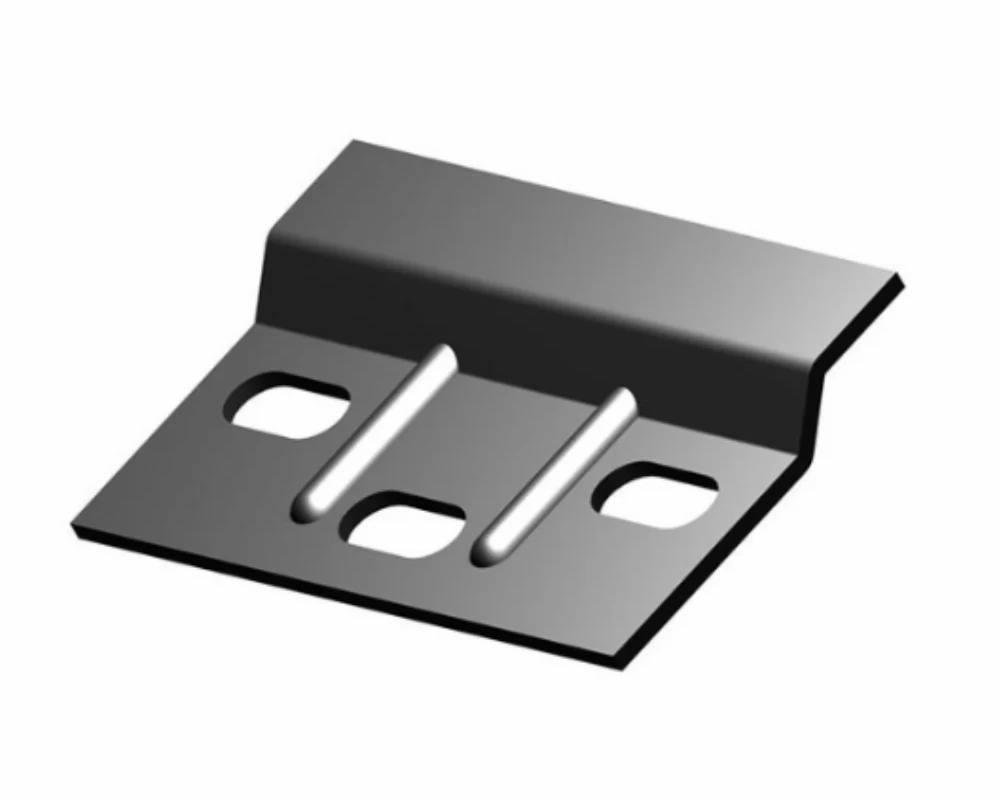
Choosing the right TV mount can transform your viewing experience, elevating both aesthetics and functionality in your space. With a variety of options available, selecting the ideal mount is crucial for maximizing your room’s layout and ensuring an optimal viewing angle. This guide will walk you through everything from installation to maintenance, empowering you to make informed decisions for a seamless home entertainment setup.
Understanding the different types of TV mounts—fixed, tilting, and full-motion—opens up a world of possibilities. Each type serves a unique purpose, providing various benefits depending on your room’s design and your personal viewing habits. Whether you’re aiming for sleek minimalism or dynamic flexibility, this guide will help you navigate the nuances of mounting your TV securely and stylishly.
Choosing the Right TV Mount for Your Space
When it comes to enhancing your living space, selecting the right TV mount plays a crucial role. With various TV mount options available on the market, understanding their functionalities and suitability for different room layouts can help you make the best choice for your home. Properly mounted TVs not only improve the viewing experience but also contribute to the overall aesthetic of the room.
Wall-mounted TVs are a fantastic way to save space and create a sleek, modern look in any room. Traditional TV stands can consume significant floor area, making a space feel cluttered. By opting for a wall mount, you can free up valuable floor space, allowing for more furniture arrangements or decorative elements. Additionally, wall-mounted TVs can be positioned at eye level, providing a more comfortable viewing experience while reducing neck strain. This positioning can turn a blank wall into a focal point, especially when combined with stylish cable management solutions that hide unsightly wires. Many people choose to install their TVs above a fireplace or in the center of a feature wall, creating a visually pleasing environment. Furthermore, wall mounts encourage a minimalistic design approach, making it easier to maintain a tidy and organized living space.
Comparison of TV Mount Types
When selecting a TV mount, it is essential to understand the differences between fixed, tilting, and full-motion mounts. Each type offers unique benefits and limitations that cater to various viewing needs and room configurations.
Fixed mounts are the simplest option. They hold the TV flat against the wall, which is excellent for saving space. This type of mount is ideal for rooms where the viewing angle is direct. However, fixed mounts do not allow for any adjustments once installed, which can be a drawback if you want to change the viewing angle later.
Tilting mounts offer a mid-range solution, allowing the TV to tilt downwards. This feature is particularly beneficial when the TV is mounted high on the wall, providing a more comfortable viewing angle by reducing glare. While they offer some flexibility, tilting mounts still lack the full range of motion that some viewers might desire.
Full-motion mounts, also known as articulating mounts, provide the most versatility. They enable the TV to extend, swivel, and tilt, allowing for optimal positioning regardless of where viewers are seated. This adaptability is perfect for larger rooms or open floor plans where viewers may sit at different angles to the screen. However, they can be more complex to install and often come at a higher price point than fixed or tilting mounts.
Choosing the right mount depends on your specific needs and the layout of your space, merging aesthetics and functionality seamlessly.
Installation Process of a TV Mount
Installing a TV mount can seem daunting, but with the right tools and knowledge, you can achieve a safe and professional setup. The process involves several important steps, from selecting the appropriate location to ensuring your TV is securely mounted. Following these steps will help prevent damage to your wall and TV while enhancing your viewing experience.
Proper wall stud identification and the use of anchors play a critical role in ensuring that your TV mount is secure. The first step in installation is locating the wall studs, which are the vertical wooden or metal beams in your wall that provide structural support. Using a stud finder is the most effective way to locate these beams. Once you’ve identified them, mark their locations with a pencil. If you cannot find a stud in the desired mounting area, you’ll need to use wall anchors. Wall anchors support the weight of the TV and prevent it from pulling out of the wall.
The importance of using a stud finder and anchors cannot be overstated. Mounting a TV directly into drywall without hitting a stud can result in a mounting failure, potentially causing the TV to fall and injure someone or damage the equipment. An example of this can be seen in residential cases where homeowners have mounted large flat-screen TVs only to realize afterwards that they didn’t hit a stud; the result was disastrous – a broken TV and a massive hole in the wall. Therefore, always opt for mounting screws that are long enough to penetrate the stud by at least 1.5 inches. If using wall anchors, select heavy-duty toggle bolts that can handle the weight of the TV along with the mount.
Once the TV mount is securely attached to the wall, cable management becomes the next focus. A clean setup not only enhances the aesthetic appeal of your space but also prevents tangling and wear on cables. Here are best practices for cable management:
1. Plan the Cable Path: Before installation, visualize where your cables will run and how they’ll reach the TV from your devices, such as a streaming box or gaming console.
2. Use Cable Covers: These are adhesive strips or raceways that conceal cables along the wall. They come in various colors to match your decor and are easy to install.
3. Tie Cables Together: Use cable ties or Velcro straps to group cables that run together. This prevents tangling and keeps everything organized.
4. Consider Wall Plates: If you’re running cables through the wall, wall plates provide a professional finish and protect cables from damage.
5. Label Your Cables: Use labels on both ends of each cable for easy identification. This is particularly useful for troubleshooting or when you need to make changes in the future.
By adhering to these cable management practices, you can ensure that your TV installation looks sleek and polished, enhancing your living space while maintaining safety.
Factors to Consider Before Mounting a TV
When it comes to mounting a TV, the experience can vastly differ depending on several key factors. The placement of your television should not only enhance your viewing pleasure but also fit harmoniously within your living space. Understanding the various considerations is vital to ensure that your entertainment setup is both functional and aesthetically pleasing.
One of the most critical aspects to consider is the viewing height and distance from seating arrangements. The correct height at which to mount your TV is crucial for comfort and enjoyment during viewing. Ideally, the center of your TV screen should be at eye level when you are seated. This usually falls between 42 to 48 inches from the floor, depending on the size of the TV and the height of your seating. If your TV is mounted too high, you may experience neck strain and discomfort over long viewing sessions.
Moreover, the distance from your seating arrangement to the TV screen can dramatically influence your viewing experience. A general rule is to sit at a distance of 1.5 to 2.5 times the diagonal size of your TV for optimal image quality. For instance, if you have a 65-inch TV, your seating should ideally be between approximately 8 to 13.5 feet away. This distance allows for an immersive experience without straining your eyes or losing clarity in detail.
Impact of Lighting and Glare on TV Viewing Experience
Lighting and glare play significant roles in the quality of your TV viewing experience. Proper lighting can enhance visibility, while excessive glare can ruin your enjoyment. When placing your TV, consider the natural light sources in your room. Windows can create reflections and glare, especially during peak sunlight hours. To mitigate these issues, you can utilize window treatments like curtains or blinds that can be adjusted based on the time of day.
Additionally, consider the use of ambient and task lighting in your room. Soft, diffuse lighting can reduce glare and make viewing more comfortable. Avoid placing lamps or light sources directly behind or in front of the TV, as this can create distracting reflections. Furthermore, some TVs come equipped with anti-glare screens that can significantly minimize reflections, making them an excellent option for brightly lit rooms.
In summary, understanding the significance of viewing height and distance, as well as managing lighting and glare, are pivotal factors in creating an ideal TV viewing setup. Your comfort and enjoyment should always come first.
Maintaining Your TV Mount for Longevity
Regular maintenance of your TV mount is crucial for ensuring both safety and durability. A well-maintained mount can enhance your viewing experience while preventing accidents caused by failure or detachment. This guide will help you understand how to regularly check and maintain your TV mount, addressing common issues that may arise and emphasizing the importance of adhering to manufacturer guidelines.
Maintaining your TV mount involves a few simple yet effective practices. Regular checks help identify issues before they escalate, ensuring the mount remains secure and functional. It’s essential to inspect the mount for signs of wear and tear, including loose screws, rust, or any visible damage. Taking a proactive approach can prevent potential accidents and extend the life of your equipment.
Common Issues and Troubleshooting
Several issues can arise with TV mounts, and understanding how to troubleshoot them is key to longevity. Here are common problems along with their solutions:
– Loose Bolts and Screws: Over time, the bolts and screws holding the mount in place may loosen. This can lead to instability and potential detachment. Regularly check and tighten all screws using the appropriate tools. A simple torque wrench can help ensure that screws are tightened to the manufacturer’s recommended specifications.
– Wear from Movement: For mounts that allow tilting or swiveling, wear can occur at the pivot points. If you notice resistance or unusual sounds when adjusting the TV, it’s a sign that lubrication may be needed. Use a silicone-based lubricant on the pivot points to allow for smooth movement.
– Corrosion or Rust: In humid environments, metal components of the mount may develop rust. Inspect for any signs of corrosion and address them immediately. If rust is present, sand it down and apply a suitable anti-rust paint or coating to prevent further deterioration.
– Cracks in the Mounting Bracket: Inspect the mounting bracket for any signs of cracking or deformation. If any cracks are visible, replace the bracket immediately. Continuing to use a cracked mount could lead to catastrophic failure.
Following the manufacturer’s guidelines is vital for maintenance and check-ups. These guidelines provide specific instructions tailored to your mount’s design and material. Adhering to these recommendations not only ensures that the mount performs optimally but also maintains the warranty validity.
Regular checks and maintenance keep your TV mount secure and extend its lifespan.
Benefits of Upgrading to a Full-Motion TV Mount
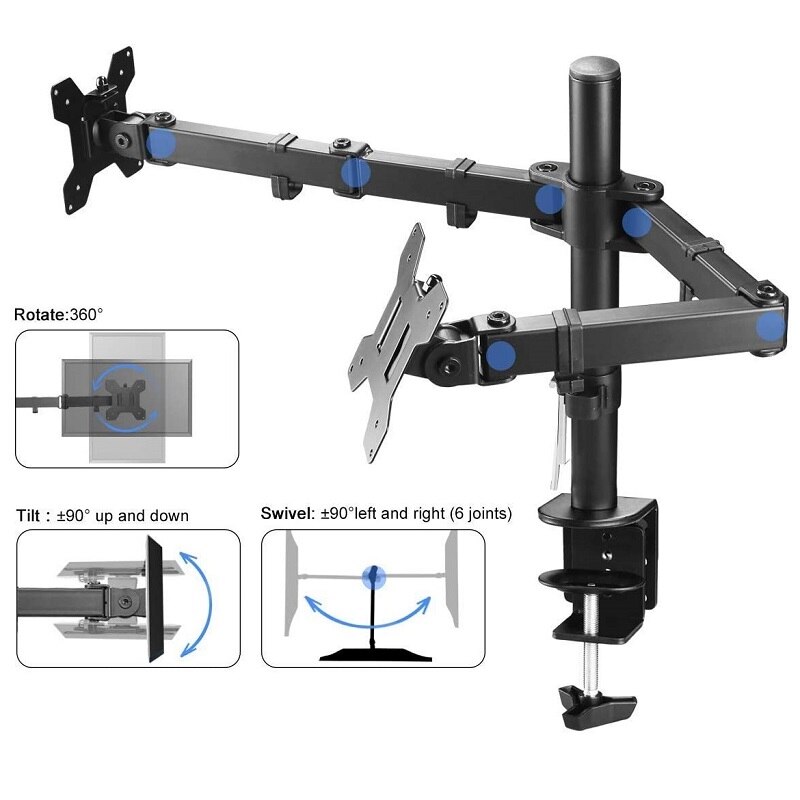
Upgrading to a full-motion TV mount can significantly enhance your viewing experience compared to traditional fixed mounts. Full-motion mounts offer a variety of advantages that cater to different room layouts and personal preferences. By allowing users to adjust the position of their TV with ease, these mounts provide a level of flexibility that can transform how you enjoy your favorite shows and movies.
Full-motion TV mounts allow for a range of movement that fixed mounts simply cannot provide. While fixed mounts are limited to a single, static position, full-motion mounts can swivel, tilt, and extend. This means you can adjust the angle of your TV to reduce glare from windows, accommodate viewers seated at different angles, or even reposition the screen entirely for better visibility in a multi-room setup. For instance, if you’re entertaining guests in a different room or have a large open-concept space, you can easily turn the TV towards those areas, ensuring everyone has an optimal viewing experience.
Considerations for Upgrading to a Full-Motion Mount
When upgrading to a full-motion TV mount, it’s important to keep several considerations in mind to ensure a successful installation and optimal performance. Firstly, assessing the weight limit of the mount is crucial. Most full-motion mounts come with specific weight capacities, which should match or exceed the weight of your TV. This prevents potential accidents and damage to both the TV and the mount.
Another important factor is wall compatibility. Not all walls can support the same weight or type of mount. It’s essential to determine whether your wall is drywall, concrete, or brick and to use appropriate anchors and screws for secure installation. Additionally, consider the mounting pattern on the back of your TV, as it must align with the mount’s brackets for a proper fit.
Here’s a brief checklist to help you with your upgrade:
- Weight Limit: Ensure the mount can support your TV’s weight.
- Wall Type: Identify your wall material and choose a compatible mount.
- Mounting Pattern: Check the VESA pattern on your TV for proper mounting.
- Viewing Height: Determine the ideal height for comfortable viewing.
- Cable Management: Consider how you will manage cables for a neat setup.
By keeping these considerations in mind, you can enhance the functionality of your TV setup and enjoy a more immersive viewing experience with your new full-motion mount.
Troubleshooting Common TV Mount Issues
When it comes to mounting your TV, encountering issues is not uncommon. Understanding these potential problems and how to address them can save you a lot of time and frustration. This section will delve into common challenges users face with TV mounts, emphasizing the importance of secure installation, and highlight signs that your mount may need adjustment or replacement.
Ensuring that all screws and bolts are tightened and secure is crucial for the safety and functionality of your TV mount. Over time, vibrations from the TV, movement during daily life, or even temperature fluctuations can cause screws to loosen. If the mount is not properly secured, it can lead to a range of issues. For instance, an improperly mounted TV can tilt, sway, or in severe cases, fall off the wall, potentially causing injury or damage to your television. Regularly checking the tightness of screws and bolts can prevent these problems and ensure that your TV remains safely mounted.
Signs that indicate a TV mount needs to be adjusted or replaced include:
Indicators for Adjustment or Replacement
It’s essential to keep an eye out for specific signs that your TV mount might not be functioning as it should. Addressing these issues promptly can prevent accidents and ensure optimal viewing experiences.
- Visible Tilt or Slant: If the TV appears tilted or is not level, this may indicate loose mounting hardware. Adjustments may be needed to realign the TV.
- Unusual Noises: If you hear creaking, popping, or rattling sounds when the TV is in use, this could be a sign that the mount is not securely fastened or is damaged.
- Excessive Movement: If the TV wobbles or shifts significantly when touched, it’s crucial to check the stability of the mount. This could be due to loose screws or inadequate weight support.
- Wall Damage: Visible cracks or damage around the mount area may indicate that the mount is overexerting pressure on the wall, suggesting the need for a more suitable mounting solution.
- Difficulty in Adjusting: If you find it challenging to swivel or tilt the TV, the mounting bracket could be worn out and may need replacement.
By regularly inspecting your TV mount for these indicators, you can maintain a safe and enjoyable viewing experience, ensuring that your investment in a quality TV mount serves you well for years to come.
Designing a Home Theater Around Your TV Mount
Creating a home theater that enhances your viewing experience is an enjoyable and rewarding task. A well-designed space not only complements the mounted TV but also elevates your overall entertainment experience. With thoughtful consideration of design elements, you can develop a room that combines visual appeal with functional comfort, making it the perfect spot for movie nights and binge-watching sessions.
The arrangement of furniture in a home theater is crucial for optimizing the viewing experience. It influences various factors, including sound dynamics, sightlines, and overall comfort. To create a cinematic atmosphere, it’s essential to center the seating area around the TV mount, ensuring that all viewers have an unobstructed view. Sofas and chairs should be positioned at a distance that allows for comfortable viewing while maximizing screen visibility. Ideally, the center of the screen should be at eye level when seated, which can often mean raising the TV mount above the typical height for a more immersive experience.
Acoustic considerations play a significant role in the sound quality of your home theater. Soft furnishings such as curtains, carpets, and upholstered furniture help absorb sound, reducing echoes and creating a more pleasing auditory environment. Placing the main seating area away from walls minimizes sound distortion and enhances the listening experience. It can be beneficial to experiment with the arrangement, perhaps using a combination of rear surround speakers and a subwoofer strategically placed to deliver optimal sound quality throughout the room.
When designing a home theater system around your mounted TV, there are several elements to consider. Each element contributes to an enriching experience, and a checklist can ensure that nothing is overlooked.
Checklist for Designing Your Home Theater
To guide your design process, here’s a checklist of elements to keep in mind when creating your home theater.
- Seating Arrangement: Select comfortable seating that allows for easy movement and interaction. Recliners and sectional sofas are popular choices for maximizing comfort.
- Screen Size and Mount Height: Determine the appropriate size of the TV based on the room dimensions and the seating distance. The TV should be mounted at eye level for an optimal viewing experience.
- Lighting Control: Implement adjustable lighting options such as dimmable lights and blackout curtains to manage glare and enhance the cinema-like atmosphere.
- Sound System Setup: Consider investing in a high-quality sound system that includes surround sound speakers, a subwoofer, and proper placement for an immersive audio experience.
- Acoustic Treatments: Incorporate soft furnishings and specialized acoustic panels to enhance sound quality by reducing echoes and improving clarity.
- Media Storage: Plan for adequate storage solutions for DVDs, Blu-rays, and gaming consoles to keep the space organized and clutter-free.
- Climate Control: Ensure the room is well-ventilated and maintain a comfortable temperature, especially important during long movie marathons.
Utilizing these guidelines will help you create a functional and enjoyable home theater space that harmonizes beautifully with your TV mount. The right furniture arrangement, sound system, and ambient lighting will transform your room into a personal cinema, ready to offer countless hours of entertainment.
Safety Considerations When Mounting a TV
Mounting a TV can enhance your viewing experience, but safety should always be a top priority. Improperly mounted TVs pose significant hazards, including the risk of falling, which can cause severe injury to children, pets, and even adults. To ensure a secure installation, it’s essential to understand the best practices and precautions to take.
Securing the mount to wall studs and utilizing appropriate mounting hardware cannot be overstated. Wall studs provide the necessary strength and stability needed to support the weight of your TV. Many drywall anchors may look appealing, but they simply lack the strength to hold a heavy TV securely. Failing to anchor to wall studs can lead to accidents, with TVs falling and potentially causing serious injuries. Here are some critical considerations:
– Weight Capacity: Always check the weight rating on your mount and ensure it exceeds the weight of your TV.
– Stud Location: Use a stud finder to locate the wall studs accurately. Typically, studs are spaced 16 or 24 inches apart, so knowing their location is crucial for a secure mount.
– Appropriate Hardware: Use the screws and anchors that come with your mounting kit, which are designed for the specific mount and TV combination.
Following these guidelines will significantly reduce the safety risks associated with mounting your TV.
Child-proofing and Pet-proofing a Mounted TV
Safety is paramount, especially in homes with children or pets. In addition to proper mounting, there are several strategies to child-proof or pet-proof a mounted TV to prevent accidents. Implementing these measures can help avoid unfortunate incidents:
– Use Anti-Tip Straps: These straps connect your TV to the wall, providing additional support and preventing the TV from tipping over.
– Mount at an Appropriate Height: Install the TV higher on the wall, out of reach for small children and curious pets.
– Create a Safe Zone: Designate the area around the TV as off-limits for active play or pet activities. This can be enhanced with furniture arrangement.
– Secure Cables: Bundle and secure any loose power or HDMI cables to prevent entanglement or pulling.
By taking these precautions, you can enjoy your mounted TV while ensuring a safe environment for everyone in your home.
Closing Notes
In summary, a well-chosen TV mount not only enhances your viewing pleasure but also contributes to a more organized and visually appealing space. By considering factors like installation, maintenance, and safety, you can enjoy your television to the fullest while ensuring its longevity. With the right approach, your TV mount can adapt to your lifestyle, making your home entertainment experience truly exceptional.
Essential FAQs
What is the best height to mount a TV?
The ideal height for mounting a TV is generally eye level when seated, which is typically about 42 inches from the floor to the center of the screen.
Can I mount a TV on drywall?
Yes, but it’s essential to locate wall studs and use appropriate anchors to ensure the mount is secure and can handle the weight of the TV.
How can I hide the cables after mounting my TV?
Using cable management systems, wall conduits, or decorative cable covers can greatly enhance the appearance of your setup by concealing unsightly wires.
What tools do I need to install a TV mount?
Common tools include a drill, screwdriver, stud finder, level, and measuring tape for accurate installation.
Are full-motion mounts worth the investment?
Yes, full-motion mounts offer flexibility in viewing angles, making them ideal for larger rooms or spaces where seating arrangements vary.