
 Zoe Nora
Did you know that nearly 80% of modern flat-screen televisions have speakers that face downward or backward? This design often leads to muffled dialogue and a thin, hollow sound. It doesn’t match the high-definition picture you see.
We think your entertainment should be better than what standard speakers offer. A soundbar can change your living room into a real home theater. These devices are compact and easy to set up, without the mess of complex wiring or big speakers.
Finding the right soundbar for TV integration is easier than you think. We made this guide to help you understand the latest tech and find the perfect fit for your space. Whether you want something simple or a top-notch surround system, we’re here to help you get superior audio quality.
Key Takeaways
- Built-in TV speakers often lack the clarity needed for modern media.
- A dedicated audio device significantly improves dialogue and bass performance.
- Modern systems offer a simple, space-saving alternative to traditional setups.
- Proper placement and connectivity are essential for an immersive experience.
- Our guide helps you select the best hardware for your specific needs.
What is a Soundbar?
Modern TVs are getting thinner, but their speakers are not. As screens get slimmer, there’s less room for good sound. That’s why a soundbar is key for great home entertainment.
Definition and Purpose
A soundbar is a long, thin speaker that fits under or above your TV. It’s different from big home theater systems because it’s all in one. This all-in-one unit has everything you need for great sound in a small package.
Its main job is to make TV sound better. It combines the sound from the front, center, and sometimes sides into one bar. This makes watching TV feel more like a movie without making your room look messy. Plus, many soundbars are easy to set up, making them a great choice for any home.
How Soundbars Enhance Audio Experience
Soundbars make your TV sound better with advanced tech and quality speakers. They help voices stay clear, even in loud scenes. This way, music, sounds, and voices don’t get mixed up.
Some soundbars can be set up to work with more speakers for a full surround sound experience. You can add a subwoofer for deep bass. And some systems even have rear speakers for a surround sound effect that makes movies feel real.
Benefits of Using a Soundbar
Many homeowners find their TV speakers can’t handle today’s movies and shows. TV displays are now thinner and look great, but their speakers don’t deliver the sound we want. A soundbar is the best way to improve your home’s sound.
Improved Sound Quality
A good sound system makes a huge difference in sound quality. You’ll hear voices clearer and feel the bass more. A soundbar for TV brings out the music and sound effects that TVs can’t.
Space-Saving Design
Old home theaters take up a lot of space with big speakers and receivers. A soundbar is slim and fits right under or next to your TV. It keeps your room tidy and free of clutter.
Easy Setup
Setting up a new sound system used to be hard. But now, a wireless soundbar connects easily to your TV with Bluetooth or HDMI. This makes it simple to get great sound fast.
| Feature | Traditional Speakers | Modern Soundbar |
|---|---|---|
| Installation Time | High (Complex wiring) | Low (Plug and play) |
| Space Required | Large footprint | Minimalist |
| Audio Quality | Excellent (Customizable) | Great (Optimized) |
| Connectivity | Multiple cables | Wireless/Single cable |
Key Features to Look For in a Soundbar
Finding the right audio equipment starts with knowing what matters most. Design is key, but it’s the tech inside that makes your movies and music pop.
Audio Channels
When you check out a soundbar, look for numbers like 2.1 or 5.1. These numbers tell you how many channels and if it has a soundbar with subwoofer. The first number is the main speakers, and the second tells you if it has a subwoofer.
A 2.1 system gives you basic stereo sound. But a 5.1 setup adds rear speakers for real surround sound. If you see a third number, like 5.1.2, it means it has upward-firing drivers for a more immersive sound.
Connectivity Options
Connecting your device to the TV is crucial. Most modern soundbars support HDMI eARC for high-quality audio and easy control with your TV remote. You might also want a wireless soundbar for streaming music from your phone using Wi-Fi or Bluetooth.
| Connection Type | Best For | Audio Quality |
|---|---|---|
| HDMI eARC | High-end Home Theater | Excellent |
| Optical | Older TV Models | Good |
| Bluetooth | Casual Music Streaming | Average |
| Wi-Fi | Multi-room Audio | High |
Built-in Features
Many soundbars come with smart tools to enhance your listening. Dialogue enhancement makes it easier to hear what’s being said in quiet scenes. Look for custom EQ settings or a night mode to balance loud and soft sounds.
Premium options often include voice control. This lets you change volume or tracks with simple voice commands. Whether you choose a standalone unit or a soundbar with subwoofer, these features make your surround sound system easy to use for everyone.
Popular Soundbar Brands to Consider
Choosing a sound system is all about finding what fits your needs. Each brand has its own way of connecting, software, and sound quality. When you find the best smart soundbar, you’re picking a system that will change how you listen for years.
Sonos
Sonos is known for easy app control and the ability to expand your system. Their products work together seamlessly, making it easy to add more without a mess of wires. They focus on making things simple and easy to grow.
Bose
Bose is great for those who want a clean aesthetic and easy use. They aim for clear, balanced sound that makes dialogue and music pop. People love their sleek designs that fit right into any room.
“True innovation in audio is not just about volume; it is about the clarity and emotional connection the listener feels with the sound.”
Samsung
Samsung is known for working well with modern TVs. Their soundbars offer advanced surround sound that pairs well with Samsung TVs. They’re perfect for those who want a powerful sound system that’s ready to go.
Sony
Sony brings movie magic to your living room with their soundbars. They’re great for handling complex audio formats, making them a top pick for movie lovers. Sony’s mix of high-end sound and easy use makes them a top choice for any home theater.
- Sonos: Best for multiroom ecosystems.
- Bose: Best for design and clarity.
- Samsung: Best for TV integration.
- Sony: Best for cinematic immersion.
Soundbar Types and Configurations
When setting up your home theater, knowing about different audio setups is key. We sort these devices by their parts and how they bring sound to life. Choosing the right one depends on your room and what you want to hear.
All-in-One Soundbars
An all-in-one soundbar is great for those who like simplicity and a neat look. These units have everything in one box, so you don’t need extra cables or big boxes. They’re perfect for small places like apartments or bedrooms.
They might not have the deep bass of a separate subwoofer. But, many modern soundbars use special tech to make sounds seem wider. They offer a big improvement over TV speakers without making your room messy.
Soundbar with Separate Subwoofer
For a real movie feel, go for a soundbar with subwoofer. The subwoofer handles the low sounds, giving you deep, strong bass. This setup makes dialogue clear and audio controlled, as the bass unit does the heavy lifting.
Many of these setups have a wireless soundbar and subwoofer. This lets you put the subwoofer anywhere, like in a corner, for a cleaner look. It’s a good choice for those who want great sound without a big setup.
Soundbar Systems
For a full surround sound experience, modular soundbar systems are the best. They start with a main bar and let you add more speakers or subs later. This way, you can build a big sound system as you go.
By adding speakers behind you, you get a real sense of being in the action. This makes your setup feel like a pro-grade theater. It’s perfect for those who want to be fully immersed in their media.
| Configuration Type | Best For | Bass Performance | Setup Complexity |
|---|---|---|---|
| All-in-One | Small Rooms | Moderate | Very Low |
| With Subwoofer | Living Rooms | High | Low |
| Modular System | Dedicated Media Rooms | Very High | Moderate |
Pricing Considerations for Soundbars
Choosing a soundbar can be easier when you look at prices and what you need. Cost isn’t everything. Think about your room size, how you listen to sound, and what you need to connect to. This way, you’ll find the best sound system for your money.
Budget-Friendly Options
For small rooms or extra TVs, entry-level soundbars are great. They’re small, easy to connect, and affordable. They might not have all the fancy features, but they’re perfect for those who want something simple and cheap.
Mid-Range Choices
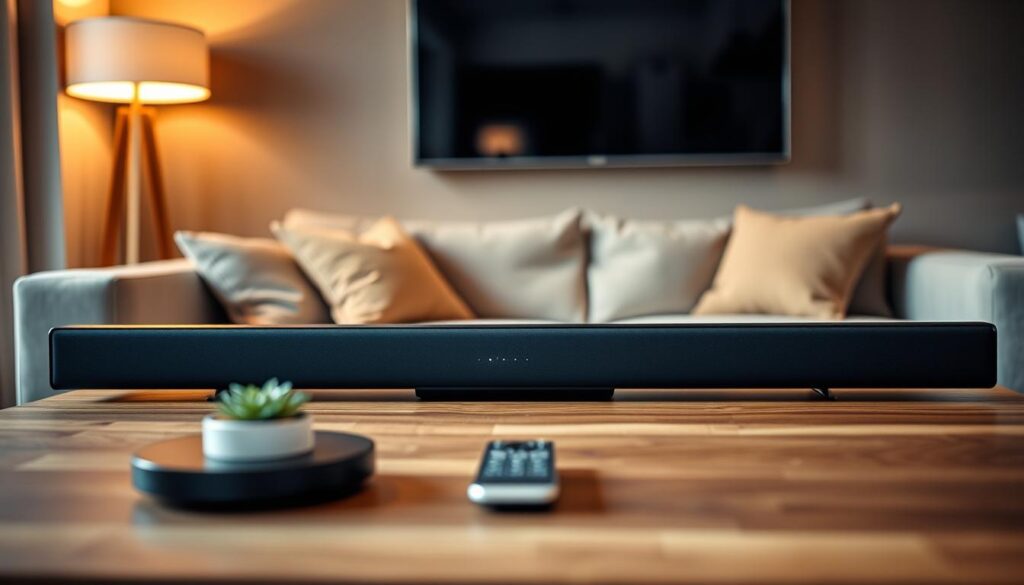
Most people find the best deal between $200 and $600. In this range, you get a soundbar with subwoofer. This gives you deep bass for movies. These soundbars also have better connections and drivers for a better sound experience.
“The quality of your audio setup is not defined by the price tag, but by how well the components harmonize with your living space.”
Premium Soundbars
Premium soundbars are for those who want the best. They have advanced tech, room correction, and high-quality drivers. You can even add more speakers or subwoofers for a full home theater setup.
| Category | Typical Price Range | Key Benefit |
|---|---|---|
| Budget | $100 – $200 | Compact & Simple |
| Mid-Range | $200 – $600 | Balanced Performance |
| Premium | $600+ | Advanced Processing |
How to Choose the Right Soundbar for Your Space
Finding the best soundbar for TV watching means looking at tech specs and your room’s layout. The most expensive gear won’t impress if it doesn’t fit your space. Make sure your home theater setup matches your room for the best sound experience.
Room Size and Acoustic Considerations
Your room’s size affects how sound moves and hits your furniture. Big rooms need a strong soundbar to fill the space well. Small rooms do better with smaller soundbars to avoid too much sound.
Also, think about your ceiling. If you want Dolby Atmos, a flat ceiling helps sound bounce back to you. But, if your ceiling is odd-shaped, sound might not reach you as well.
Placement Options
Measure your space before buying. Decide if you’ll put the soundbar on a shelf or mount it on the wall. Wall-mounting looks neat but check if your wall can hold the soundbar’s weight.
For a shelf, make sure it’s deep enough. The soundbar should sit right at the edge of your furniture to avoid sound bouncing off. Keep the area in front of the soundbar clear for better sound.
Aesthetic Considerations
Your sound system should match your room’s look. A soundbar for TV looks best when it’s as wide as your TV screen. This makes your home theater look neat and complete.
Think about the soundbar’s color and finish too. Matte finishes are best because they don’t reflect light from your screen. Use the table below to choose based on your room’s needs.
| Room Type | Recommended Setup | Key Benefit |
|---|---|---|
| Small Apartment | All-in-One Compact | Space-saving efficiency |
| Medium Living Room | Soundbar + Subwoofer | Balanced bass response |
| Large Home Theater | Full Surround System | True cinematic immersion |
Setup and Installation Tips
Getting great sound is more than just buying the right gear. It’s about setting it up right. This ensures your soundbar for TV sounds amazing in your home.
Wall-Mounting vs. Table Placement
Where you put your device depends on your room and furniture. Putting it on a media console is easy. It lets you reach the back ports and controls without trouble.
For a neater look, try wall-mounting. Most makers give you templates for perfect placement under your screen. Make sure your wall mount is solid to keep sound clear.
Connecting to Your TV
Use an HDMI eARC connection for the best sound. It supports high-quality audio and lets you control volume with your TV remote.
If your gear is older, an optical cable is a good backup. It’s not as advanced as HDMI but still works well for your soundbar.
Positioning for Optimal Sound
Where you put your speakers matters a lot. For a soundbar with subwoofer, put the bass on the floor in a corner. This boosts the low sounds. For more tips, check out 12 home audio setup placements for soundbars in small rooms.
If you have a wireless soundbar with rear speakers, place them at ear level. This keeps dialogue clear and surround sound balanced. Keep speakers and listeners free from obstacles to avoid sound issues. Proper setup of your soundbar with subwoofer makes for a better listening space.
Advanced Features in Soundbars
If you’re looking for the best soundbar for your home, check out the advanced features. These features make any room a top-notch home theater.
Voice Control Integration
Many top soundbars come with voice assistants like Amazon Alexa or Google Assistant. This lets you control your soundbar with voice commands. It’s super handy for adjusting volume or switching inputs without a remote.
Hands-free operation is a big plus for busy homes. You can link your soundbar to other smart home devices. This lets your audio system talk to other appliances.
Dolby Atmos and Surround Sound
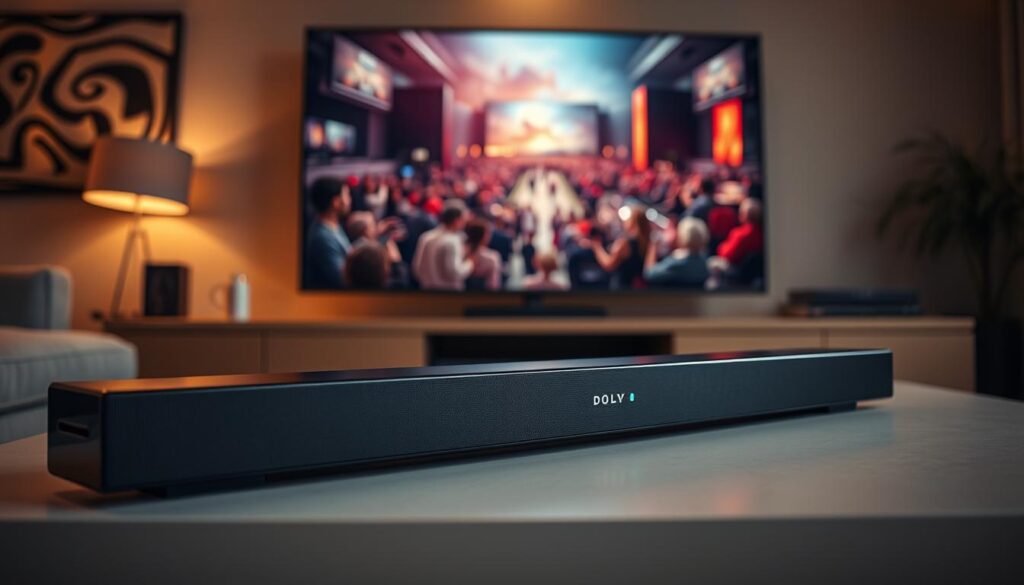
Dolby Atmos technology gives you a real surround sound experience. It makes sounds seem like they’re coming from all around you, thanks to audio bouncing off walls and ceilings.
Top soundbars have special drivers to send sound up to your ceiling. But some use virtual tech to create the same effect. This depends on your room’s shape and ceiling height.
Customizable Sound Profiles
Today’s tech lets you customize your sound for different activities. Whether it’s a movie, music, or gaming, you can pick the right sound setting. This ensures the best audio for what you’re doing.
Some soundbars also have dialogue enhancement modes. These modes make voices clearer by focusing on speech. You can even adjust the bass for quiet nights, so everyone can enjoy the sound without disturbance.
Common Soundbar Issues and Solutions
When your home theater setup isn’t working right, a few simple steps can fix it. It’s frustrating when the sound isn’t what you expect. Before thinking your hardware is broken, check your basic settings. This can bring your sound system back to life.
Poor Sound Quality
If the sound is muffled or weak, check your input settings and cables. Make sure your HDMI or optical cables are plugged in well. Sometimes, just restarting your soundbar for TV can solve audio problems.
Also, check your TV’s audio settings. Make sure they match your device’s capabilities. Look for volume settings or dialogue enhancement in your menu. These can help with clear speech and balanced sound.
Connectivity Problems
Wireless soundbars can have connection issues. If you get audio dropouts, try moving the soundbar away from other devices. Keeping your firmware up to date is also key for stable connections.
For wired connections, check your TV’s input channel. If audio still drops, swap the cable to check for a bad connection. A good sound system needs clear signals for great sound.
Remote Control Malfunctions
If your remote stops working, first try new batteries. If it still doesn’t work, check for blockages between the remote and your soundbar for TV. Many soundbars also have mobile apps for backup if your remote breaks.
Using a smartphone app can give you more control than a standard remote. If problems persist, update your device software. Keeping your equipment current helps avoid future problems and keeps your listening experience smooth.
Maintenance Tips for Your Soundbar
Keeping your audio equipment in top shape is simple. Just follow a few easy steps. This way, your system will keep delivering great sound for many years.
Regular Cleaning
Dust and dirt can build up on your device. This can block vents and hurt performance. Use a soft, dry microfiber cloth to clean your wireless soundbar.
Make sure the vents are clear. Good airflow helps prevent overheating and keeps your system running well.
Software Updates
Modern devices need firmware to work their best. Manufacturers often update this to improve performance and add new features.
Check your app for updates often. Installing these updates keeps your system running smoothly and securely.
Checking Connections
Loose cables can cause audio problems. Check your HDMI, optical, and power cables regularly. Make sure they fit well in their ports.
If you have a wireless soundbar, check the pairing. Also, ensure the connection between your main unit and any subwoofer is strong. For more tips, see these essential maintenance tips for your audio to avoid common issues.
Conclusion: Elevating Your Audio Experience
Turning your living room into a top-notch entertainment area starts with the right gear. A dedicated soundbar brings clarity and depth that TV speakers can’t. It’s a game-changer for your home.
Why Upgrading Matters
Today’s audio tech brings movie sound to your living room. Picking the best soundbar for your space means clear dialogue and deep bass. It makes your home theater setup better and saves space.
Making the Right Choice
Before you buy, think about what you need. Look at your room size, what you want to connect to it, and your budget. Whether it’s a Sonos or Samsung, the right soundbar makes every movie and music night better. Quality audio makes every moment feel real.