
 Zoe Nora
Did you know over 70% of professional audio setups don’t reach their full potential? This is because the central hub lacks the needed headroom for modern production. Choosing the right mixing console is often the biggest challenge for engineers in the United States.
Your gear is the backbone of your creative workflow. Whether you’re setting up a high-end studio or a local venue, the technical specs must match your acoustic goals.
Our guide covers the key factors that affect your choice, from signal routing to hardware durability. By understanding these details, you make sure your investment stays valuable for years.
Key Takeaways
- Identify your specific channel count requirements before browsing models.
- Prioritize high-quality preamps to ensure pristine signal integrity.
- Consider the physical footprint and weight for your unique venue space.
- Evaluate digital versus analog workflows based on your production speed.
- Check for future-proof connectivity options like USB or Thunderbolt integration.
Understanding the Basics of Mixing Consoles
Whether you’re in a studio or at a live event, the mixing console is key. It’s where all audio signals come together. Here, you can adjust and route sound to speakers or recorders. To get better, check out a mixing console tutorial to learn how it shapes sound.
What is a Mixing Console?
An audio mixer combines, routes, and changes audio signals. It takes in sounds from mics, instruments, and playback devices. Then, it mixes them into one sound. Without it, managing sound in complex settings is hard.
Key Components of a Mixing Console
Every engineer should know the basics of these units. The preamp boosts quiet signals. Then, faders let you adjust each channel’s volume.
Routing paths are crucial too. They decide where the signal goes after the channel strip. This lets you send audio for effects or monitor mixes. Knowing these parts helps you control your sound.
Analog vs. Digital Mixing Consoles
Choosing between analog and digital consoles depends on your workflow. An analog mixer offers a hands-on feel and a warm sound. They’re popular and fit all budgets.
Digital consoles, on the other hand, have advanced features like scene recall and built-in processing. They’re more complex but offer flexibility. Here’s a comparison of the two:
| Feature | Analog Mixer | Digital Mixer |
|---|---|---|
| Workflow | Tactile and direct | Menu-driven and flexible |
| Signal Processing | External hardware required | Built-in effects and plugins |
| Recall | Manual settings only | Instant scene saving |
| Learning Curve | Low to moderate | Moderate to high |
Identifying Your Needs
Choosing the right gear starts with knowing what you need. Think about where your equipment will be used. Whether it’s a home studio or a touring setup, your needs will guide your choice.
Purpose: Live Sound vs. Studio Recording
Live sound mixers and studio mixers have different needs. Live mixers need quick controls and must handle feedback well. Studio mixers focus on quality preamps and work well with digital tools.
For live shows, where you place your soundboard matters a lot. Try to make an equilateral triangle with the speakers. This helps you adjust the sound like the audience hears it.
Number of Channels Required
Figuring out how many channels you need is key. Don’t just think about what you have now. Think about what you might need later. Add some extra channels for future use.
To figure out your needs, follow these steps:
- Count all your current microphones.
- Add channels for keyboards, drums, and playback.
- Have at least four extra channels for guests or surprises.
Portability Considerations
If you’re always on the move, your mixer’s weight and size matter a lot. A big, heavy studio mixer is hard to carry. Look for something compact but still has all the features you need.
Portability means more than just carrying it. It’s also about setting up fast in new places. A good live sound mixer should make setup easy and quick. Choose gear that fits your lifestyle to avoid hassle.
Types of Mixing Consoles
When you start building your sound system, you’ll find three main types of mixing equipment. Each has its own benefits, depending on your needs and how you work.
Analog Mixing Consoles
The traditional analog mixer is loved by many for its hands-on feel. It uses physical circuits to process audio, giving a warm sound that many can’t live without.
With an analog mixer, every knob and fader does one thing. This makes it easy to make quick changes during live events. It’s a top pick for live sound mixing.
“The beauty of an analog console lies in its immediacy; you touch a knob, and the sound changes instantly, without any digital latency or hidden layers.”
Digital Mixing Consoles
A digital mixing desk brings a big boost in power and flexibility. It turns audio into data, allowing for cool features like scene recall. This lets you quickly switch between settings for different acts or venues.
The Behringer X32 is a top digital mixing desk choice. It handles up to 40 channels and 16 mix buses. This is key for big shows needing lots of routes and signal processing.
Hybrid Mixing Consoles
Hybrid consoles aim to mix the classic feel of analog with the ease of digital. They use analog paths for main inputs but add digital for recording and effects.
Many like this mix because it gives the feel of an analog mixer with the precision of digital. Whether you’re in a studio or live, a hybrid mixing console is perfect for your projects.
Important Features to Look For
Choosing the right hardware means looking at key features for sound production. Whether it’s for a professional setup or a home rig, the gear’s capabilities are crucial. Focus on three main areas to make sure your investment lasts.
Built-in Effects and Plugins
Today’s digital units come with powerful processing tools. You get compression, EQ, reverb, and delay right in the hardware. This saves time and money by reducing the need for extra gear.
Internal processing keeps your signal clean and avoids latency. Many units also offer emulations of classic hardware. This means you get a professional sound without extra effort.
Connectivity Options
A good audio mixer needs enough inputs and outputs for your current and future gear. Check the connections to match your microphones, instruments, and playback devices.
- Analog I/O: Make sure you have enough XLR and TRS inputs.
- Digital Connectivity: Look for USB or Thunderbolt ports for computer integration.
- Expansion Ports: Check for ADAT or MADI for adding more channels later.
User Interface and Usability
The design of your studio mixer is as important as its components. A good interface lets you navigate menus fast, crucial for recording or live shows.
Choose a tactile and intuitive design. It should have clear labels, responsive faders, and a bright screen. A well-designed mixer lets you focus on music, not fighting with your gear.
The best audio mixer feels like an extension of your creativity. By focusing on these key features, you’ll find a reliable partner for your music journey.
Budgeting for Your Mixing Console
The cost of a mixing console goes beyond the price tag. When buying, think about the total cost to keep your studio affordable. This includes the console and all the extra gear you need.
Setting a Realistic Budget
Know what you need before looking at consoles. It’s easy to get caught up in features you won’t use. Start by listing your must-haves to stay focused.
Don’t forget about extra costs like cables and power supplies. For an audio system upgrade, these can add up fast.
Cost vs. Quality: What to Consider
Digital consoles often offer more bang for your buck. While analog consoles might be cheaper upfront, you’ll need to buy extra gear. Digital consoles usually come with built-in tools, saving you money.
Don’t skimp on quality for a lower price. Good equipment means better sound. Always choose quality over cost to avoid future headaches.
Long-term Investment vs. Short-term Needs
See your mixing board as a long-term investment. Cheap consoles can limit you as you grow. Save up for a versatile audio console that will grow with your studio.
Avoid buying gear that will soon be outdated. Choose a mixing console with good connectivity and updates. Use the table below to guide your spending.
| Factor | Budget-Friendly | Professional Grade |
|---|---|---|
| Initial Cost | Low | High |
| Outboard Gear | Required | Often Built-in |
| Longevity | Short-term | Long-term |
| Resale Value | Low | High |
Brand Comparisons
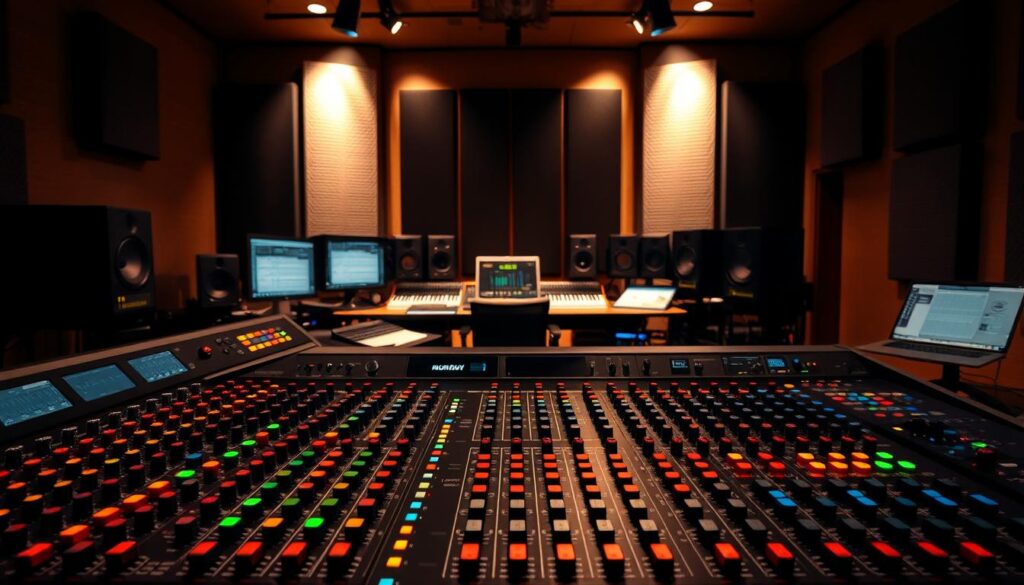
Choosing the right brand for your next soundboard is key to a good audio setup. With many manufacturers vying for your attention, it’s important to understand the audio industry. This helps you choose more easily.
Looking at a company’s history is as crucial as checking the tech specs of a digital mixing desk. By focusing on both established names and new players, you can find gear that meets your needs and budget.
Established Brands in the Market
Big names have honed their tech over years for top performance. They offer strong support and lots of compatible accessories.
Buying from a legacy brand means you’re getting proven reliability and a wide range of parts. Many pros choose these brands for their reliable user interface and signal quality.
Emerging Brands Worth Considering
New companies are shaking things up with advanced features at lower prices. They aim to make top audio tools accessible to home studios and small venues.
Though they may not have the history of big names, they focus on cutting-edge technology. They quickly earn respect by listening to users and updating software often.
How to Choose Based on Reputation
When comparing, look at shared tech. For example, the Midas M32 and Behringer X32 use similar software but target different markets.
The Midas is known for higher-quality components and premium build. But the Behringer offers a similar workflow at a lower price. This shows why researching the company and its standards is important.
- Check if there are local service centers for your mixing board.
- Read forums to see how the brand handles long-term firmware support.
- Think about resale value, as big brands often keep their price better over time.
Your choice should match your needs for durability and support. By weighing the brand’s reputation against your needs, you can pick a mixing board that will last for years.
Reviews and Recommendations
Learning from others is the best way to choose your next audio console. The world of audio gear is huge, but user feedback can show you things specs can’t. It reveals strengths and weaknesses you might miss.
Importance of Customer Reviews
Customer reviews give you a peek into a product’s long-term reliability. Manufacturers might show perfect scenarios, but users share real-life experiences. They talk about how a soundboard holds up during long tours or weekly services.
Pay attention to common themes in reviews, not just one-off complaints. If many users mention the same problem with connectivity or software, it’s worth looking into.
Seeking Professional Recommendations
Talking to peers in your field is super helpful. For example, theater pros often suggest the Soundcraft Expression series. They love its easy layout and fast scene changes.
These experts value gear that lets them make quick changes during live shows. Ask your colleagues about their equipment’s performance under pressure.
Expert Reviews vs. User Opinions
It’s key to know the difference between technical reviews and real-world use. Experts often dive into the analog mixer‘s inner workings, like preamp quality and signal-to-noise ratios.
User opinions, on the other hand, focus on the tactile experience and how easy it is to use under stress. Try to get both perspectives to find a device that’s both technically good and practical for your needs.
Testing Before You Buy
Reading specs is helpful, but nothing beats the feel of faders under your fingers. We think hands-on is the best way to make sure your gear fits your workflow. Relying only on online specs can leave gaps in understanding how it works in real life.
Why It’s Important to Test Consoles
A digital mixing desk is a big investment for any engineer or venue. Testing it lets you see if the menu is easy to use or gets in the way during a show. Hands-on experience helps you check if the hardware meets your needs before buying.
Where to Find Showrooms and Demos
Large music retailers often have demo units. Manufacturers also have roadshows and trade events where you can see the latest tech. If you can’t visit a store, local rental houses might have current gear to test for a fee.
What to Look for During a Test
When you test a live sound mixer, check the build quality. Make sure the screen is quick to respond and the faders are smooth and strong. Also, test the wireless integration, as many engineers use tablets and routers to control the desk.
| Feature to Test | Why It Matters | Success Metric |
|---|---|---|
| Menu Navigation | Speed during live events | Under 2 clicks to reach EQ |
| Chassis Build | Durability for transport | No flex in the frame |
| Wireless Control | Remote mixing flexibility | Stable connection via tablet |
| Fader Feel | Precision and tactile feedback | Consistent resistance |
By following this approach, you can make sure your live sound mixer will meet your needs for years. Testing a digital mixing desk in person is the best way to be sure you’ll be happy with it.
Maintenance and Support
Keeping your console in top shape is crucial for any production. Whether you use an old analog mixer or a new digital setup, regular care is key. This way, your equipment stays reliable for every project.
Importance of Warranty and Support
Buying from trusted makers often means you get great support and warranties. These help if your audio console has unexpected problems. Always register your product right after buying to use these benefits.
For digital systems, software updates are just as important. These updates fix bugs and boost performance. Keeping up with these updates ensures your system runs well and protects your investment.
Regular Maintenance Tips
Cleaning your soundboard regularly is a must. Dust and dirt can mess with your equipment. Use a soft cloth for the outside and special cleaner for the inside when needed.
Keeping your digital studio safe is also crucial. Use strong Wi-Fi passwords and unique console codes to avoid unauthorized access. These steps help keep your settings safe and prevent mistakes during live shows.
Troubleshooting Common Issues
When problems pop up, tackle them step by step. Most issues are due to simple mistakes, not big problems. Always check your cables and settings before thinking it’s broken.
If problems persist, check the manual or the manufacturer’s website. Many analog mixer issues can be fixed by checking signal flow or testing channels. If it still doesn’t work, it’s time to call for professional help.
| Maintenance Task | Frequency | Benefit |
|---|---|---|
| Surface Dusting | Weekly | Prevents debris buildup |
| Firmware Updates | Monthly | Ensures system stability |
| Security Audit | Quarterly | Protects against unauthorized access |
| Fader Cleaning | Bi-Annually | Maintains smooth operation |
Consistency is the key to keeping your gear running smoothly. By taking good care of your soundboard and staying on top of maintenance, you’ll enjoy many years of quality performance. A bit of effort now saves a lot of time and money later.
Accessories and Equipment
Your audio setup grows with your needs. The core unit is key, but the right add-ons help you go further. Quality accessories make your mixing console a versatile tool for years.
Essential Accessories for Your Mixing Console
Every pro setup needs a few must-haves. High-quality balanced cables are crucial to avoid signal issues. Also, a power conditioner protects your gear from voltage spikes.
Digital stage boxes are a big help for big shows. They let you add more inputs to small units. This reduces cable mess and makes setup easier.
Upgrading vs. Accessorizing
Choosing between upgrading or adding accessories depends on your needs. If your studio mixer lacks inputs, a digital stage box is a smart choice. It’s cheaper than buying a new board.
But, if your gear can’t handle your creative needs, it’s time to upgrade. Upgrading is best when your current gear is holding you back. Make sure you know what’s limiting you before buying.
Compatibility with Other Equipment
Make sure your new gear works with what you already have. Check if your mixing console supports digital protocols like Dante or MADI. A smooth connection with your studio mixer and other gear is key.
Always check firmware and driver needs for all devices. Compatibility issues can cause big problems. If unsure, look up the manufacturer’s info to ensure everything works together.
Making Your Final Decision
Choosing the right gear means knowing what you want to create. Think about what you need and what each unit can do. This way, you’ll find the perfect fit for your work.
Comparing Options and Features
Look at the channel count and connectivity one last time. A good audio mixer is key to your setup. Look for reliability and ease of use. Brands like Yamaha or Behringer have options for all levels and projects.
Final Checklist Before Purchase
Make sure your chosen model fits your space and power needs. Check the warranty and if the maker offers good customer support. A well-cared-for mixing board will last for years.
Trusting Your Instincts on Choice
The equipment is just a tool. Your skill and effort matter more than the price. Listen to your ears and use your knowledge. With the right focus and practice, you can achieve professional sound.