
 Zoe Nora
As desktop speakers take center stage, they transform our audio experiences with clarity and depth. From the simplest designs of the past to the sophisticated models of today, these devices have evolved remarkably to meet the demands of modern users. With a blend of technology and design, desktop speakers are not just about sound; they create an immersive atmosphere for gaming, music, and productivity. Understanding their components, features, and the nuances of sound quality can significantly enhance your listening experience.
In this exploration, we will delve into the evolution of desktop speakers, the essential components that contribute to their performance, and how to choose the right type for your needs. We will also look at the impact of design on sound output, essential features to consider when purchasing, and the best options available for specific uses like gaming. Whether you are a casual listener or an audiophile, this guide will help you navigate the world of desktop speakers with ease.
The Evolution of Desktop Speakers
The journey of desktop speakers is a fascinating reflection of technological advancement, evolving from simple audio devices to sophisticated sound systems that enhance the multimedia experience. Understanding this evolution provides insight into how our listening experiences have transformed over the decades, responding to user needs and the advent of new technologies.
The inception of desktop speakers dates back to the early 1980s when personal computers began to emerge as essential tools for work and entertainment. Initial models were often passive, requiring external amplifiers, and produced limited audio quality. However, the introduction of integrated amplifiers in the late 1980s marked a significant turning point. This change allowed manufacturers to create compact and user-friendly systems that did not require additional equipment. The sound output improved dramatically, offering clearer audio for both music and other media.
As technology advanced, so did the capabilities of desktop speakers. The 1990s saw the introduction of multimedia speakers designed specifically for computers, which included subwoofers to enhance bass response. This period also highlighted the transition from analog to digital audio, with many speakers now featuring digital signal processing (DSP) capabilities, allowing for optimized playback and sound customization.
Technological Advancements in Desktop Speakers
The progression of desktop speaker technology can be categorized into several key advancements that have significantly influenced their functionality and performance. The following features showcase the remarkable evolution of desktop speakers:
- Bluetooth Connectivity: With the rise of wireless technology, Bluetooth-enabled speakers became mainstream, allowing users to connect their devices without the clutter of wires.
- Surround Sound Technology: The incorporation of surround sound systems has transformed the audio experience, creating immersive environments ideal for gaming and movies.
- Smart Features: Many modern desktop speakers now come equipped with smart assistant compatibility, enabling voice commands and integration with smart home systems.
- High-Resolution Audio: The demand for high-fidelity sound has led to the development of speakers capable of supporting high-resolution audio formats, catering to audiophiles seeking superior sound quality.
- Compact Designs: As aesthetics became important, manufacturers began designing sleek, space-saving models that do not compromise audio quality, appealing to users with limited desk space.
The evolution of desktop speakers highlights a continual adaptation to consumer preferences and technological advancements. As we navigate through further innovations, the future of desktop audio promises even more sophisticated solutions, enhancing our everyday experiences with sound.
Understanding the Components of Desktop Speakers
Desktop speakers, often considered a crucial part of any audio setup, comprise several fundamental components that work in harmony to deliver sound. Each element plays a significant role in shaping the audio experience, from frequency response to clarity. By examining these components, one can gain a deeper appreciation for how sound is produced and the factors that influence sound quality.
Essential Components of Desktop Speaker Systems
The quality of sound produced by desktop speakers is significantly influenced by their individual components. Understanding these parts can help users make informed choices when selecting or upgrading their audio systems. Below are the key components that make up a desktop speaker system:
- Drivers: The driver is the core component responsible for converting electrical signals into sound. Typically, desktop speakers feature woofers (for low frequencies) and tweeters (for high frequencies). The combination of these drivers allows for a wider frequency range, ensuring that both bass and treble are represented accurately in the sound output.
- Enclosure: The enclosure, or cabinet, houses the drivers and plays a vital role in sound quality. A well-designed enclosure minimizes unwanted vibrations and resonance, helping to enhance clarity and precision. The materials used in the enclosure, such as MDF or plywood, can affect the overall sound profile as well.
- Amplifier: Many desktop speakers include a built-in amplifier that boosts the electrical signals sent to the drivers. This amplification is crucial for achieving higher volumes without distortion. Higher-quality amplifiers can provide cleaner power, improving sound fidelity, especially at higher volumes.
- Crossover: The crossover is an electronic circuit that divides the audio signal into different frequency ranges before sending them to the respective drivers. This ensures that each driver receives only the frequencies it is best suited to reproduce, which leads to a more balanced and coherent sound across the spectrum.
- Connectors and Cables: The quality of connectors and cables can also impact performance. Well-shielded cables can reduce interference and signal loss, ensuring that the full dynamic range of audio is transmitted to the speakers.
In summary, each of these components contributes uniquely to the overall performance and sound quality of desktop speakers. A deeper understanding of these parts can guide users in selecting or customizing their speaker systems for an optimized audio experience.
Comparing Active and Passive Desktop Speakers
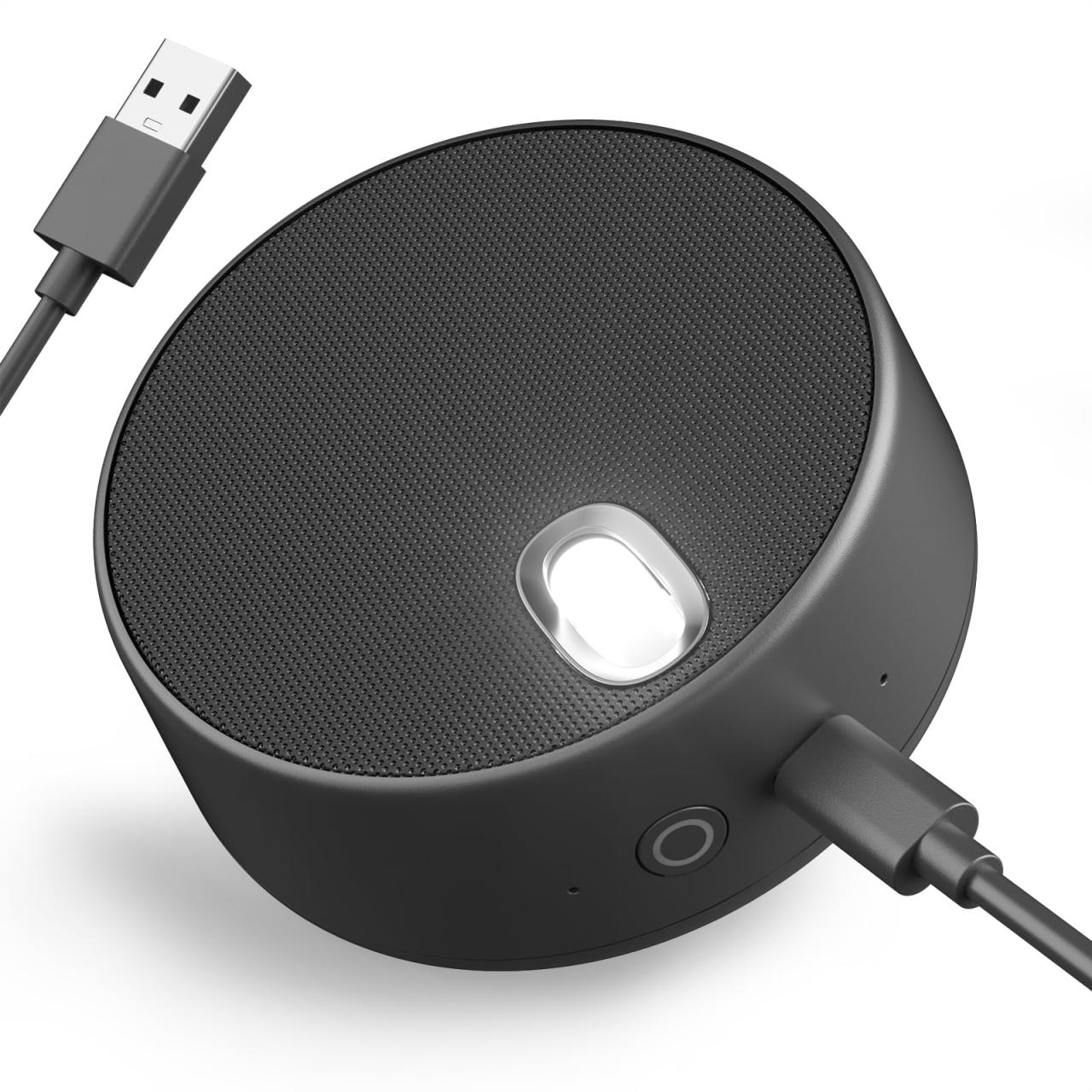
When selecting desktop speakers, one of the primary decisions to be made is whether to opt for active or passive models. These two types of speakers cater to different user preferences and requirements, each offering unique advantages and disadvantages. Understanding these differences is crucial for making an informed choice that aligns with specific needs.
Active desktop speakers come equipped with built-in amplifiers, which allow them to generate sound independently without needing an external amplifier. This feature simplifies setup and is particularly advantageous for users with limited technical expertise. Active speakers often have integrated sound processing features, such as equalization, which can enhance audio quality. Their compact design usually means fewer cables and a cleaner workspace, making them suitable for casual users, gamers, and professionals seeking convenience.
In contrast, passive desktop speakers require an external amplifier or receiver for sound output. This dependency can be seen as a disadvantage for those looking for simplicity, but it also presents an advantage for audiophiles or those aiming for high-fidelity sound. By pairing passive speakers with a quality amplifier, users can tailor their audio system for better performance, often achieving superior sound quality. This versatility allows for more customization, as users can choose different amplifiers or receivers based on their preferences.
Advantages and Disadvantages
When comparing active and passive speakers, various aspects come into play. Here’s a breakdown of their respective advantages and disadvantages:
Active Speakers
- Advantages:
- Built-in amplifiers simplify setup and eliminate the need for additional components.
- Integrated sound processing features can enhance audio quality.
- Compact design reduces clutter, making them ideal for limited workspaces.
- Disadvantages:
- Limited customization options as the speakers come with predetermined features.
- Potential for higher costs due to the inclusion of built-in technology.
Passive Speakers
- Advantages:
- More customization options by selecting amplifiers that match user preferences.
- Potential for improved sound quality with high-end amplifiers.
- Disadvantages:
- More complex setup that may require additional knowledge or technical skills.
- Requires additional space and equipment for amplifiers.
“Active speakers are perfect for those who value simplicity, while passive speakers cater to audiophiles focusing on sound quality.”
The choice between active and passive desktop speakers ultimately depends on the user’s needs, preferences, and level of expertise. By weighing these differences, users can make informed decisions that enhance their audio experience, whether for casual listening, gaming, or professional audio work.
The Role of Sound Quality in Desktop Speaker Selection
Choosing the right desktop speakers goes beyond merely matching them to your aesthetic preferences or price range; it fundamentally hinges on sound quality. High-quality sound is essential for an immersive listening experience, whether for gaming, music, or professional audio editing. Understanding the factors that influence sound quality will empower users to make informed decisions that ensure optimal performance from their desktop speakers.
Several elements significantly affect sound quality in desktop speakers. The most crucial factors include driver size, speaker enclosure design, frequency response, and power handling capabilities. Larger drivers typically produce deeper bass sounds, while smaller drivers excel at higher frequencies. The design of the speaker enclosure can influence the overall sound by enhancing resonance and reducing distortion.
Factors Influencing Sound Quality
To ensure that users select speakers that deliver stellar audio performance, it is important to consider several key elements:
- Driver Size: Larger drivers provide better bass response and can handle more power, resulting in clearer, more robust sound. For example, a 6.5-inch woofer generally offers better low-frequency performance than a 5-inch one.
- Frequency Response: A wider frequency range means that the speaker can reproduce a greater variety of sounds. Look for specifications that indicate a frequency range of at least 20 Hz to 20 kHz for a balanced audio experience.
- Power Handling: Understanding how much power a speaker can handle without distortion is crucial. A speaker with higher wattage will typically perform better at higher volumes without sacrificing sound quality.
- Speaker Type: There are various types of speakers, including passive and active. Active speakers come with built-in amplification and are often easier to set up, while passive speakers require an external amplifier, which can offer better customization.
- Build Quality: The materials and construction of the speakers can significantly impact sound quality. Speakers made from high-density materials are less prone to vibration and resonance, resulting in clearer sound.
Consider these factors carefully when evaluating desktop speakers to ensure a sound system that meets your specific needs and preferences. Prioritizing sound quality will lead to a more enjoyable and satisfying audio experience, whether you’re on a work call, gaming, or simply enjoying your favorite tunes.
The Impact of Design on Desktop Speaker Performance
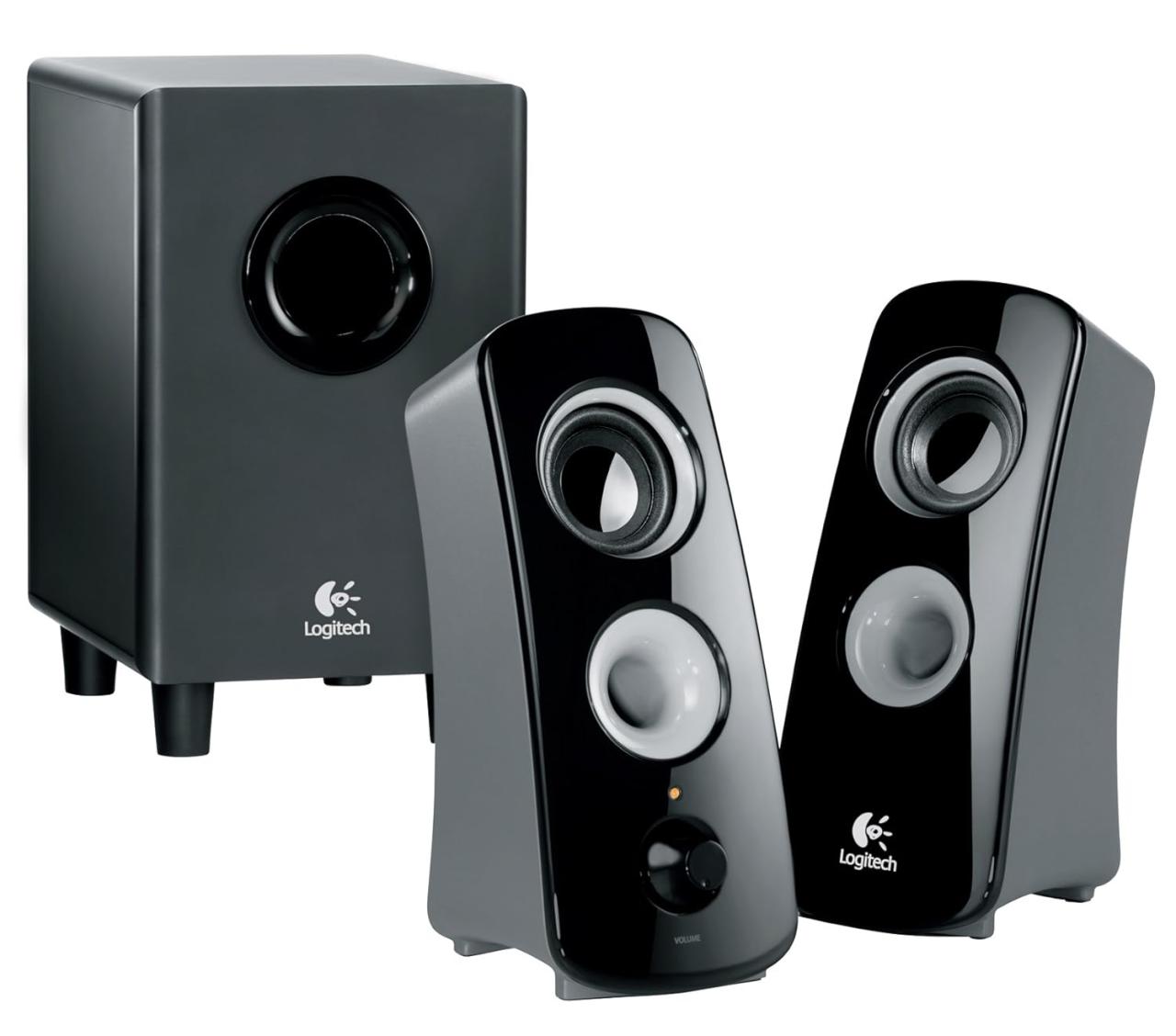
The design of desktop speakers plays a crucial role in delivering optimal sound quality. This encompasses not only the aesthetic appeal but also the physical characteristics such as size, shape, and material. The interplay between these design factors can significantly influence the audio experience, making it essential for users to understand how design impacts performance.
One of the primary aspects of speaker performance influenced by design is the way sound waves are created and projected. The enclosure type, for instance, can determine how effectively the speaker reproduces low frequencies. A sealed or acoustic suspension enclosure minimizes unwanted resonance, allowing for a cleaner sound, while bass-reflex designs utilize ports to enhance lower frequency response. The materials used in speaker construction, such as MDF for cabinets, contribute to minimizing vibrations that might distort sound, providing a more accurate audio representation.
Speaker Placement and Room Acoustics
The placement of desktop speakers is as critical as their design. The relationship between speakers and their surroundings can drastically affect sound quality. Proper speaker placement involves considering the distance from the wall, height relative to the listener, and angle orientation. To achieve an optimal audio experience, speakers should be positioned at ear level and form an equilateral triangle with the listener’s position. This positioning helps create a balanced sound stage, allowing for precise imaging and a more immersive listening experience.
Room acoustics also play an essential role in sound optimization. The materials and layout of a room can either enhance or detract from the audio experience. Hard surfaces like glass and concrete can create echoes and reflections that muddy sound quality, while soft furnishings absorb sound and reduce reverberation. Adding acoustic panels or strategically placing rugs and curtains can mitigate these issues, leading to a more controlled listening environment.
In summary, the synergy between speaker design, placement, and room acoustics is vital. Each element contributes to the overall performance, enabling users to enjoy rich, detailed sound. Thus, investing time in understanding and optimizing these factors can elevate the desktop audio experience significantly.
Essential Features to Look for in Desktop Speakers
When selecting desktop speakers, understanding the essential features can greatly enhance your listening experience. Quality desktop speakers not only provide clear audio but also enrich gaming, music, and movie experiences. Here, we will delve into critical aspects to consider while choosing the right speakers for your desktop setup.
Key Features Enhancing Functionality
Several key features can significantly enhance the functionality and overall performance of desktop speakers. These features are integral for achieving superior sound quality and user satisfaction. Below is an overview of the essential features to consider:
- Sound Quality: Look for speakers with a wide frequency range. This means they can reproduce both high (treble) and low (bass) sounds effectively. For example, speakers that can handle frequencies from 20Hz to 20kHz typically offer a richer sound, making music and movies feel more immersive.
- Power Output: Measured in watts, the power output affects how loud your speakers can get without distortion. A decent desktop speaker should have at least 10-20 watts of RMS power output. This ensures that even at higher volumes, sound clarity remains intact. For instance, speakers with 20 watts can easily fill a small room with sound, ideal for gaming or movie nights.
- Bluetooth Connectivity: Many modern desktop speakers come equipped with Bluetooth capabilities, allowing for wireless streaming from devices like smartphones and tablets. This feature enhances convenience and reduces cable clutter, making it easier to switch between devices seamlessly.
- Build Quality: The material and construction of the speaker can influence sound quality. Solid wood enclosures often produce warmer sound compared to plastic ones. For example, speakers with MDF (Medium-Density Fiberboard) construction tend to eliminate unwanted vibrations, providing clearer audio.
- Control Options: Look for speakers that offer multiple control options, such as volume knobs, remote controls, or even app integration. This provides flexibility in managing sound levels without needing to reach for your desktop. For example, a remote control can be incredibly convenient during presentations or when gaming.
“The right features in desktop speakers can transform your audio experience, making it richer and more enjoyable.”
When evaluating desktop speakers, ensuring they incorporate these essential features will not only enhance sound quality but also improve usability and overall satisfaction. This careful consideration leads to a more enriching audio environment, tailored to diverse auditory needs.
Connecting Desktop Speakers to Various Devices
Connecting desktop speakers to various devices can enhance your audio experience significantly. Whether you’re looking to improve sound quality during work meetings, gaming sessions, or simply enjoying your favorite music, understanding how to connect your speakers properly is essential. Various connection methods exist, each with its unique set of features and compatibility considerations.
Connection Methods
Several ways exist to connect desktop speakers to computers and other devices. The most common methods include:
- 3.5mm Audio Jack: This is the traditional and most prevalent connection method. Most desktop speakers feature a 3.5mm audio input, making them compatible with almost all computers, laptops, and smartphones. Simply plug the audio cable into the headphone jack of your device.
- USB Connection: Many modern speakers utilize USB connectivity for audio input. This method often provides better sound quality and power supply to the speakers. Connect the USB cable to an available port on your computer, and it should automatically recognize the device.
- Bluetooth: Wireless connectivity has gained popularity for its convenience. To connect Bluetooth speakers, activate Bluetooth on your device and search for available speakers. Select your speaker from the list, and once paired, you’ll enjoy wireless audio.
- Optical Cable (TOSLINK): For those seeking high-quality audio, optical cables provide a digital connection that reduces interference and enhances sound clarity. Ensure both your speaker and device have optical ports before attempting this connection.
Compatibility issues may arise depending on the connection method chosen. Here are some potential problems and their solutions:
- Driver Issues: Sometimes the speakers may require specific drivers to function correctly. Check the manufacturer’s website for any updates or installation guides.
- Audio Format Compatibility: Some speakers may not support specific audio formats. Ensure your audio settings match the capabilities of your speakers to avoid playback issues.
- Bluetooth Connectivity Problems: If you encounter connection issues with Bluetooth, try resetting the speaker or clearing the Bluetooth cache on your device.
Always consult your device’s manual for specific connection guidelines and troubleshooting tips.
By understanding these connection methods and potential compatibility issues, you can ensure that your desktop speakers deliver the optimal audio experience for various devices.
The Best Desktop Speakers for Gaming
When it comes to gaming, audio quality can significantly impact the overall experience. The right desktop speakers not only bring the game to life but also provide crucial audio cues that can enhance gameplay. Ideal gaming speakers should offer clarity, depth, and immersive soundscapes that make the player feel as if they are inside the game’s world. From booming explosions to subtle environmental sounds, every detail matters in the gaming realm.
Key Features of Ideal Gaming Speakers
To understand what makes a desktop speaker suitable for gaming, several key features must be considered. These include sound quality, frequency response, connectivity options, and additional functionalities like customizable equalization settings.
- Sound Quality: A high-quality audio output ensures that players can hear every detail clearly, from dialogue to sound effects. Look for speakers that use high-end drivers for a more accurate sound reproduction.
- Frequency Response: A wide frequency range, ideally from 20 Hz to 20 kHz, allows gamers to experience the full spectrum of sound. Deep bass can enhance action sequences, while high treble can clarify dialogues.
- Connectivity Options: Versatile connectivity, including Bluetooth and wired connections (like USB or aux), is essential for compatibility with various devices. This allows for seamless switching between gaming consoles and PCs.
- Surround Sound Capability: Speakers that support surround sound or come equipped with subwoofers can provide a more immersive experience, making it easier to locate sounds in a 3D space.
- Customization: Features such as adjustable equalizers enable players to tailor sound profiles according to personal preferences, enhancing the overall gaming experience.
Top Models for Gaming Audio Performance
Several desktop speaker models stand out in the gaming audio category due to their impressive specifications and user reviews.
- Logitech G560 LIGHTSYNC: This model offers immersive surround sound and customizable RGB lighting that reacts to in-game events, providing a unique visual experience alongside audio.
- Razer Nommo Pro: With THX-certified audio and built-in subwoofers, the Nommo Pro delivers powerful bass and clear highs, enhancing the gaming atmosphere significantly.
- Audioengine A2+: Known for its exceptional sound quality, this speaker combines well-rounded audio with a stylish design. It includes Bluetooth connectivity for versatility.
- Creative Pebble Plus: A budget-friendly option that doesn’t compromise on sound quality. It features a simple design and delivers rich audio, making it perfect for casual gamers.
Choosing the right speakers can transform your gaming setup from ordinary to extraordinary, allowing for a more engaging and enjoyable experience.
Budget Considerations for Purchasing Desktop Speakers
When it comes to purchasing desktop speakers, budget considerations play a vital role in determining the right option for users. The market offers a wide array of speakers across various price ranges, each catering to different levels of audio quality and features. Understanding what users can expect within these price brackets is essential for making an informed decision.
In the entry-level category, typically priced under $50, users can find basic speakers that deliver acceptable sound quality for casual listening and basic tasks. These speakers are often compact and may lack advanced features such as deep bass or extensive connectivity options. Brands like Creative and Logitech offer solid choices in this range, making them suitable for those who need speakers primarily for office use or casual gaming.
Moving up to the mid-range, priced between $50 and $150, users can expect a noticeable improvement in sound quality and overall performance. This category often includes speakers with better build quality, enhanced bass response, and features like Bluetooth connectivity. Brands such as Edifier and Bose provide options that balance price with superior audio experiences, making them ideal for users who appreciate music or gaming and desire a more immersive sound.
The top-tier category, priced over $150, caters to audiophiles and serious gamers. Here, users can expect high-fidelity sound, premium materials, multiple connectivity options, and advanced technology like surround sound. Brands like Audioengine and Klipsch are well-known in this range, providing exceptional clarity and richness in audio quality. Investing in speakers within this category ensures a lasting experience with premium sound quality.
Finding a balance between cost and quality is essential while shopping for speakers. Users should prioritize their specific needs and consider what features are most important to them. For instance, if portability and Bluetooth connectivity are vital, one might lean toward mid-range speakers, while those focusing on audio fidelity may consider investing more in high-end options. Additionally, reading reviews and seeking recommendations from trusted sources can aid in identifying the best value for money, ensuring that each dollar spent contributes to an enriching audio experience.
Maintaining and Caring for Desktop Speakers
Taking care of your desktop speakers is vital to ensure they not only perform well but also last longer. Proper maintenance can prevent issues that could lead to expensive repairs or replacements. Just like any other piece of technology, speakers require regular upkeep to maintain sound quality and functionality. Understanding how to take care of your speakers can significantly enhance your listening experience and help you avoid common pitfalls.
Maintenance Tips for Prolonging Lifespan
Regular maintenance is essential for keeping your desktop speakers in optimal condition. Here are some effective practices to consider:
- Dust Regularly: Dust accumulation can affect sound quality. Wipe your speakers with a soft, dry cloth regularly. If your speakers have grilles, gently vacuum them to remove dust.
- Avoid Overloading: Ensure that the speakers are not pushed beyond their power rating. Overloading can distort sound and damage internal components.
- Check Cables and Connections: Regularly inspect cables for frays or damage. Loose connections can lead to audio issues, so ensure everything is secured properly.
- Control Volume Levels: Keep volume levels at a moderate level to prevent driver damage. Constantly maxing out volume can lead to distortion and overheating.
- Store Properly: If you are not using your speakers for an extended period, store them in a dry, cool place to avoid moisture damage.
Troubleshooting Common Issues
Despite best efforts in maintenance, issues may still arise. Identifying and resolving these problems can save you time and money. Here are common speaker issues and their solutions:
- Static or Distorted Sound: Check your connections and ensure that devices are properly plugged in. If the problem persists, it may be a sign of internal damage.
- No Sound: Verify that the speakers are powered on and that the volume is up. Also, check your audio source for potential issues.
- Imbalanced Sound: This may indicate a faulty speaker or incorrect settings. Test with different audio sources to determine the cause.
- Buzzing or Humming Noise: This could result from electrical interference. Keep speakers away from power cables and electronic devices that might cause interference.
The lifespan of desktop speakers can be significantly extended with proper care and regular maintenance, leading to a more enjoyable audio experience.
Epilogue
In summary, selecting the right desktop speaker is a journey that blends personal preference with technical understanding. With a wide variety of options available, considering factors like sound quality, design, and essential features will lead you to the ideal choice for your setup. By staying informed about the evolution of speakers and maintaining them properly, you can ensure that your audio experience remains at its peak. So, embrace the sound journey ahead, and let your desktop speaker elevate your audio experience to new heights.
Popular Questions
What is the difference between active and passive desktop speakers?
Active speakers have built-in amplifiers, while passive speakers require an external amplifier. This makes active speakers easier to set up and use, whereas passive speakers can offer more customization options.
How do I improve the sound quality of my desktop speakers?
To enhance sound quality, ensure proper placement away from walls, adjust settings on your computer, and consider investing in a sound card for better audio output.
Can I use desktop speakers with my television?
Yes, you can connect desktop speakers to your TV using the appropriate cables or adapters, provided the TV has the right audio output options.
What should I look for when buying budget desktop speakers?
Look for decent sound quality, build quality, connectivity options, and user reviews to ensure you get the best value for your money.
How often should I clean my desktop speakers?
It’s advisable to clean your speakers every few months, especially the grilles and surfaces, to prevent dust buildup and maintain sound clarity.