
 Zoe Nora
With Audio calibration tool at the forefront, sound enthusiasts and professionals alike can unlock the true potential of their audio systems. Imagine stepping into a space where every note is perfectly tuned, free from distortion and imbalance, thanks to the magic of audio calibration.
This tool plays a crucial role in refining sound quality across various environments, addressing discrepancies that arise due to room acoustics or equipment mismatches. By understanding how audio calibration tools function, users can improve their listening experience significantly, whether in a cozy home theater or a bustling live event.
The purpose of an audio calibration tool in sound systems
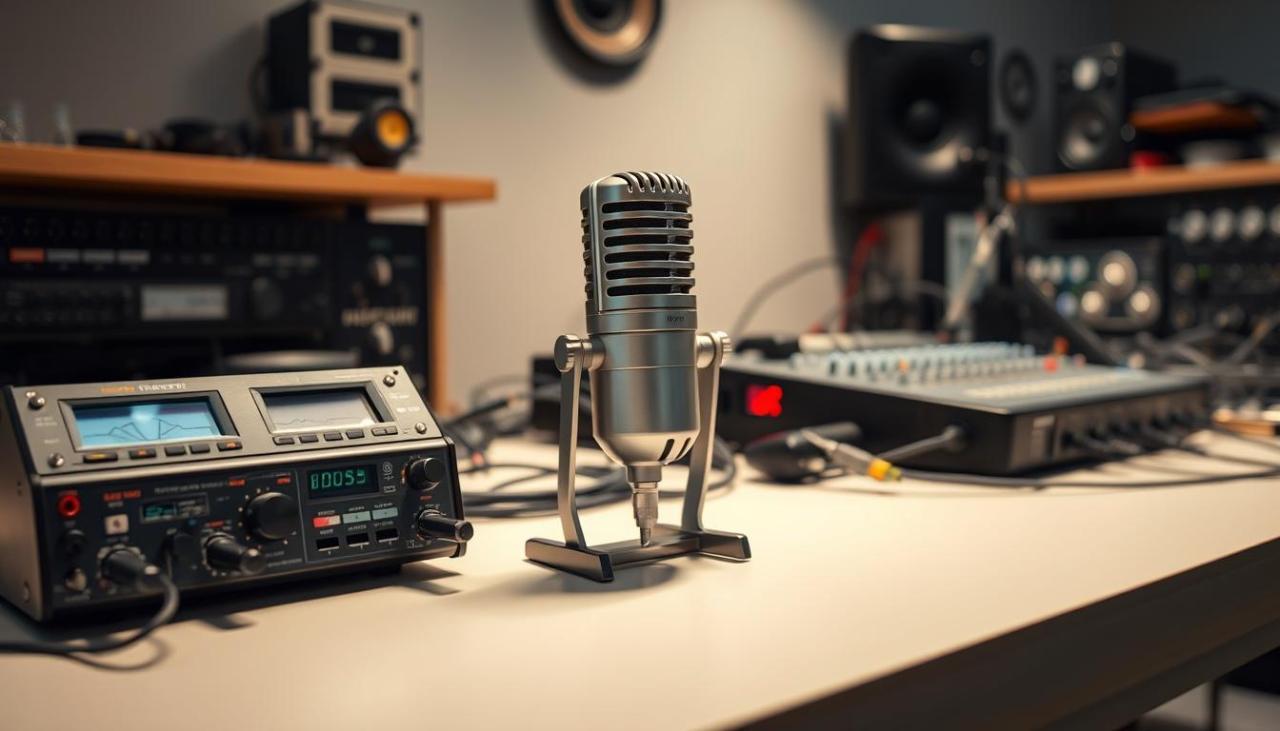
Audio calibration tools play a crucial role in optimizing sound quality across various audio systems, ensuring that listeners experience sound as intended by the creators. These tools help to balance frequency responses and eliminate any distortions that might arise due to environmental factors or equipment limitations. Achieving an accurate sound profile is essential for both casual listeners and professionals in audio production, as it allows for a more immersive and accurate listening experience.
Audio calibration involves adjusting audio settings to suit the specific acoustics of a room or environment. Acoustic variations can significantly affect sound quality, making it essential for users to utilize calibration tools to tailor their audio experience. These tools can analyze sound responses in real-time and provide recommendations or automatic adjustments to correct any discrepancies. As a result, listeners benefit from enhanced clarity, detail, and overall sound balance.
Functions of various audio calibration tools
Audio calibration tools come in different forms, each with unique functions to address specific audio challenges. Understanding these functions can help users choose the right tool for their needs. The following are common types of audio calibration tools available on the market:
- Room Correction Software: These applications analyze acoustic characteristics using microphones and algorithms to adjust the equalization settings in real-time, enhancing the overall sound in a specific environment.
- Digital Signal Processors (DSPs): DSPs manipulate audio signals to improve sound quality by adjusting timing, phase, and frequency responses. They are often built into receivers and soundbars.
- Microphone Calibration Tools: Utilizing specialized microphones, these tools assess sound dispersion and frequency response, enabling users to calibrate their audio systems accurately.
- Mobile Apps: Many modern audio calibration tools are available as mobile applications, allowing users to perform calibration using their smartphones. These apps typically guide users through the calibration process and offer visual feedback.
The significance of utilizing these tools cannot be overstated, as they not only improve sound quality but also enhance user satisfaction. Regular calibration can lead to a more consistent and enjoyable listening experience, minimizing the effects of room acoustics and equipment variations.
“Effective audio calibration is pivotal in bridging the gap between the audio equipment’s capabilities and the listener’s experience.”
The difference between automatic and manual audio calibration tools
Audio calibration tools play a crucial role in enhancing the listening experience by adjusting the audio output to suit the specific environment. Understanding the difference between automatic and manual calibration tools can help users make informed decisions based on their needs and expertise. This content will explore the features, advantages, and disadvantages of both types of tools, along with scenarios where each may be more suitable.
Comparison of Features in User Experience
When considering user experience, the distinction between automatic and manual audio calibration tools primarily revolves around ease of use and customization.
Automatic audio calibration tools are designed to simplify the calibration process, making them user-friendly for individuals who may not possess extensive audio knowledge. These tools utilize built-in microphones and algorithms to measure room acoustics and adjust settings automatically. Users can enjoy a seamless experience with minimal effort, often just pressing a button to initiate the calibration process.
Conversely, manual audio calibration tools offer a more hands-on approach, allowing experienced users to fine-tune audio settings to their specific preferences. This level of control can lead to more precise audio adjustments tailored to individual tastes, but it requires a deeper understanding of acoustics and audio settings. Users often engage in a series of tests, making adjustments based on their subjective listening experiences.
Advantages and Disadvantages of Each Tool Type
Both automatic and manual audio calibration tools have their own sets of advantages and disadvantages that cater to different user needs.
Automatic Calibration Tools:
– Advantages:
– User-friendly interface that requires minimal technical knowledge.
– Fast setup process, often completed in minutes.
– Consistent results across various environments.
– Disadvantages:
– Limited customization options for professional users.
– Potential inaccuracies in complex acoustic environments.
Manual Calibration Tools:
– Advantages:
– Greater control over audio settings for personalized sound.
– Ability to account for unique room characteristics and personal preferences.
– Often results in superior sound quality for discerning listeners.
– Disadvantages:
– Time-consuming setup process that may frustrate less experienced users.
– Requires significant knowledge of audio principles and settings.
Situations for Optimal Tool Usage
The suitability of automatic versus manual audio calibration tools often depends on the user’s specific needs and the context of use.
Automatic calibration tools are ideal for:
– Home users or casual listeners who want a quick and efficient setup without delving into technical intricacies.
– Office environments where standard audio settings are sufficient for presentations and meetings, and time is of the essence.
– Rental venues or temporary setups where swift adjustments are necessary for immediate audio performance.
Manual calibration tools are more fitting for:
– Professional audio engineers who require precise adjustments tailored to specific audio equipment and room acoustics for high-quality sound production.
– Audiophiles who prioritize the listening experience and are willing to invest time in achieving the perfect audio setup.
– Home theater enthusiasts who want to customize their sound systems extensively to match their unique room layouts and personal preferences.
Choosing the right audio calibration tool can significantly impact the overall audio experience, whether in a casual home setting or a professional studio environment.
Common features found in modern audio calibration tools
Modern audio calibration tools have become indispensable for achieving optimal sound quality in various environments. These tools are designed to analyze and adjust audio settings to enhance listening experiences, whether in home theaters, professional studios, or personal audio systems. Users should be aware of the key features these tools offer to make informed decisions when selecting the right one for their needs.
Essential features in audio calibration tools can greatly influence how sound is perceived in a given space. These tools not only correct frequency imbalances but also adapt to the room’s acoustics, ensuring a balanced audio output. When choosing an audio calibration tool, users should look for features that enhance their overall audio experience.
Essential features in audio calibration tools
When selecting an audio calibration tool, consider the following features that are crucial for achieving high-quality sound calibration. Each feature contributes to the overall performance and user experience.
- Automatic Calibration: Many audio calibration tools offer automatic calibration, where the system measures sound output through microphones placed in the listening area. This allows the tool to adjust the settings based on room acoustics, ensuring optimal sound quality.
- Frequency Response Adjustment: Tools that enable frequency response adjustment allow users to fine-tune sound settings to eliminate peaks and dips in audio output. This ensures a more balanced listening experience, particularly in environments with challenging acoustics.
- Room Correction Algorithms: Advanced algorithms analyze the room’s acoustics and modify audio signals accordingly. These algorithms help to minimize distortion and enhance clarity, significantly improving sound reproduction.
- Multi-Room Capability: Some calibration tools support multi-room audio setups, allowing users to calibrate multiple zones independently. This is particularly useful for larger homes or commercial spaces where different areas have varying acoustic characteristics.
- User-Friendly Interface: A straightforward interface can greatly enhance user experience. Look for tools that provide intuitive controls and visual feedback, making the calibration process accessible to users of all technical skill levels.
The impact of these features on the overall audio experience cannot be overstated. For example, automatic calibration coupled with room correction algorithms can transform a basic audio system into a high-fidelity listening setup. Users can enjoy enhanced clarity and depth, making movies and music feel more immersive.
Comparison of popular audio calibration tools
A comparison of different models and their features can provide insight into which tool may be the best fit for potential users. Below is a table showcasing several popular audio calibration tools, highlighting their key features.
| Model | Automatic Calibration | Frequency Response Adjustment | Room Correction Algorithms | Multi-Room Capability | User-Friendly Interface |
|---|---|---|---|---|---|
| Model A | Yes | Yes | Advanced | No | Yes |
| Model B | Yes | No | Basic | Yes | Yes |
| Model C | No | Yes | Advanced | Yes | No |
| Model D | Yes | Yes | Intermediate | Yes | Yes |
This table illustrates how different models cater to various user needs, emphasizing the importance of selecting a tool that aligns with individual audio calibration requirements. By understanding these features and their benefits, users can make better choices to enhance their audio experiences significantly.
The step-by-step process of using an audio calibration tool
Calibrating audio effectively can significantly enhance your listening experience, ensuring that your audio equipment performs at its best. This process typically involves using specialized tools to adjust the sound output based on the acoustics of your environment. Below, we Artikel a detailed procedure that will guide you through the calibration process, including preparations and common pitfalls to avoid.
Necessary preparations before calibration
Before diving into the calibration process, certain preparations can make the procedure smoother and more effective. Ensuring that your space is ready can lead to more accurate results.
- Identify the calibration tool: Make sure you have the right calibration tool, such as a sound level meter or software-based application that suits your system.
- Prepare the environment: Choose a quiet time when external noise is minimal. Remove any objects that may obstruct sound waves, and ensure that furniture is positioned away from speakers.
- Position the speakers: Place your speakers in their intended locations following the manufacturer’s recommendations for optimal placement.
- Set up the listening position: Determine the primary listening position where you will be during the calibration process. This is essential for accurate assessments.
- Check for power and connection: Ensure all equipment is powered on, connected, and functioning properly before commencing calibration.
Step-by-step calibration procedure
The calibration process involves several methodical steps designed to optimize audio output. Following this sequence ensures that you achieve the best possible results.
- Start the calibration tool: Launch your calibration software or turn on your sound level meter and set it to the appropriate mode for audio measurement.
- Emit test signals: Use the calibration tool to generate reference tones or pink noise through your speakers. This helps in assessing the frequency response of your audio system.
- Measure sound levels: With the microphone of the calibration tool placed at the primary listening position, record the sound levels across different frequencies. This step is crucial for identifying peaks and dips in the audio spectrum.
- Analyze results: Review the measurements taken by the calibration tool. The software may provide a visual representation, such as a graph, showing how your system performs across various frequencies.
- Adjust settings: Based on the analysis, make necessary adjustments to your speaker settings or equalizer parameters. Aim to flatten the frequency response curve, reducing any undesirable peaks or troughs.
- Repeat measurements: After adjustments, perform another round of sound level measurements to verify that the changes have produced the desired effect.
Common pitfalls to avoid during calibration
While calibrating audio, it is essential to be mindful of common mistakes that could hinder achieving optimal results. Avoiding these pitfalls will help in obtaining a more accurate calibration.
- Neglecting room acoustics: Failing to consider how the room’s shape and materials affect sound can lead to inaccurate measurements. Soft furnishings may absorb sound, while hard surfaces may reflect it.
- Ignoring speaker positioning: Improperly positioned speakers can cause sound distortion. Ensure that they are positioned correctly relative to walls and the listening area.
- Skipping test signals: Not using reference tones or pink noise during calibration can result in missed frequency imbalances. Always include these as part of your process.
- Over-adjusting settings: Making too many adjustments at once can create confusion and lead to further imbalances. Tackle one adjustment at a time for clearer results.
- Inconsistent listening environment: Changes in the environment during calibration can affect the outcome. Maintain a consistent environment throughout the process.
Effective audio calibration not only enhances the listening experience but also ensures that you get the most out of your audio equipment.
The role of audio calibration tools in professional audio settings
Audio calibration tools play an essential role in achieving sound accuracy and consistency in professional audio environments. With the demand for high-quality sound in studios and during live events, these tools have become crucial for audio engineers and sound designers alike. Their ability to fine-tune audio systems ensures that the sound meets the required standards for various listening environments, whether it be a recording studio or a live concert venue.
In studio settings, audio calibration tools help in aligning the sound output to the original recording. This accuracy is vital for mixing and mastering processes, wherein professionals rely on precise sound reproduction. Calibration tools assist in correcting any discrepancies caused by room acoustics, speaker placement, and equipment used. By utilizing these tools, sound engineers can create a balanced sound that translates well across different playback systems.
Calibration tools in live event sound engineering
In live event sound engineering, calibration tools are indispensable for delivering high-quality audio to large audiences. They ensure that the sound is evenly distributed throughout the venue, accommodating various factors such as audience size, room shape, and environmental noise. Without calibration, sound can become muddied or inconsistent, leading to a poor experience for attendees.
The following aspects highlight the importance of audio calibration tools in live sound settings:
- Real-time adjustments: Engineers can make immediate changes to the audio setup, adapting to the acoustics of the venue and the dynamics of the performance.
- Feedback elimination: Calibration tools help identify and minimize feedback issues, which can disrupt live performances and hinder sound quality.
- System integration: These tools allow for seamless integration of various audio components, ensuring that microphones, speakers, and mixers work together optimally.
- Soundcheck efficiency: Calibration speeds up the soundcheck process, enabling engineers to set up quickly and ensure that everything is functioning correctly before the event begins.
Integration of calibration tools into professional workflows
Audio professionals incorporate calibration tools into their workflows by following systematic approaches that enhance their overall sound quality. These tools offer data-driven insights that guide decisions related to equipment selection, room treatment, and sound design techniques.
Professionals typically employ the following methods to integrate calibration tools into their processes:
- Pre-session preparation: Engineers often conduct room analysis before recording sessions or events to establish a baseline for sound adjustments.
- Ongoing monitoring: Continuous use of calibration tools during sessions allows for proactive adjustments, ensuring the sound remains consistent throughout the production.
- Post-session evaluation: After events or recordings, professionals review calibration data to fine-tune future setups, learning from past experiences to enhance performance.
Audio calibration tools serve as a backbone for achieving precise sound in both studio and live settings, ensuring that the quality meets professional standards and satisfies audiences everywhere.
The impact of room acoustics on audio calibration
Room acoustics play a crucial role in determining the overall sound quality and calibration accuracy of audio systems. The characteristics of a room, including its size, shape, and materials, can significantly influence how sound waves interact within the space. This interaction is pivotal for achieving an accurate audio calibration, as it can either enhance or degrade the listening experience. Understanding these acoustic properties is essential for anyone looking to optimize their audio equipment.
The acoustics of a room affect sound quality and calibration accuracy through various mechanisms such as reflections, absorption, and diffusion of sound waves. Reflections can create echoes, leading to phase issues that distort the sound. Absorption materials, like carpets or curtains, can dampen sound and reduce clarity, while hard surfaces can cause excessive reverberation, muddling frequencies. In scenarios where audio calibration is performed, these factors can skew the readings, resulting in suboptimal sound settings that do not accurately reflect the equipment’s capabilities.
Common room acoustics problems and their solutions
Addressing room acoustics is vital for effective audio calibration. Several common issues arise in typical environments, but they can be mitigated with appropriate strategies.
- Excessive Reverberation: This occurs in rooms with hard surfaces. To combat this, incorporate soft furnishings like rugs and curtains, or install acoustic panels to absorb sound waves.
- Standing Waves: These are caused by parallel walls that create certain resonant frequencies. To minimize standing waves, adjust speaker placement or use bass traps in corners to absorb low-frequency energy.
- Flutter Echo: This problem surfaces in rooms with reflective surfaces. To reduce flutter echoes, add irregularly shaped acoustic panels or diffusers to break up the parallel surfaces.
- Sound Leakage: Sound can bleed into or out of a room, affecting audio performance. Sealing gaps around doors and windows, or using soundproofing materials, can help retain the integrity of the audio environment.
“Understanding room acoustics is essential for achieving an authentic audio experience, as the room can significantly alter the sound produced by audio equipment.”
When addressing these issues, it’s also beneficial to perform measurements before and after calibration to evaluate the effectiveness of the changes. For example, using a measurement microphone and software can provide insights into how adjustments in room acoustics have impacted the frequency response, allowing for more precise calibration outcomes. The right combination of physical adjustments and calibration techniques ensures that your audio system performs optimally in any given space.
Evaluating the effectiveness of an audio calibration tool
Audio calibration tools play a crucial role in optimizing sound quality in various environments, from home theaters to professional studios. Evaluating the effectiveness of such tools is essential to ensure users achieve the best auditory experience. This evaluation involves systematic testing and the use of specific performance indicators that reveal the success of the calibration process.
Methods to Test Audio Calibration Effectiveness
Testing the effectiveness of an audio calibration tool requires a combination of subjective listening tests and objective measurements. An effective evaluation process typically includes the following methods:
- Listening Tests: Conduct controlled listening sessions with trained individuals to assess perceived differences in sound quality before and after calibration. This can involve playing a range of audio tracks to evaluate clarity, balance, and depth.
- Frequency Response Analysis: Use audio analysis software to measure the frequency response of the system before and after calibration. A flatter response curve indicates a more accurate sound reproduction.
- Room Acoustic Measurements: Utilize measurement microphones and software to analyze room acoustics. Look for improvements in parameters like reverberation time and modal response, which can significantly affect audio clarity.
Performance Indicators of Successful Calibration
Identifying key performance indicators helps to determine the success of the audio calibration process. Here are some indicators to consider:
- Equalization Consistency: A successful calibration should result in a consistent tonal balance across various listening levels, indicating that the system compensates for room acoustics effectively.
- Improved Clarity: Users should experience clearer dialogue and music, with reduced masking of frequencies. This can be assessed through listening comparisons.
- Dynamic Range Enhancement: A noticeable improvement in the dynamic range of audio playback suggests effective calibration, as it allows for a greater contrast between quiet and loud sounds.
Limitations of Audio Calibration Tools
While audio calibration tools provide significant benefits, they also have limitations that can impact their effectiveness. Users should be aware of these and consider strategies to mitigate them:
- Room Size and Shape Influence: Calibration tools may struggle to optimize sound in irregularly shaped or overly small rooms. In such cases, adjusting speaker placement can help achieve better results.
- Quality of Measurement Microphones: The effectiveness of calibration can be limited by the quality of the measurement microphones used. Employing high-quality microphones can lead to more accurate measurements and better results.
- Dynamic Audio Sources: Audio calibration tools may not account for dynamic changes in audio sources or varying content types. Continuous adjustments and manual fine-tuning can ensure optimal sound across different media.
Recent advancements in audio calibration technology
The field of audio calibration technology has seen remarkable growth and innovation in recent years. With the advent of advanced algorithms and processing power, today’s audio calibration tools are more sophisticated than ever, enabling users to achieve optimal sound quality with minimal effort. These advancements not only enhance the listening experience but also streamline the calibration process for professionals and enthusiasts alike.
Recent audio calibration tools incorporate machine learning algorithms that analyze room acoustics and speaker performance in real time. This technology automatically adjusts settings to accommodate variations in sound environments, providing a tailored audio experience. One such innovation is the integration of mobile applications that allow users to calibrate their systems using their smartphones or tablets. These apps often utilize the device’s built-in microphones to measure sound and make adjustments accordingly, making calibration accessible to a wider audience.
Comparison of older and new generations of audio calibration tools
The evolution of audio calibration tools has led to significant improvements in their capabilities and performance. Older systems often required extensive manual adjustments and relied heavily on the user’s expertise. In contrast, modern systems leverage sophisticated technology to simplify this process.
Key differences between older and new generations of audio calibration tools include:
- Automation: Today’s tools feature automated calibration processes, where sensors and algorithms detect and adjust sound settings based on real-time measurements of the environment.
- User-Friendliness: New tools often come with intuitive interfaces and mobile app support, allowing users to manage settings easily without needing in-depth technical knowledge.
- Real-Time Analysis: Advanced calibration tools perform real-time analysis of audio playback, making instant adjustments to optimize sound quality on the fly.
- Precision: Modern systems use high-resolution microphones and advanced processing techniques, resulting in more accurate sound representation and improved audio fidelity.
These advancements illustrate a significant leap in technology, fundamentally changing how audio environments are calibrated and experienced. The future of audio calibration is promising, with ongoing developments that continue to push the boundaries of sound customization and quality.
Final Summary
In conclusion, the journey through the world of audio calibration tools reveals their vital importance in both casual listening and professional settings. By embracing these tools, users can ensure their audio experiences are nothing short of exceptional, paving the way for clearer, more immersive soundscapes.
Commonly Asked Questions
What is an audio calibration tool?
An audio calibration tool is a device or software used to adjust and optimize audio settings to achieve the best sound quality for a specific environment.
How often should I calibrate my audio system?
It’s recommended to calibrate your audio system whenever you change the room layout, add new equipment, or notice a drop in sound quality.
Can I use an audio calibration tool for any sound system?
Yes, audio calibration tools can be used for a variety of sound systems, including home theaters, studio monitors, and live sound setups.
Do I need technical knowledge to use audio calibration tools?
While some tools are user-friendly and designed for beginners, having basic knowledge of audio settings can enhance the calibration process.
Are automatic calibration tools better than manual ones?
It depends on the user’s preference; automatic tools offer convenience, while manual tools provide more control and fine-tuning capabilities.