
 Zoe Nora
Did you know over 35% of American households use voice-activated tech daily? This shows how important a good smart speaker is for today’s homes. The right device can make your home a connected center.
We dive into the Google Nest audio to show its benefits. It makes complex tasks simple and keeps your schedule on track. This tool offers rich, immersive sound for all your media. It lets you control your space with just your voice.
Key Takeaways
- Experience high-fidelity sound quality that fills any room.
- Manage your daily calendar and reminders with ease.
- Control compatible home devices using simple voice prompts.
- Enjoy a sleek design that fits perfectly into any decor.
- Stream your favorite music and podcasts seamlessly.
Overview of Google Nest Audio
We think the Google Nest audio is a game-changer for smart homes. It offers top-notch sound and smart features, unlike older models. This smart speaker fits any room and gives you a deep, rich sound experience.
What is Google Nest Audio?
The Google Nest audio is a top-notch smart speaker for your home. It’s all about great sound, with custom drivers for deep bass and clear highs. It’s also your media hub, controlled by voice commands.
Key Specifications of Google Nest Audio
The hardware of this device is impressive. It has a 75mm woofer and a 19mm tweeter for vibrant and detailed sound. Plus, a quad-core A53 processor for quick voice recognition and smooth connections.
The table below shows the key tech specs of this smart speaker:
| Feature | Specification | Benefit |
|---|---|---|
| Woofer | 75mm | Deep, rich bass |
| Tweeter | 19mm | Clear high notes |
| Connectivity | Wi-Fi & Bluetooth 5.0 | Stable streaming |
| Processor | Quad-core A53 | Fast response time |
These specs show why the Google Nest audio is a favorite for sound lovers and tech fans. It combines robust hardware with smart software for a solid base for your home audio.
Design and Build Quality
The Google Nest audio combines beauty with function. It has a soft, rounded shape that fits well in any room. This design is a big change from older speakers.
Sleek Aesthetic for Any Room
The Google Nest audio has a tough, special fabric outside. This mesh-covered exterior lets sound through clearly. It also looks simple and fits with many decor styles.
It looks good on a bookshelf or nightstand. The Google Nest audio doesn’t draw attention. It’s small but looks high-end.
Eco-Friendly Materials Used
The maker of the Google Nest audio cares about the planet. It’s made with 70% recycled plastic. This shows a big effort to cut down on waste.
Using sustainable materials doesn’t make the device weak. We think making something that lasts is best for the environment. It means your speaker will be a trusted part of your home for a long time.
Sound Quality and Performance
The Google Nest Audio is known for its high-fidelity sound in a small package. It offers a rich, room-filling sound that makes your daily listening better.
This smart speaker uses a dedicated mid-woofer and tweeter for precise sound. It keeps premium sound quality even at high volumes.
Impressive Bass and Clarity
The device’s secret is its ability to separate sound frequencies well. The woofer handles the bass, and the tweeter takes care of the highs. This prevents the muddled sound common in small speakers.
It shines in several key areas of sound:
- Distortion-free output: It uses advanced software to avoid clipping.
- Balanced soundstage: Its components work together for a wide, immersive sound.
- Dynamic range: It handles both quiet details and strong bass well.
“The engineering behind the Nest Audio allows for a level of sonic fidelity that punches well above its weight class, making it a top contender for home audio enthusiasts.”
Comparison with Other Smart Speakers
Compared to others, the Nest Audio focuses on music playback. Many competitors focus on loudness over quality. But this unit offers a balanced and pleasing sound across genres.
It also has seamless wireless streaming. This means you can enjoy great sound without cables. Whether it’s podcasts or high-res tracks, the audio quality is consistent.
In the end, the premium sound quality makes it a great choice for any room. It’s perfect for both casual voice assistant use and dedicated music listening. It provides a reliable experience for all your wireless streaming needs.
Smart Home Integration
We see the Nest Audio as the brain of your smart home. It acts as a main hub, making your daily life easier.
With voice control, you can manage many devices with just your voice. This makes your tech work for you, not the other way around.
Compatibility with Smart Devices
The system works with thousands of devices, so your current setup probably works right away. You can control your smart lights, thermostat, or plugs with just your voice.
Integration is the key to a smart home. The Google Home app makes setting up any device easy, whether it’s a popular brand or something unique.
Voice Controls for Home Automation
You can set up complex routines with voice commands. For example, saying “Good Morning” can open your blinds, start your coffee, and give you the weather.
Using multi-room audio lets you play music everywhere. You can group speakers to play the same song in every room, so your music follows you.
| Feature | Primary Benefit | User Impact |
|---|---|---|
| Voice Control | Hands-free management | High convenience |
| Multi-room Audio | Synchronized playback | Immersive experience |
| Routine Automation | Scheduled tasks | Time efficiency |
| Device Hub | Centralized control | Simplified ecosystem |
Voice Assistant Capabilities
The Google Nest Audio is a powerful tool for your daily tasks. It uses voice control to manage your home without your hands. It’s a smart assistant that makes your life easier.
Google Assistant: Your Personal Helper
Google Assistant is at the core of this speaker. It answers your questions, from the weather to traffic, quickly. It keeps you updated all day.
It also helps with your schedule. You can set reminders, make shopping lists, or control smart devices. This makes your home run smoothly and stay organized.
Multi-User Functionality
The device adapts to your household with Voice Match technology. It recognizes individual voices, giving personalized information. You get the info you need, like your schedule or commute.
Privacy is a top concern. Each user can control their data settings. This makes the speaker safe for families to share.
Lastly, the hands-free calling feature lets you call friends and businesses with your voice. It’s a convenient way to stay in touch.
Music and Streaming Services
Managing your audio library is now easy. Our device ensures your music playback is smooth, no matter where you are. Enjoy your favorite tunes and podcasts wirelessly, without any extra cables.

Supported Music Platforms
It’s easy to access your favorite music. The speaker works with top digital services like Spotify, YouTube Music, Pandora, and Deezer. Just link your accounts through the home app for instant access to millions of songs and radio stations.
The system is great for multi-room audio. You can sync speakers for a unified sound experience. Move from the kitchen to the living room and change the audio with just a voice command. This makes your entertainment follow you anywhere in your home.
Creating Personalized Playlists
Organizing your music is key. You can make and manage playlists with just your voice. This makes it simple to play your favorite songs for any occasion.
Use the mobile app to refine your library and find new artists. The table below shows how these features improve your daily life:
| Feature | Primary Benefit | Control Method |
|---|---|---|
| Wireless Streaming | Cable-free audio | Voice or App |
| Multi-room Audio | Synchronized sound | Voice Command |
| Playlist Management | Customized listening | Voice or App |
| Music Playback | High-fidelity output | Touch or Voice |
Privacy and Security Features
Keeping your data safe is key for a secure smart home. We use strong measures to protect your info. This way, you can enjoy your connected home without worry.
Understanding Data Usage
Your device uses audio snippets to understand your requests. This includes hands-free calling to keep you connected. We handle your voice data carefully and openly.
You control your data storage. The system processes most commands locally. This means less data sent to the cloud. Your trust is our most valuable asset, and we aim to keep it through clear policies.
Customizing Privacy Settings
It’s easy to manage your preferences in the Google Home app. You can check your activity, delete voice recordings, or adjust data use. This ensures your hands-free calling fits your comfort level.
For extra security, there’s a hardware switch. It lets you turn off the microphone anytime. This gives you complete peace of mind, knowing you’re not being listened to when you don’t want to.
| Privacy Feature | Control Method | Benefit |
|---|---|---|
| Microphone Mute | Physical Switch | Ensures total privacy |
| Voice History | Google Home App | Manage stored data |
| Guest Mode | Voice Command | Limit data collection |
| Security Updates | Automatic | Protects against threats |
Setup and Configuration
Getting your new device out of the box is thrilling. But the real excitement starts when you set it up. We made this process easy so you can enjoy your media sooner.
Step-by-Step Installation Guide
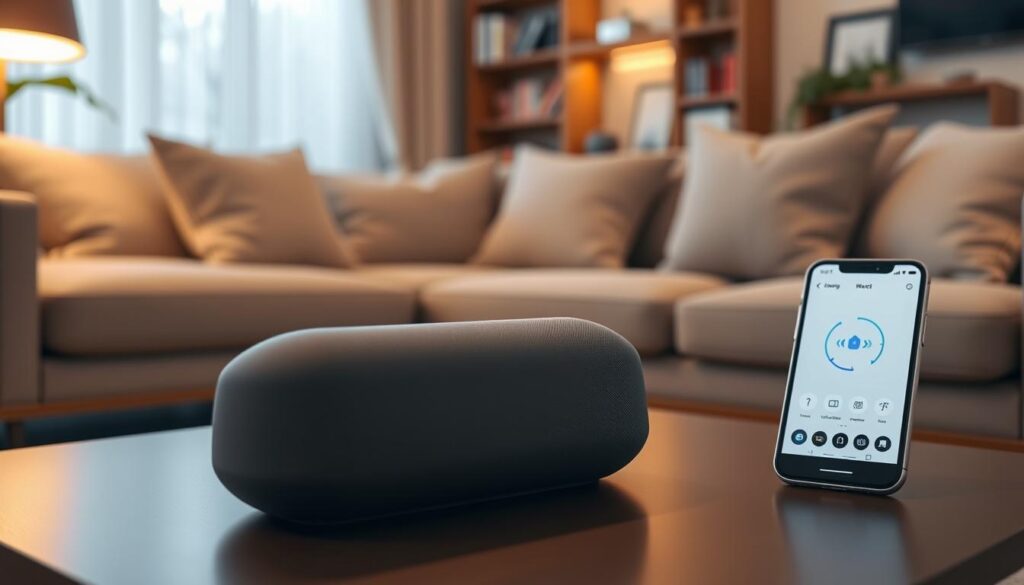
First, make sure you have the Google Home app on your phone or tablet. This app is key for managing your device and making your listening experience personal.
Here’s how to start:
- Plug the power adapter into your device and a wall outlet.
- Open the Google Home app and tap the plus (+) icon to add a new device.
- Select “Set up device” and follow the on-screen prompts to discover your speaker.
- Assign your speaker to a specific room to keep your smart home organized.
Connecting to Wi-Fi and More
After the app finds your speaker, it will help you connect to Wi-Fi. A strong internet connection is essential for top-notch wireless streaming in your home.
Pro tip: Keep your mobile device close to the speaker during the initial handshake to ensure a seamless connection to your local network.
Once online, you can explore cool features like multi-room audio. This lets you link multiple speakers for the same music everywhere in your home.
Don’t forget to check for firmware updates right after connecting. Keeping your software up-to-date ensures smooth wireless streaming and no lag in your multi-room audio groups.
Troubleshooting Common Issues
Technology can sometimes act up, needing a quick fix. Our devices are built to be reliable, but small problems can happen. A few simple steps can keep your Google Assistant working well.
Resolving Connectivity Problems
First, check your Wi-Fi network if your speaker disconnects. A simple reboot by unplugging and replugging can fix it. Consistency is key for a stable connection in your smart home.
If problems continue, make sure your phone and speaker are on the same network. Also, check for firmware updates in the home app for better performance. A stable internet is crucial for voice control to work right.
Sound Quality Enhancements
To enhance your audio, adjust settings in the app. Tweaking bass and treble can improve sound quality in your room. These changes make your music playback clearer.
Where you place your speaker also affects sound quality. Keep it away from corners or small spaces to avoid muffled sound. If Google Assistant isn’t responding, check the microphone switch on the back.
| Issue Type | Primary Solution | Secondary Step |
|---|---|---|
| Connectivity | Power Cycle Device | Check Wi-Fi Signal |
| Voice Response | Check Mute Switch | Re-train Voice Model |
| Audio Quality | Adjust EQ Settings | Change Speaker Position |
By making these changes, you can keep your music playback quality high. Regular maintenance ensures a smooth experience every day.
User Reviews and Experiences
Real user feedback gives us the best look at how this smart device works in everyday life. We’ve collected comments from many homes to see how it performs. People like how it looks and how well it works.
Positive Feedback from Consumers
Many say the premium sound quality is amazing for its size. They love how clear the sound is, even when it’s loud. For music fans, this is a big plus. Check out this Google Nest Audio review for more details.
But it’s not just about music. Families also love the hands-free calling feature. It makes it easy to talk to family while you’re busy. This feature is a big reason people choose it for their home audio setup.
Addressing Common Concerns
Some users have asked about setting it up and keeping it connected. Make sure your router is in a good spot to avoid losing signal. Most problems are fixed by updating the app.
Privacy is a big worry for some, but the mute switch helps. It lets you control your data. You can set your privacy how you like it.
Here’s a quick summary of what users in the U.S. often talk about:
| Feature Category | User Sentiment | Key Benefit |
|---|---|---|
| Audio Performance | Highly Positive | Rich, balanced sound |
| Communication | Very Useful | Clear hands-free calling |
| Setup Process | Generally Easy | Quick app integration |
| Privacy Controls | Satisfactory | Physical mute switch |
Conclusion: Is Google Nest Audio Right for You?
Choosing the right smart speaker is all about finding the perfect mix. You want something that’s both convenient and sounds great. The Google Nest Audio does just that, offering both smart features and top-notch sound.
Want to learn more about the Nest Audio? Check out our in-depth review. It shows how it performs in real life. It’s perfect for anyone who loves music, whether you’re a casual listener or an audiophile.
Evaluating the Value of Smart Features
The Google Assistant makes your life easier. It turns your home into a smart hub. Just use your voice to control everything.
This is ideal for those who want to manage their smart home devices easily. It makes your life simpler and grows with your tech collection.
Ideal Scenarios for Your New Speaker
Great for anyone looking to improve their audio setup. It’s perfect for your living room or bedroom. It’s also a great starting point for a multi-room system.
If you love clear vocals and deep bass, this speaker is for you. It’s a top choice in its price range. It makes your music sound amazing and keeps your home connected.