
 Zoe Nora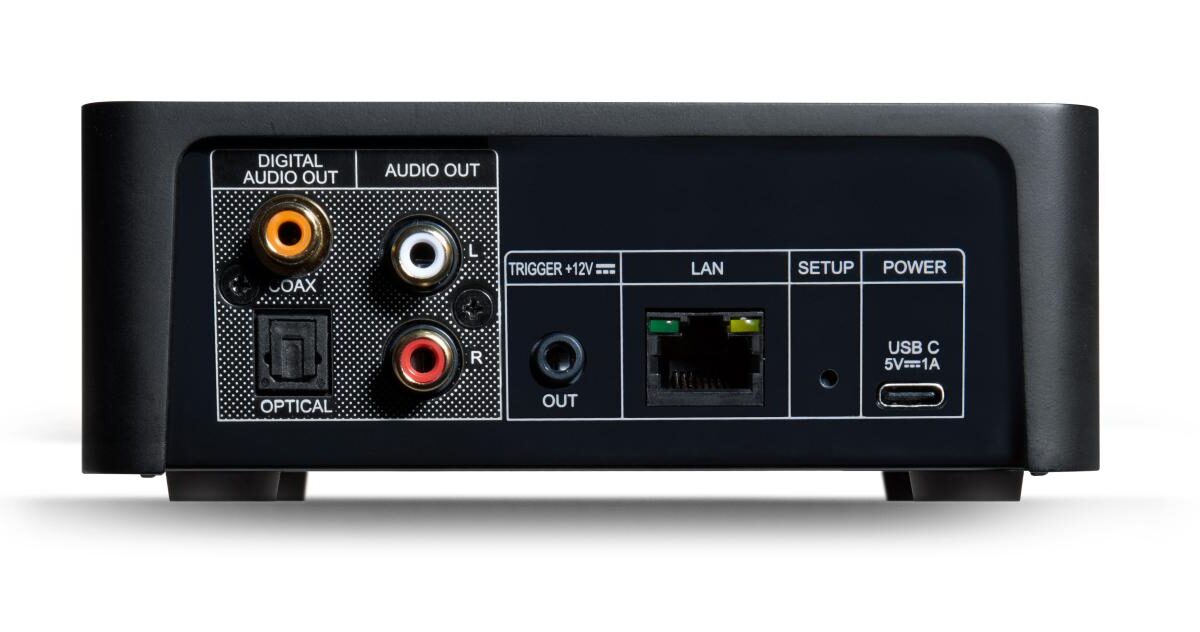
Wireless streamer technology is reshaping the way we enjoy audio and video content in our homes. It empowers users to stream their favorite movies, music, and shows without the clutter of wires, creating a seamless entertainment experience. With the evolution of wireless protocols and codecs, these devices have become indispensable for modern households looking to enhance their media consumption.
In this exploration, we’ll dive into the core technologies that make wireless streaming possible, including comparisons of popular models, the benefits over traditional methods, and tips for optimizing your setup. Whether you’re a tech enthusiast or just looking to simplify your home entertainment system, understanding wireless streamers will open up a world of convenience and quality.
Understanding the Technology Behind Wireless Streamers
Wireless streamers have transformed how we consume media, enabling seamless access to music, movies, and games without the hassle of cords. This technology relies on sophisticated protocols and codecs to deliver high-quality audio and video content over various networks. Understanding these components is essential for anyone looking to enhance their streaming experience.
The core technologies that enable wireless streaming primarily include wireless communication protocols and audio/video codecs. Wireless protocols allow devices to transmit data over the air. Among the most common protocols are Bluetooth, Wi-Fi, and Apple’s AirPlay. Each of these has its unique advantages and energy consumption characteristics that can impact performance and usability.
Differences Between Wireless Protocols
When choosing a wireless streaming solution, it’s crucial to understand the differences between Bluetooth, Wi-Fi, and AirPlay. Each protocol has specific strengths that cater to different needs and use cases.
- Bluetooth: This protocol is primarily designed for short-range communication. It offers a convenient way to connect devices like headphones and speakers. However, Bluetooth typically has lower bandwidth compared to Wi-Fi, which may affect audio quality, especially for high-definition formats.
- Wi-Fi: Wi-Fi provides a broader range and higher bandwidth, making it suitable for streaming high-definition video and audio without compression. It connects devices to local networks, allowing for multi-room streaming and access to large media libraries.
- AirPlay: Apple’s AirPlay works over Wi-Fi, enabling users to stream audio and video content from iOS devices or Macs to AirPlay-compatible devices. Its integration with Apple’s ecosystem offers seamless control and high-quality output, often using lossless audio formats.
Codecs play a significant role in the quality of audio and video streaming. They compress and decompress digital media files, affecting bandwidth use and playback quality. Different codecs can be optimized for specific types of content.
“Proper codec selection is crucial for achieving a balance between file size and quality in streaming applications.”
While formats like MP3 and AAC are popular for audio, codecs like H.264 and HEVC (H.265) are commonly used for video streaming. The choice of codec can influence latency, buffering, and overall user experience. Advanced codecs can offer better compression, allowing for higher quality at lower bitrates, which is especially beneficial in environments with limited bandwidth.
Understanding these foundational technologies can help users make informed choices about their streaming devices, ensuring they select the best solutions for their entertainment needs.
Comparing Different Wireless Streamer Models Available in the Market
Wireless streamers have become essential devices for anyone looking to enjoy high-quality audio and video content across multiple platforms. With several models available, it’s crucial to understand the differences in features, pricing, and user satisfaction. This guide will explore three popular wireless streamer models, highlighting their unique specifications and helping you make an informed decision based on your needs.
Comparison of Popular Wireless Streamer Models
When selecting a wireless streamer, it helps to compare features, pricing, and user ratings. Below are three prominent models currently on the market:
- Amazon Fire TV Stick 4K
- Features: Supports 4K UHD, HDR, Dolby Vision, and Alexa voice control.
- Pricing: Approximately $49.99.
- User Ratings: Highly rated for its performance and range of content options.
- Roku Streaming Stick 4K+
- Features: Offers 4K UHD streaming, Dolby Vision, voice remote, and HDR10+ support.
- Pricing: Priced around $59.99.
- User Ratings: Known for its user-friendly interface and extensive channel selection.
- Apple TV 4K
- Features: Delivers 4K HDR video, Dolby Atmos sound, and integrates with Apple ecosystem.
- Pricing: Typically retails for $179.00.
- User Ratings: Highly regarded for its quality but noted for its premium price.
Specifications Differentiating High-End and Budget Models
There are distinct differences between high-end and budget models of wireless streamers. Understanding these specifications can help you choose the right one for your requirements.
- Video Resolution: High-end models often support 4K and HDR formats, while budget options may only provide 1080p resolution.
- Audio Quality: Premium devices generally feature advanced audio formats like Dolby Atmos, whereas budget streamers might lack surround sound support.
- User Interface: Higher-end streamers often offer a more intuitive interface with advanced features like voice control and app integration.
- Content Options: Budget streamers may have limited access to certain apps, while high-end models typically support a broader range of streaming platforms.
Factors to Consider When Choosing a Wireless Streamer
Selecting the right wireless streamer involves evaluating various factors to ensure it meets your personal needs. Consider the following:
- Streaming Quality: Determine if you require 4K or if 1080p is sufficient for your viewing habits.
- Compatibility: Check if the streamer is compatible with your existing devices, such as smart TVs or sound systems.
- Content Availability: Ensure that the streaming services you use are supported by the device.
- Budget: Set a budget and compare models within that price range to see which offers the best features for your needs.
“The right wireless streamer enhances your viewing experience, making content more accessible and enjoyable.”
Exploring the Benefits of Wireless Streaming Over Traditional Methods
Wireless streaming technology has revolutionized the way we consume and share media. Unlike traditional wired connections, which can be restrictive and cumbersome, wireless streaming provides users with a seamless experience that enhances accessibility and convenience. This method allows users to enjoy high-quality content without the limitations of physical cables, creating a more engaging and flexible atmosphere for entertainment and communication.
The primary benefits of wireless streaming can be categorized into mobility, flexibility, and ease of use. Mobility is a significant advantage; users can move around freely without being tethered to a specific location. For instance, think about a family movie night where one person can set up a projector in the backyard while another is inside selecting movies on a smartphone. This level of freedom enhances the enjoyment of shared experiences.
Flexibility comes into play with multiple device compatibility. Wireless streaming allows users to connect various devices—such as smartphones, tablets, smart TVs, and even laptops—without needing to swap cables or connect through different ports. This adaptability is especially useful in environments like offices or classrooms, where presentations can be shared wirelessly from any device to a central display.
Ease of use is another critical aspect. Most wireless streaming devices come with user-friendly interfaces and are compatible with popular platforms and applications. This means that even those who may not be tech-savvy can quickly learn to use these systems. For example, many smart TVs now come with built-in streaming capabilities that allow users to access Netflix, Hulu, and other services directly without the need for additional hardware.
Moreover, consider the scenario of hosting a party. A wireless streaming setup allows guests to play their music playlists from their phones on a home audio system without needing to connect physically. This not only creates a dynamic atmosphere but also encourages interaction among guests. The ease with which one can connect and share content fosters a more inclusive environment for entertainment.
In summary, wireless streaming stands out due to its ability to enhance everyday experiences in various settings, making it a preferred choice over traditional wired methods. The benefits of mobility, flexibility, and ease of use clearly illustrate why many users are making the switch to wireless technology for their streaming needs.
Setting Up a Wireless Streamer in Your Home Entertainment System
Integrating a wireless streamer into your home entertainment system can significantly enhance your audio and video experience, providing access to various streaming services and content. The setup process, while straightforward, requires attention to detail to ensure optimal performance and connectivity.
To start, it’s essential to have all necessary components ready for a seamless integration. This typically includes a wireless streamer, an HDMI cable (if applicable), access to your home Wi-Fi network, and compatible audio/video equipment like a TV or sound system. Here’s how to set everything up effectively.
Step-by-step Procedure for Integration
Follow these steps for successfully integrating your wireless streamer into your home entertainment system:
1. Unpack and Position the Streamer: Place the wireless streamer in a central location to best receive Wi-Fi signals. Ensure it is near your television or audio system for easy connectivity.
2. Connect the Streamer: Use an HDMI cable to connect the streamer to your TV or audio receiver. If your device supports optical audio, consider using an optical cable for better sound quality.
3. Power Up the Device: Plug the streamer into a power outlet and turn it on. Wait for the device to boot up and display the initial setup screen.
4. Connect to Wi-Fi: Access the network settings on the streamer and select your home Wi-Fi network from the list. Enter the Wi-Fi password when prompted to establish a connection.
5. Install Necessary Apps: Once connected, navigate to the app store on the streamer and download any relevant streaming apps (like Netflix, Hulu, or Spotify) that you wish to use.
6. Configure Audio Settings: Adjust the audio settings to ensure optimal sound output. Check that the audio output is set to the correct device, whether it’s your TV or a connected sound system.
Optimizing Setup for Best Performance
Achieving the best performance from your wireless streamer involves a few additional steps to optimize your setup:
– Wi-Fi Signal Strength: Place your wireless router in a central location within your home to improve signal strength. Avoid placing the router near walls or furniture that could obstruct the signal.
– Network Traffic Management: Limit the number of devices connected to your Wi-Fi while streaming, as too many connections can slow down your connection speed.
– Update Firmware: Regularly check for firmware updates for your wireless streamer. Keeping the device updated ensures the best performance and access to new features.
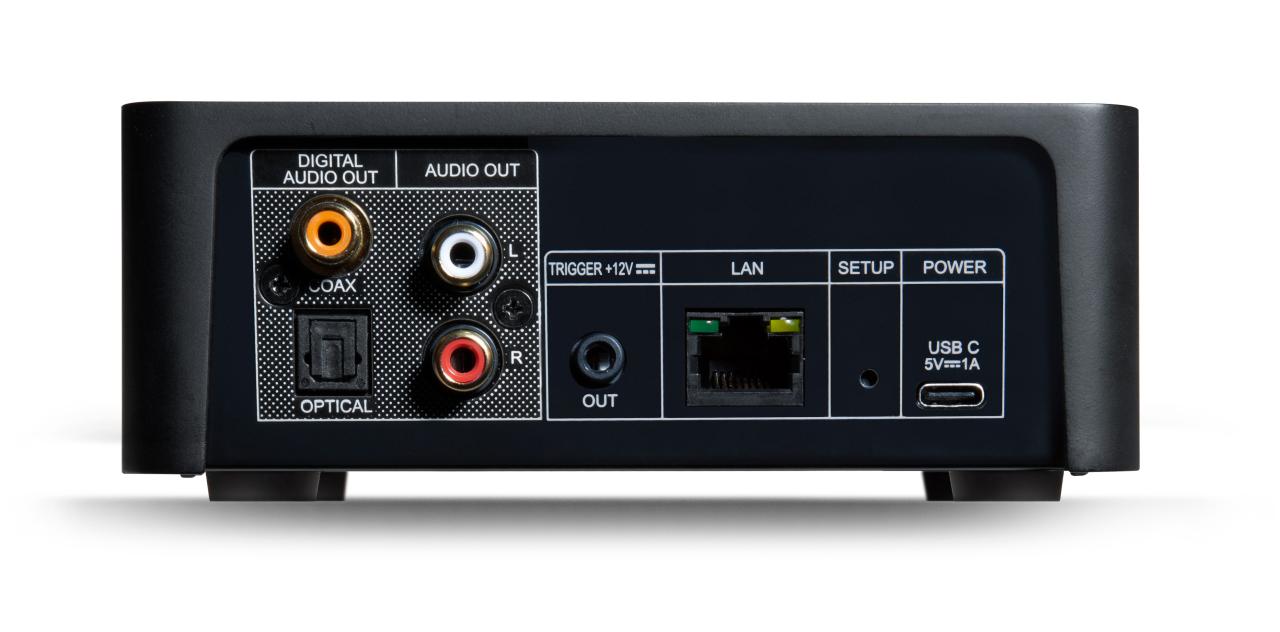
– Use Ethernet Connection If Possible: For devices that allow it, consider using an Ethernet cable for a more stable internet connection, especially for streaming high-definition content.
“A stable internet connection enhances the streaming experience, reducing buffering and improving quality.”
Troubleshooting Potential Issues
If you encounter issues during setup, the following troubleshooting steps can help resolve them effectively:
– No Signal on TV: Ensure the HDMI cable is securely connected to both the streamer and the TV. Switch to the correct HDMI input on the TV.
– Wi-Fi Connection Problems: Double-check the Wi-Fi password you’ve entered. If you’re still having trouble, restart both the wireless router and the streaming device.
– Audio Issues: If no sound is coming from the speakers, confirm that the audio output settings are correct. Ensure the volume is turned up on both the streamer and the connected audio system.
– Buffering Issues During Streaming: If streaming content is buffering frequently, consider moving the router closer to the streamer or switching to a wired connection for improved stability.
By following these steps and tips, you can enjoy a hassle-free setup of your wireless streamer and optimize it to enhance your home entertainment experience.
Investigating Popular Applications That Support Wireless Streaming
Wireless streaming has revolutionized the way we consume media, allowing us to enjoy our favorite content anywhere within range of a network. Various applications enhance these capabilities, each tailored to different types of content, such as music or movies. Understanding the unique features of these applications can help users maximize their streaming experience.
Popular Applications for Wireless Streaming
A variety of applications support seamless wireless streaming. Each offers distinct features that cater to various types of content. Below is a list of noteworthy applications that enhance wireless streaming capabilities:
- Spotify: This popular music streaming app allows users to create and share playlists, discover new music through personalized recommendations, and access a vast library of songs. Spotify is known for its offline mode, enabling users to download tracks for playback without an internet connection.
- Netflix: A leader in the movie and television streaming industry, Netflix provides a wide selection of films and series. Its unique features include multiple user profiles, content recommendations based on viewing habits, and the ability to download select titles for offline viewing.
- Amazon Prime Video: This service not only offers a large collection of movies and TV shows but also provides access to exclusive content, such as Amazon Originals. Amazon Prime Video allows users to rent or buy additional titles, providing flexibility in content consumption.
- Google Play Movies & TV: As part of the Google ecosystem, this app allows users to purchase and rent movies and television shows. It integrates seamlessly with other Google services and supports playback on various devices, making it a versatile option for streaming content.
- Plex: This media server application allows users to organize and stream their personal media libraries across multiple devices. Plex supports a wide variety of file formats and provides features like remote access, live TV, and DVR capabilities, making it ideal for users with extensive media collections.
While these applications offer great features, users may encounter compatibility issues. For instance, certain devices may not support specific streaming formats, or apps may have limitations based on geographical regions. Additionally, users might face challenges when trying to stream content across different operating systems or devices, which can affect the overall streaming experience.
Effective wireless streaming relies not only on the quality of the application but also on device compatibility and internet connectivity.
Assessing the Future of Wireless Streaming Technology
Wireless streaming technology is rapidly evolving, driven by advancements in connectivity and consumer demand for seamless media experiences. The landscape of entertainment and information delivery is being reshaped as consumers expect high-quality content, instant access, and easy integration across various devices. This evolution highlights the importance of understanding the emerging trends that will define the future of wireless streaming.
One significant trend is the increasing adoption of 5G technology, which promises to revolutionize wireless streaming by offering much faster data speeds and lower latency compared to previous generations. This will allow for higher resolution content, such as 4K and 8K streaming, to be delivered without buffering or interruptions, enhancing the overall user experience. Additionally, 5G’s ability to connect more devices simultaneously opens the door for more comprehensive smart home ecosystems, enabling consumers to stream content seamlessly across multiple devices with minimal lag.
Impact of 5G on Wireless Streaming
5G technology is set to drastically improve wireless streaming capabilities. As networks become more robust, here are several aspects that will benefit from this advancement:
- Higher Bandwidth: 5G networks can handle significantly more data, allowing for higher-quality streams with less compression. This means that users can enjoy superior picture and sound quality.
- Improved Connectivity: With enhanced connectivity, users can stream content on multiple devices simultaneously without compromising quality, making it ideal for families or shared living spaces.
- Reduced Latency: Lower latency translates to faster loading times and near-instantaneous response when switching between content, making the streaming experience much smoother.
- Enhanced Mobile Experiences: The mobility provided by 5G means that users can enjoy high-quality streaming on-the-go, revolutionizing how and where content is consumed.
The integration of smart home technology is another crucial element shaping the future of wireless streaming. As consumers increasingly adopt connected devices, the ability to control and manage media through a central hub becomes essential. This integration allows for personalized and synchronized streaming experiences across various devices, such as smart TVs, speakers, and mobile devices.
Smart Home Integration in Wireless Streaming
The growth of smart home technology is driving innovation in wireless streaming. The ecosystem enables users to curate their media consumption more efficiently. Key aspects to consider include:
- Voice-Controlled Streaming: With the rise of virtual assistants, users can control their streaming services through voice commands, simplifying access to content.
- Interconnected Devices: Smart TVs and speakers can work together to create a cohesive entertainment system, allowing seamless transitions between devices as users move around their homes.
- Personalized Recommendations: Smart home systems can analyze viewing habits to offer tailored content suggestions, enhancing user engagement.
- Automation and Scheduling: Users can schedule streaming sessions or automate their entertainment setups based on routines, making media consumption more convenient.
Consumer expectations are evolving, and with them, the wireless streaming industry must innovate. As streaming services continue to proliferate, users seek more diverse content options and personalized experiences. This demand is pushing companies to explore new business models and technologies to stay competitive.
Anticipated Innovations in Wireless Streaming
As the industry adapts to changing consumer preferences, several innovations are on the horizon:
- Augmented Reality (AR) and Virtual Reality (VR): These technologies are poised to enhance streaming experiences by offering immersive content that engages users in entirely new ways.
- Interactive Streaming: Platforms are likely to incorporate more interactive elements, allowing viewers to choose storylines or outcomes, making the viewing experience more engaging.
- Content Delivery Networks (CDNs): Advances in CDNs will improve content distribution efficiency, reducing costs and improving access to high-quality streams globally.
- Blockchain for DRM: Utilizing blockchain technology can provide more secure and transparent digital rights management, benefiting both creators and consumers.
With the convergence of these technologies and the evolving landscape of consumer expectations, the future of wireless streaming technology appears promising. The industry is on the cusp of a transformation that will redefine how content is consumed, experienced, and shared.
Optimizing Streaming Quality and Performance
When it comes to streaming your favorite shows or music, quality and performance can make or break your experience. To ensure that you get the most out of your wireless streaming device, it’s essential to implement strategies that enhance both the quality of the stream and the performance of your network. With a few adjustments and monitoring techniques, anyone can elevate their streaming experience.
Effective streaming relies heavily on your internet connection and network configuration. Bandwidth management is crucial; ensuring that your network has enough speed to handle streaming demands can significantly affect playback quality. Additionally, the placement of your streaming device can influence signal strength, which directly impacts the integrity of the stream.
Bandwidth Management and Device Placement
To enhance streaming quality, managing bandwidth and optimizing device placement are key factors. Understanding how to effectively allocate your internet speed can prevent buffering and interruptions.
- Prioritize Streaming Devices: Ensure your streaming device is connected to the router with the highest available bandwidth, particularly during peak usage times.
- Reduce Network Traffic: Limit the number of active devices connected to your network while streaming. Unplug or disconnect devices that are not in use.
- Use Wired Connections: Whenever possible, opt for an Ethernet connection. Wired connections provide stable and faster speeds compared to wireless.
- Adjust Quality Settings: Lowering the video resolution on your streaming service can help if you experience buffering, especially in lower bandwidth situations.
Placement of your streaming device can also have a significant impact on performance.
- Central Location: Position your streaming device centrally within your home to maximize the wireless signal coverage.
- Avoid Obstacles: Ensure there are minimal physical barriers between your router and streaming device, as walls and furniture can attenuate signals.
- Elevate Devices: Elevating the router can improve coverage, as signals tend to spread more effectively from a higher vantage point.
Conducting Speed Tests and Monitoring Network Performance
Monitoring your network’s performance can allow you to identify issues that impact streaming quality. Conducting regular speed tests is the first step in ensuring you have sufficient bandwidth.
To conduct a speed test:
1. Disconnect all non-essential devices from your network.
2. Use a reliable speed test website or application to measure your connection speed.
3. Record the results, focusing on both download and upload speeds. The download speed should ideally be at least 25 Mbps for high-quality streaming.
Regular monitoring of your network performance can help identify any fluctuations that may affect your streaming. Many routers offer built-in performance metrics that can be accessed through their management interface.
Common Issues and Solutions for Streaming
There are several common issues that users encounter while streaming, which can detract from the overall experience. Identifying these issues and implementing the right solutions can significantly enhance your streaming performance.
Buffering and lag can occur due to insufficient bandwidth or network congestion.
- Buffering: This often results from inadequate bandwidth. To solve this, consider upgrading your internet plan or implementing bandwidth management techniques.
- Quality Drops: If video quality inconsistently drops, check for network congestion. Disconnect any unnecessary devices and consider adjusting your streaming settings.
- Device Compatibility: Ensure that your streaming device is compatible with the desired service. An outdated device can lead to performance issues.
- Router Overload: If you experience slow speeds, your router may need an upgrade. Look for dual-band routers or mesh networks for better coverage.
By proactively managing your bandwidth, optimizing device placement, and monitoring network performance, you can significantly improve your wireless streaming quality and enjoy a seamless viewing experience.
Analyzing the Environmental Impact of Wireless Streamers
Wireless streaming devices have revolutionized how we consume media, but their environmental implications deserve attention. As these devices become integral to modern households, understanding their energy consumption and ecological impact is essential. This section delves into how wireless streamers affect energy usage, explores sustainable practices for their use, and highlights manufacturers committed to eco-friendly designs.
Energy Consumption in Modern Households
Wireless streamers can significantly contribute to overall household energy consumption. While these devices provide convenience and entertainment, they also consume electricity, which can lead to higher utility bills and increased carbon footprints. For instance, a typical streaming device may use anywhere from 5 to 20 watts of power, depending on the model and usage patterns. To illustrate, a household using a streaming device for four hours daily might incur an annual energy cost of around $20 to $50, depending on local energy rates.
To minimize energy consumption, consumers can adopt several practices:
- Utilizing energy-saving modes: Many devices offer settings that reduce power usage during inactivity.
- Scheduling streaming times: Limiting usage to specific times can decrease overall energy draw.
- Unplugging devices when not in use: Disabling devices entirely can prevent phantom energy consumption.
Sustainable Practices for Using Wireless Streamers
Implementing sustainable practices can significantly reduce the ecological footprint of wireless streaming. Simple behavioral changes and mindful consumption can lead to a more responsible approach to technology use.
Strategies for sustainable streaming include:
- Streaming in lower resolutions: Opting for HD or standard-definition content consumes less power than 4K streaming.
- Consolidating streaming services: Using fewer devices to access multiple platforms reduces the number of active streamers in the home.
- Supporting renewable energy sources: Choosing energy plans that include renewables can offset the carbon impact of streaming.
Manufacturers Focusing on Eco-Friendly Designs
Several manufacturers prioritize sustainability in their designs for wireless streaming devices, aiming to create products that are both efficient and environmentally friendly. Companies like Google with their Chromecast line, and Roku, strive for energy efficiency while incorporating recyclable materials in production. These efforts not only appeal to environmentally conscious consumers but also set a standard within the industry.
Notable eco-friendly features to look for include:
- Energy-efficient components: Devices that utilize low-power processors and LED indicators.
- Recyclable packaging: Manufacturers that minimize waste by using sustainable materials for packaging.
- Take-back programs: Initiatives that allow consumers to return old devices for recycling or proper disposal.
Last Word
In conclusion, wireless streamers represent a significant leap in home entertainment technology, offering unparalleled freedom and flexibility. As we continue to adopt smarter solutions for our media needs, these devices not only enhance user experience but also pave the way for future innovations in streaming technology. By choosing the right model and optimizing your setup, you can fully enjoy everything that wireless streaming has to offer.
FAQ Overview
What are the main benefits of using a wireless streamer?
Wireless streamers provide mobility, flexibility, and ease of use, allowing users to enjoy content without dealing with tangled wires or limited connectivity.
Can I use a wireless streamer with any audio system?
Most wireless streamers are compatible with a wide range of audio systems, but it’s essential to check for compatibility with your specific devices.
Do wireless streamers affect sound quality?
While wireless streamers can affect sound quality based on the technology and codecs used, high-quality models can deliver excellent audio without notable degradation.
How do I troubleshoot connectivity issues with my wireless streamer?
Common troubleshooting steps include checking your Wi-Fi signal strength, rebooting the device, and ensuring that your firmware is up-to-date.
Are there eco-friendly wireless streamers available?
Yes, some manufacturers focus on sustainable designs, producing energy-efficient wireless streamers that help reduce environmental impact.