
 Zoe Nora
More than 80% of professional tracks are now mixed in home environments, rather than million-dollar facilities. This shift makes your gear choice more important than ever for balanced sound.
Choosing monitor speakers can feel overwhelming for any producer. You need a reliable reference that translates well across different playback systems.
Fortunately, you do not need to break the bank. Affordable monitor speakers, such as the PreSonus Eris e3.5, offer a surprisingly neutral response for entry-level setups. We will help you choose the best units for your room size, connectivity needs, and budget.
Beyond the hardware, proper placement and basic room treatment can transform your listening experience. Precision is the goal, and we will help you build a space for your creative vision.
Key Takeaways
- Professional mixing is increasingly moving into home studio spaces.
- Reliable audio references are essential for high-quality music production.
- Budget-friendly options provide a solid, neutral foundation for beginners.
- Room acoustics and hardware placement are as vital as the gear itself.
- Our guide simplifies the selection process for every type of creator.
What Are Monitor Speakers?
Studio monitors are vital to serious music production setups. Unlike standard speakers for casual listening, they give audio engineers and producers critical reference points. They provide a flat, honest picture of your audio signal.
Definition and Purpose
The main goal of studio monitors is to reveal flaws in a recording, not make it sound pleasant. Their neutral frequency response helps you make precise mix adjustments. You can balance levels, refine frequencies, and perfect stereo imaging.
These speakers let you hear your project’s raw truth. This clear sound helps your music translate well across systems, from car stereos to high-end home theaters. Without this accuracy, you may hide issues that appear after release.
Differences from Regular Speakers
Regular consumer speakers often sound “flattering” to listeners. Manufacturers often boost bass and treble for a more exciting, punchy sound. That design suits music listening but is counterproductive for mixing because it hides your tracks’ true balance.
Many producers begin with headphones, which offer detail but can mislead you about spatial depth. Moving to studio monitors shows how sound interacts with a physical space. This shift helps you make informed choices about soundstage width and depth, leading to a more professional final product.
Benefits of Using Monitor Speakers
Many producers wonder why tracks sound different across systems. The cause often lies in their monitoring setup. Standard consumer gear colors audio, hiding critical flaws, while monitor speakers reveal your project without artificial enhancements.
Accurate Sound Representation
The main goal of high-quality monitor speakers is a flat, neutral frequency response. This clear sound helps you find hidden frequency imbalances. Accurate monitoring also reveals masking, where instruments compete for the same space.
These tools also reveal unwanted resonances and muddy low-end frequencies. Hearing your audio clearly helps you make precise changes that work across playback systems. This clarity helps create a polished, professional sound in any genre.
Improved Mixing and Mastering
When you use monitor speakers for mixing, your decisions become more reliable. You can place elements in the stereo field with confidence. This precision creates a wide, immersive soundstage that keeps listeners engaged.
These speakers offer a more natural listening perspective than headphones. During long production sessions, they reduce ear fatigue and show how sound moves through a room. Although high-quality monitor speakers cannot guarantee a perfect mix, they provide a dependable reference for creative corrections.
Investing in monitor speakers for mixing shows commitment to your craft. They reveal details that separate amateur recordings from professional productions. By trusting a reliable system, you help translate your artistic vision accurately to your audience.
Key Features to Consider
Great sound starts with speakers that fit your production space. Do not choose equipment only by popularity; study how each specification affects real-world performance. When you invest in active monitor speakers, you choose a complete, self-contained audio solution for your studio.
Frequency Response
Frequency response tells us how a speaker handles sound from deep bass to crisp highs. For smaller spaces, a compact model like the PreSonus Eris e3.5 provides tight, controlled sound without overwhelming the room. Larger studios benefit from the Yamaha HS7’s deeper low-frequency reach, which supports more accurate monitoring of sub-bass content.
It is essential to match bass extension to your room size. A speaker with massive low-end output can create muddy mixes and standing waves in a tiny, untreated room. Prioritize accuracy over raw power so tracks translate well across other playback systems.
Power Output
Power ratings confuse users because manufacturers use different performance measures. Peak power may look impressive, but the RMS rating better predicts performance during long mixing sessions. Higher wattage does not always mean better sound, but it provides more headroom for dynamic audio.
Think of power as your studio setup’s engine. You need enough capacity for transients without distortion, but excessive power can exceed your room’s acoustic limits. Balance helps maintain a clean, honest signal chain.
Connectivity Options
How you connect your gear can greatly affect audio clarity. Most professional active monitor speakers feature balanced inputs, including XLR or TRS connections. These are highly recommended because they reject electromagnetic interference and ground loops common in home studios.
Balanced cables keep the signal clean from your audio interface to your speakers. Avoid unbalanced RCA connections whenever possible to keep your signal path quiet and professional. This simple choice lets you focus on music instead of troubleshooting background noise.
Top Brands in Monitor Speakers
When you search for the best monitor speakers, several industry leaders quickly stand out. Marketing can persuade, but sound balance, room fit, and long-term reliability matter more than brand recognition.
It is important to separate high-quality monitor speakers from products focused on looks or exaggerated specifications. True performance depends on how well a speaker translates your mix to other systems.
Yamaha
Yamaha has served studios worldwide for years and remains known for accurate sound. The HS7 offers a neutral presentation and clear detail.
These studio monitors provide excellent instrument separation for precise EQ decisions. Their uncolored sound helps producers hear exactly what happens in their tracks.
KRK Systems
KRK Systems is another major brand, known for its iconic yellow woofer cones. Producers often choose these speakers for their punchy low end and engaging sound.
Many producers find these speakers make creating music more enjoyable. If you want high-quality monitor speakers with more character, consider this brand.
Genelec
For high-end precision, Genelec is often considered the gold standard. Its designs focus on extreme accuracy and advanced room correction technology.
These best monitor speakers work well in challenging acoustic spaces. They cost more, but reveal hidden mix details for professional mixing and mastering.
| Brand | Primary Focus | Best For |
|---|---|---|
| Yamaha | Neutrality | Critical Mixing |
| KRK Systems | Punchy Response | Electronic Production |
| Genelec | Precision | Professional Mastering |
Best Monitor Speakers for Home Studios
Your ideal audio monitoring setup depends on your production goals and budget. The right equipment helps create a reliable space where you can trust what you hear. Before buying, read a comprehensive studio monitor buying guide to learn how designs affect your workflow.
Entry-Level Options
For beginners, affordable monitor speakers offer a strong starting point without breaking the bank. The PreSonus Eris e3.5 suits small desks and delivers clear sound in a compact footprint. The JBL LSR305 is a versatile workhorse with 82 watts and balanced inputs for professional-grade setups.
Mid-Range Picks
As your production needs grow, you may want more detail and power. The FiiO SP3 packs 80 watts into a sleek design for modern studios. For a neutral reference, the Yamaha HS7 remains an industry standard. These monitor speakers for mixing offer deeper bass and a flat frequency profile for critical final decisions.
“The goal of a monitor speaker is not to make music sound good, but to make it sound honest. If you can make a mix sound great on a pair of flat monitors, it will translate well to any system.”
High-End Choices
When budget matters less, high-end models offer greater transparency and advanced room correction features. Brands like Genelec are known for precision and for revealing subtle mix details. Investing in these best monitor speakers keeps your studio accurate, so you can focus on creativity.
| Model | Category | Power Output | Best For |
|---|---|---|---|
| PreSonus Eris e3.5 | Entry-Level | 50W | Small Desks |
| JBL LSR305 | Entry-Level | 82W | General Mixing |
| FiiO SP3 | Mid-Range | 80W | Compact Spaces |
| Yamaha HS7 | Mid-Range | 95W | Neutral Reference |
Ultimately, the best monitor speakers for your needs should match your room size and need for sonic accuracy. Test different models to find the frequency response that sounds most natural to your ears. Choosing the right monitor speakers for mixing supports long-term success in music production.
Active vs. Passive Monitor Speakers
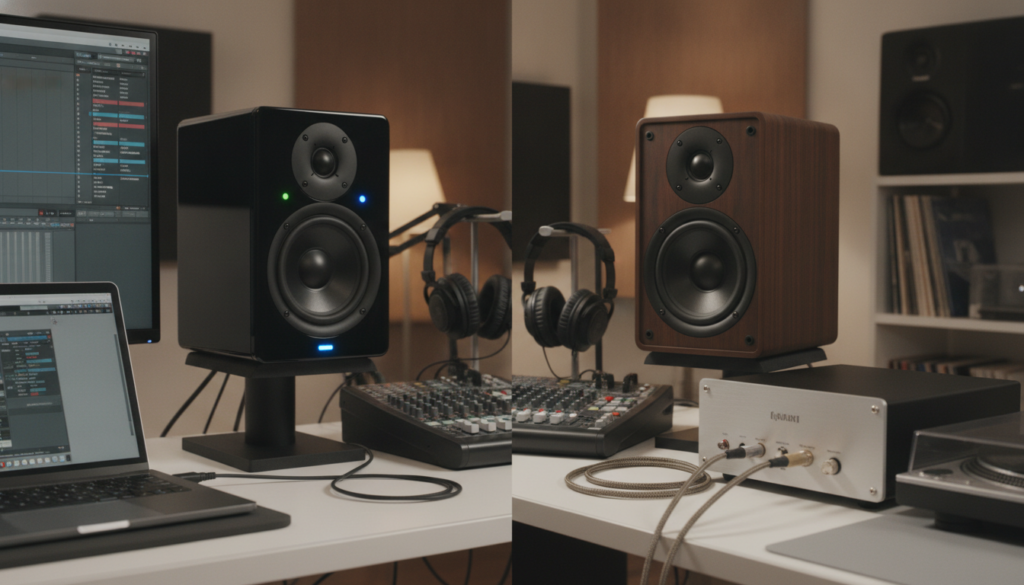
When you build an audio workspace, you must choose between two main speaker designs. They differ in how they receive power and process audio signals. Knowing these differences helps you achieve the professional sound quality you want.
Pros and Cons of Active Speakers
Active monitor speakers are popular in modern home studios because they include built-in amplification. The manufacturer matches each internal amplifier to its specific drivers for optimal performance.
The main advantage is convenience. You plug them into power and connect your audio interface, saving significant desk space. However, internal electronics make these units heavier and harder to repair when a component fails.
Pros and Cons of Passive Speakers
In contrast, passive monitor speakers need an external power amplifier to work. This setup offers greater flexibility because you can choose an amplifier to color the sound or upgrade it separately.
This setup allows a highly customized signal chain, but it adds complexity. You must manage extra cables, match the amplifier to the speakers’ power needs, and make room for external hardware.
Which Is Right for You?
Your choice depends on your studio goals and technical comfort level. If you prefer a simple, “plug-and-play” experience, active models are usually better. If you enjoy fine-tuning gear and swapping amplifiers later, passive designs offer a modular path.
| Feature | Active Speakers | Passive Speakers |
|---|---|---|
| Amplification | Built-in | External required |
| Setup Complexity | Low | High |
| Customization | Limited | High |
| Space Efficiency | High | Low |
Setting Up Your Monitor Speakers
Proper setup of your studio monitors helps you hear an accurate sound profile. Even expensive gear can fail to deliver high-quality results when positioned incorrectly within your workspace. Standard acoustic principles help mixes sound right on other playback systems.
Optimal Placement
For the best stereo image, place your monitor speakers as an equilateral triangle. The distance between the speakers should match the distance from each speaker to your head. Aim the tweeters at your ears to keep a consistent stereo sweet spot.
If you use rear-ported studio monitors, leave enough space behind them to prevent bass buildup. Keep them at least 12 inches from any surface. Limited desk space? The best wall mount speakers for home and office can save space while keeping speakers elevated.
Room Acoustics Considerations
Room size should guide your equipment choices. In a compact 10×10 foot room, smaller monitor speakers usually prevent too much low-frequency energy. Larger rooms can use bigger drivers, which move more air without causing unwanted reflections.
We strongly recommend stable, decoupled stands to isolate speakers from desk vibrations. Software like Room EQ Wizard can analyze your space and find problem frequencies. Basic acoustic treatment, including bass traps and foam panels, greatly improves monitoring accuracy.
| Room Size | Recommended Driver Size | Placement Strategy |
|---|---|---|
| Small (10×10 ft) | 4 to 5 inches | Near-field, wall clearance |
| Medium (12×15 ft) | 6 to 7 inches | Mid-field, acoustic treatment |
| Large (15+ ft) | 8 inches or more | Far-field, professional calibration |
Common Mistakes to Avoid
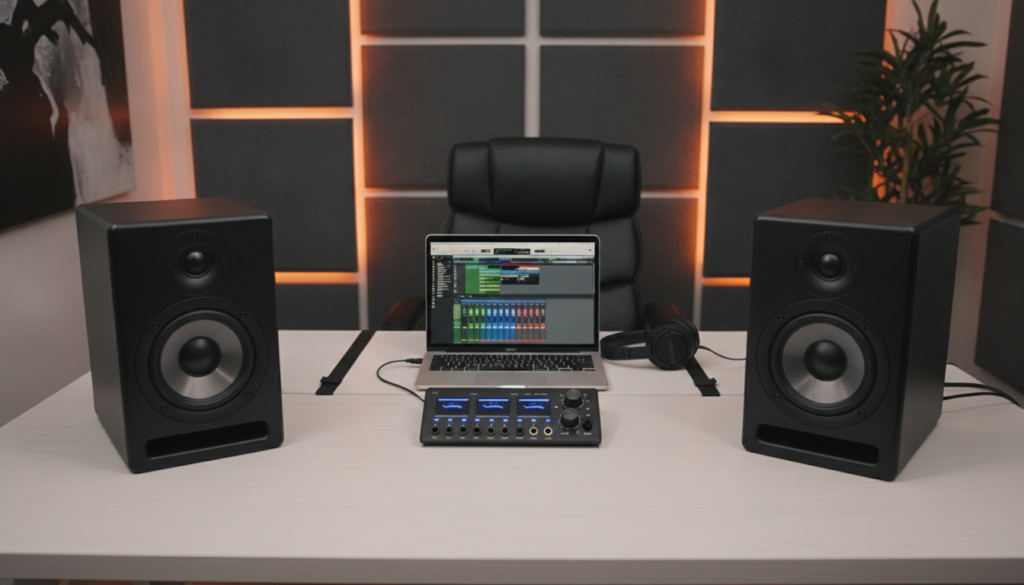
We often blame speakers for bad mixes, but the room may cause the problem. Many producers buy high-end gear but neglect their physical space, preventing professional results. Your environment shapes final sound quality, whether you use passive monitor speakers or high-end active units.
Ignoring Room Treatment
A common error is placing equipment in an untreated room. Sound waves bounce off hard surfaces, creating standing waves and phase cancellation that hide true frequencies. Even expensive monitor speakers for mixing cannot fix these acoustic problems.
Placing speakers too close to walls or corners often creates muddy bass. You may boost bass to compensate, which ruins the mix for other listeners. Bass traps and acoustic panels work better than constant hardware upgrades.
Overlooking Speaker Calibration
Calibration creates a repeatable, reliable listening environment. Many users plug in their gear and begin without adjusting levels or checking the stereo image. Without proper alignment, left and right channels may sound unbalanced, causing poor panning decisions.
We recommend measurement microphones and software to analyze your room’s response. This process reveals frequency dips or peaks that your ears might miss. Matching output levels of your passive monitor speakers helps mixes translate accurately across different playback systems.
| Mistake | Impact on Audio | Recommended Fix |
|---|---|---|
| Untreated Corners | Boomy, inaccurate bass | Install bass traps |
| Poor Speaker Angle | Weak stereo image | Form an equilateral triangle |
| Unmatched Levels | Lopsided panning | Use a decibel meter |
| Wall Proximity | Frequency buildup | Pull speakers away from walls |
Maintenance and Care Tips
Regular care keeps your studio equipment reliable and helps you hear your mixes clearly. Whether you have invested in high-quality monitor speakers or are starting with affordable monitor speakers, routine care remains essential. It prevents common problems, such as signal degradation and physical wear, and supports reliable performance for years.
Regular Cleaning
Dust is a silent enemy of any electronic device. We recommend using a soft, dry microfiber cloth to wipe your studio monitors cabinets regularly. Avoid harsh chemicals or liquid cleaners; they can damage the finish or seep into sensitive internal components.
Be extremely careful when cleaning the drivers. The cones are delicate, and excessive pressure can puncture or deform them. A gentle brush with a soft-bristled tool usually removes surface dust without risking the speaker’s integrity.
“The longevity of your audio equipment is directly proportional to the care you provide during daily operation and routine maintenance.”
Checking Connections and Cables
A clean signal path is vital for accurate monitoring. If you notice unwanted hum, crackling, or channel imbalance, first inspect your cables. Ensure all balanced connections fit firmly, and keep power leads free from kinks or fraying.
High-quality monitor speakers need stable voltage and interference-free signals for precise audio. Affordable monitor speakers also benefit from shielded cables, which can greatly reduce noise floor issues. Always check your interface outputs periodically to ensure they remain clean and oxidation-free.
| Maintenance Task | Frequency | Benefit |
|---|---|---|
| Dusting Cabinets | Weekly | Prevents buildup |
| Cable Inspection | Monthly | Eliminates noise |
| Driver Cleaning | Quarterly | Protects audio fidelity |
| Connection Check | Bi-Annually | Ensures signal stability |
Following these simple steps protects your studio monitors from avoidable damage. Consistent attention to your setup keeps your listening environment professional and accurate.
Conclusion: Find the Right Monitor Speakers for You
Building a professional home studio requires careful attention to how you hear music. Your gear choices shape the final quality of every track you produce.
Summary of Essential Selection Criteria
Successful audio production depends on accurate frequency response and proper room treatment. Monitor speakers should provide reliable sound translation across different playback systems. Best monitor speakers for your needs depend on your room dimensions and production goals.
Active designs often make setup easier for beginners. Passive models offer more flexibility if you prefer external amplification. Always consider your budget when comparing these options.
Final Recommendations for Your Studio
We suggest starting with Affordable monitor speakers like the PreSonus Eris e3.5 in a smaller space. These units offer a clear way to learn how your mixes translate.
If you need more depth and power, the Yamaha HS7 serves as a standard reference tool for many professionals. Focus on consistent monitoring habits instead of chasing costly hardware upgrades. Your ears remain the most important part of the signal chain.
Invest time in learning your chosen equipment to achieve the best results in your music production journey.