
 Zoe Nora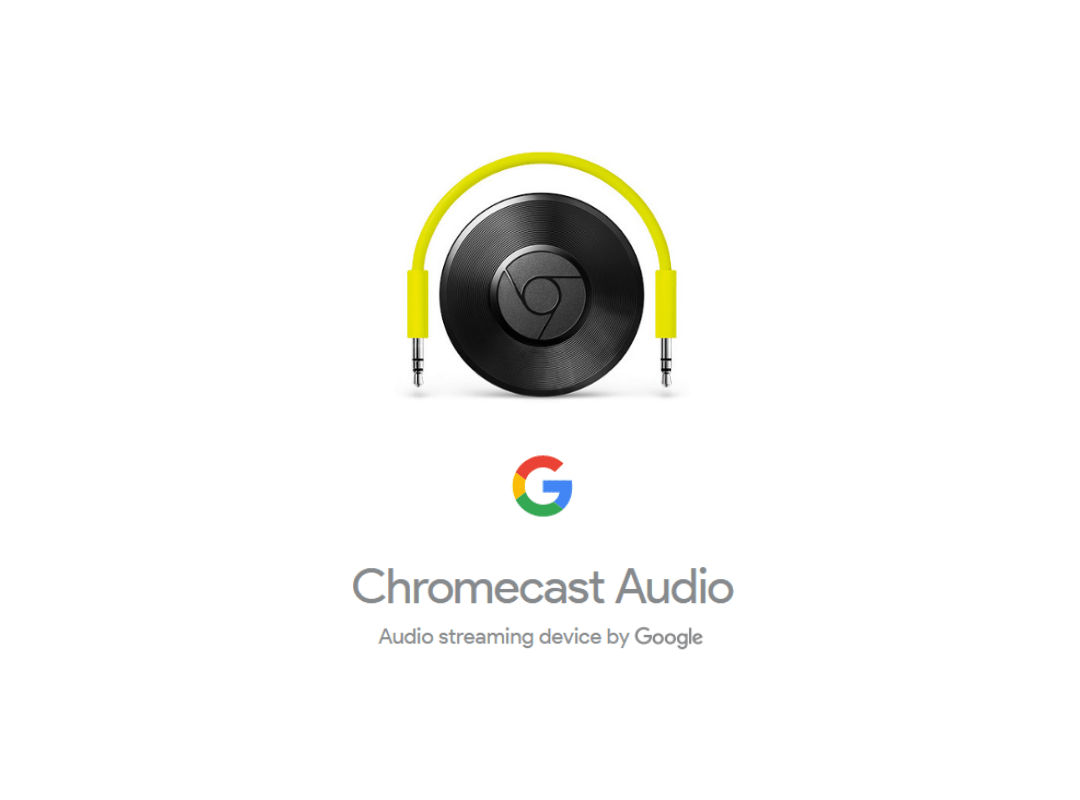
Chromecast audio is revolutionizing the way we experience sound in our homes, transforming ordinary speakers into smart audio devices. With its ability to stream high-quality music and integrate seamlessly into your smart home system, it offers a fresh approach to audio enjoyment that is both versatile and user-friendly.
From setting it up with various speakers to enhancing your listening experience, Chromecast audio boasts features that set it apart from traditional streaming devices. Let’s dive deeper into the functionalities and benefits that make Chromecast audio a must-have for music enthusiasts everywhere.
Understanding the Functionality of Chromecast Audio
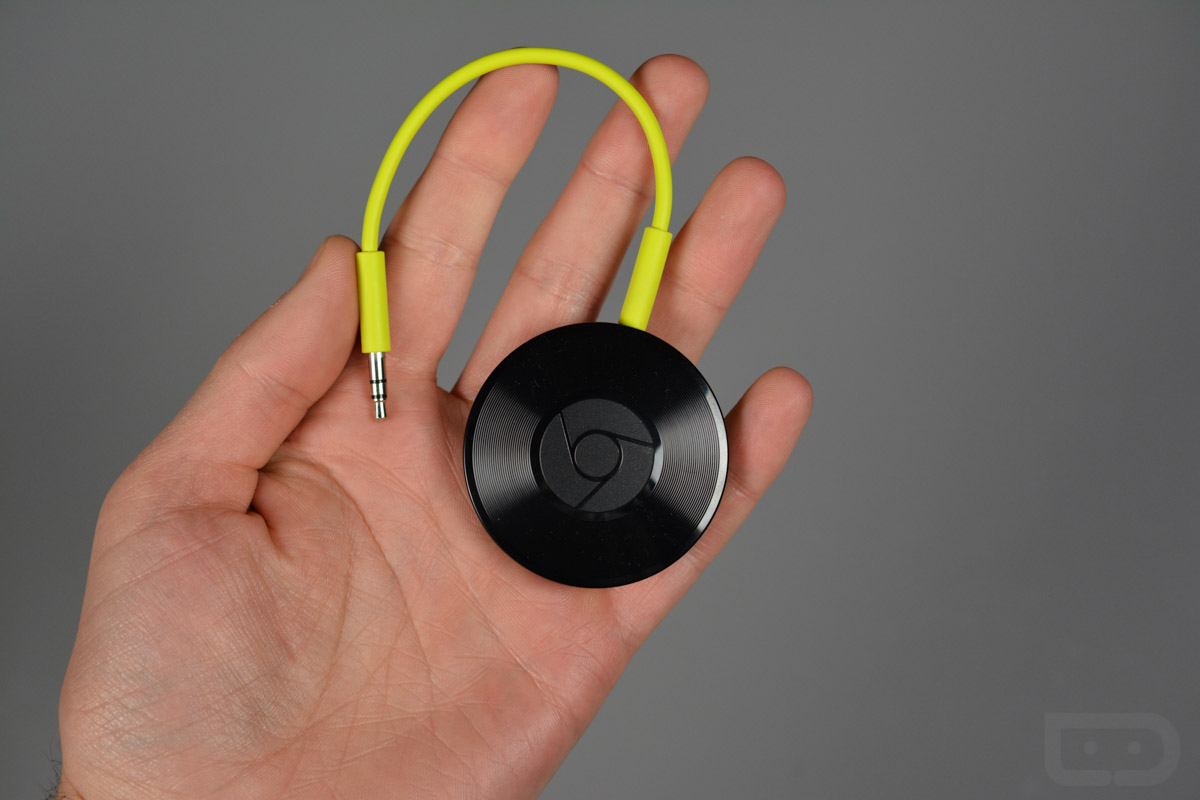
Chromecast Audio is a versatile streaming device that has transformed how users enjoy music and audio content. By enabling wireless streaming of high-quality audio from various devices to speakers, it allows for a seamless listening experience. Chromecast Audio stands out in the realm of streaming technology, presenting unique functionalities that cater to audiophiles and casual listeners alike.
The core functionality of Chromecast Audio revolves around its ability to connect to speakers through a standard 3.5mm audio jack, optical output or RCA ports. It utilizes Wi-Fi connectivity to stream audio from internet-based services or local devices, ensuring higher audio quality than traditional Bluetooth connections. Users can control playback through their smartphones, tablets, or computers, using familiar interfaces from popular music apps. This ensures that even though the device is compact, it facilitates extensive audio control easily.
Key Features of Chromecast Audio
Several features set Chromecast Audio apart from its competitors in the streaming device landscape. Understanding these features highlights its unique advantages:
- Multi-Room Audio: Chromecast Audio supports multi-room setups, allowing users to sync audio across multiple speakers located in different rooms, providing a cohesive sound experience throughout the home.
- High-Quality Audio Streaming: With support for up to 24-bit/96kHz audio resolution, Chromecast Audio delivers superior sound quality compared to many other streaming devices, making it attractive to audiophiles.
- Compatibility with Music Services: Chromecast Audio is compatible with numerous music streaming services such as Spotify, Google Play Music, and Pandora, allowing users to access a vast library of audio content effortlessly.
- Easy Setup and Control: The setup process is straightforward, requiring only a Wi-Fi connection and a compatible speaker. Users can control playback directly through the app of their chosen music service, making it user-friendly.
Technology Behind Chromecast Audio
The technology powering Chromecast Audio is essential for its impressive capabilities. The device leverages a combination of Wi-Fi technology and a dedicated Chromecast protocol to facilitate seamless audio streaming.
Chromecast Audio connects to speakers via multiple outputs, including a 3.5mm audio jack, optical output, and RCA. This versatility allows users to integrate Chromecast Audio with a variety of sound systems. The device operates on the 802.11ac Wi-Fi standard, ensuring a robust and stable connection, which is critical for uninterrupted audio streaming.
In addition, Chromecast Audio utilizes a technology called “casting,” which enables users to send audio content from their mobile devices or computers directly to the Chromecast device. This process allows for lower latency and a more responsive audio experience. Audio is streamed directly from the cloud to the device, rather than from the user’s device, which helps conserve battery life on mobile devices and offers a higher quality audio experience.
For audiophiles, the support for lossless audio formats means that the listening experience can match the quality of traditional wired connections.
Setting Up Chromecast Audio for Optimal Use
Setting up your Chromecast Audio for optimal use can significantly enhance your audio experience. With the right setup, you can stream music from various apps and control playback seamlessly across different speakers. This guide will walk you through the steps to ensure your Chromecast Audio is set up correctly for maximum enjoyment.
Connecting Chromecast Audio to Different Speakers
To enjoy the full benefits of Chromecast Audio, it’s essential to connect it properly to your speakers. Below are the steps to set up your Chromecast Audio with various types of speakers.
1. Prepare Your Setup: Ensure you have your Chromecast Audio, a compatible speaker, and a Wi-Fi network ready. If you’re using powered speakers, make sure they are plugged in.
2. Connect Chromecast Audio:
– For 3.5mm jack speakers, plug the Chromecast Audio directly into the speaker’s audio input.
– For RCA speakers, use a 3.5mm to RCA adapter to connect the Chromecast Audio to the RCA inputs.
– For optical input speakers, use a 3.5mm to optical adapter to connect the Chromecast Audio to the optical input.
3. Power Up: Connect the Chromecast Audio to a power source via the included USB power cable and adapter.
4. Download the Google Home App: Install the Google Home app on your smartphone or tablet from the Google Play Store or Apple App Store.
5. Set Up Chromecast Audio: Open the Google Home app, and follow the on-screen instructions to find and set up your Chromecast Audio. Ensure that your mobile device is connected to the same Wi-Fi network you wish to use.
6. Choose Your Speaker: Select the speaker you connected to the Chromecast Audio during the setup process.
7. Test Audio: Once configured, test the audio streaming from different apps to ensure everything is working smoothly.
Troubleshooting Common Setup Issues
During the setup process, some users may encounter issues. Here are common problems and solutions:
– No Sound from Speakers:
– Ensure the speaker is powered on and set to the correct input source.
– Check the volume levels on both the speaker and the Chromecast Audio app.
– Chromecast Audio Not Detected:
– Make sure your smartphone or tablet is connected to the same Wi-Fi network.
– Restart the Google Home app and try again.
– Poor Audio Quality:
– Ensure a stable Wi-Fi connection; consider moving the router closer to the Chromecast Audio if possible.
– Check for any interference from other devices that may affect connectivity.
“Ensuring a stable Wi-Fi connection is crucial for the best audio streaming experience.”
Compatible Apps and Services for Chromecast Audio
Chromecast Audio supports a variety of apps that allow for seamless streaming. Familiarizing yourself with compatible services can enhance your listening experience. Here’s a list of some of the popular apps and services that work smoothly with Chromecast Audio:
– Spotify: Stream your favorite playlists directly from your phone to your speakers.
– Pandora: Enjoy personalized music stations with Chromecast Audio.
– Google Play Music: Access your music library and stream it effortlessly.
– YouTube Music: Stream a vast library of music videos and playlists.
– TuneIn Radio: Listen to live radio stations and podcasts from around the world.
– Deezer: Explore millions of tracks and playlists with high-quality audio streaming.
This compatibility ensures that users can enjoy diverse audio content, making Chromecast Audio a versatile addition to any audio setup.
Exploring the Advantages of Chromecast Audio Over Other Streaming Solutions
Chromecast Audio stands out in the competitive landscape of audio streaming, offering unique advantages that cater to both audiophiles and casual listeners alike. By integrating seamlessly with various devices and platforms, it enhances the audio experience beyond what traditional streaming solutions provide. This discussion will delve into the specific audio quality, versatility in multi-room systems, and the user experience afforded by Chromecast Audio compared to conventional Bluetooth speakers.
Audio Quality Comparison
The audio quality of Chromecast Audio is one of its most notable features. It supports high-resolution audio streaming, allowing for lossless playback. This is particularly appealing to audiophiles who prioritize sound fidelity. When compared to other streaming options, such as Bluetooth speakers, Chromecast Audio offers several advantages:
- Supports formats up to 24-bit/96 kHz, providing a richer sound experience.
- Uses Wi-Fi for streaming rather than Bluetooth, reducing compression and maintaining sound quality.
- Integrates with a variety of high-quality music services, ensuring access to superior audio sources.
The ability to stream directly from the cloud also means that Chromecast Audio does not suffer from the limitations typically associated with Bluetooth connections, such as range and interference.
Versatility in Multi-Room Audio Systems
Chromecast Audio excels in creating a seamless multi-room audio environment, allowing users to control multiple devices from a single interface. This flexibility is a significant advantage over other systems. The following points highlight its capabilities:
- Syncs multiple speakers for a cohesive sound experience throughout the home.
- Compatible with various speaker brands, expanding options for customization.
- Allows individual control of each room’s audio, offering personalized listening experiences.
This functionality makes it particularly appealing for users looking to enhance their audio setup without being tied to a single brand or hardware ecosystem.
User Experience with Chromecast Audio vs. Traditional Bluetooth Speakers
The user experience with Chromecast Audio significantly differs from that of traditional Bluetooth speakers, primarily in connectivity and control. With Chromecast Audio, users benefit from:
- Seamless integration with smartphones and smart home devices, providing broader control options.
- Ability to cast music directly from apps, eliminating the need to pair devices constantly.
- Enhanced stability and connectivity due to its reliance on Wi-Fi instead of Bluetooth, leading to fewer interruptions.
This streamlined approach to audio streaming not only simplifies the user experience but also enhances overall enjoyment by minimizing technical hassles often associated with Bluetooth setups.
Enhancing Your Listening Experience with Chromecast Audio
Chromecast Audio is an incredible device that can transform your music experience by streaming high-quality audio directly to your speakers. Whether you’re tuning in for a casual listen or diving deep into your favorite songs, optimizing your setup can significantly enhance how you enjoy music. Below are some tips for getting the best out of your Chromecast Audio, along with speaker recommendations that elevate your audio experience.
Optimizing Audio Settings
To ensure you are getting the best sound quality from your Chromecast Audio, adjusting your audio settings is essential. Here are some tips:
1. Use High-Quality Streaming Services: Consider subscribing to high-fidelity music services like Tidal, Qobuz, or Amazon Music HD. These platforms offer lossless audio formats, which can make a significant difference in sound quality.
2. Adjust the Streaming Quality: Within the Chromecast Audio app, you can adjust the streaming quality settings. Opt for the highest bitrate available, especially when connected to Wi-Fi.
3. Use Group Playback: Grouping multiple Chromecast Audio devices allows for synchronized playback across different speakers, creating an immersive sound environment that enhances the listening experience.
4. Optimize Wi-Fi Connection: Ensure your Wi-Fi signal is strong and stable. A weak connection can affect streaming quality. Position your Chromecast Audio close to your router, or use Wi-Fi extenders if necessary.
5. Experiment with Equalizer Settings: Some music apps come with built-in equalizers; experiment with these to find a sound profile that suits your preferences. Adjusting the bass, midrange, and treble can help tailor the audio to your liking.
Benefits of High-Fidelity Music Services
Utilizing Chromecast Audio with high-fidelity music services can significantly elevate your music-listening experience due to several factors:
– Lossless Audio Quality: High-fidelity services provide audio files that do not lose data during compression, resulting in richer and more dynamic sound. This means you’ll hear nuances and details that are otherwise lost with standard streaming services.
– High-Resolution Formats: Many of these services support high-resolution audio formats such as FLAC and ALAC, which are ideal for audiophiles looking for superior listening experiences.
– Access to Exclusive Content: High-fidelity platforms often offer exclusive content, curated playlists, and artist interviews that enhance the overall enjoyment of the music.
By using Chromecast Audio with such services, listeners can experience music as the artists intended, capturing the full emotion and intent behind each track.
Recommended Speakers for Chromecast Audio
Choosing the right speakers is crucial for maximizing your Chromecast Audio experience. Here are some speaker recommendations that pair well with the device:
– Sonos One: Renowned for its impressive sound quality and built-in Alexa support, the Sonos One offers seamless integration with Chromecast Audio and a multi-room setup.
– Audioengine A2+: These compact speakers deliver exceptional audio quality, making them perfect for desktop setups or small spaces. They support Bluetooth and have a great dynamic range.
– Bose SoundTouch 10: Known for its rich bass and clear sound, the Bose SoundTouch 10 is ideal for those who want to fill a room with music effortlessly.
– KEF Q150: For audiophiles looking for bookshelf speakers, the KEF Q150 delivers outstanding clarity and a wide soundstage, enhancing any music genre.
– JBL Charge 4: A portable option that doesn’t compromise on sound quality, the JBL Charge 4 provides powerful audio and is perfect for outdoor listening sessions.
Selecting speakers that complement the Chromecast Audio will ensure you achieve an optimal listening experience, allowing you to fully immerse yourself in your favorite tunes.
Chromecast Audio and Smart Home Integration
Chromecast Audio serves as a versatile hub, allowing users to seamlessly integrate their audio experience with existing smart home systems. Utilizing Chromecast Audio, you can enhance your home audio landscape while leveraging the power of automation and voice control available in modern smart homes. This integration not only simplifies audio streaming but also creates a connected ecosystem where your devices work together harmoniously.
The compatibility of Chromecast Audio with various voice assistants such as Google Assistant and Amazon Alexa enhances its functionality within smart home setups. By connecting Chromecast Audio to these voice assistants, users can effortlessly control their music and other smart devices using simple voice commands. This capability makes it easy to switch tracks, adjust volume, or even manage smart home devices without lifting a finger.
Integration with Voice Assistants
Chromecast Audio’s ability to work with voice assistants significantly boosts its usability in a smart home environment. Here’s how it integrates:
- Google Assistant Compatibility: Chromecast Audio can be easily controlled via Google Assistant. Users can ask the assistant to play music from various streaming services, adjust the volume, or even cast audio to specific speakers throughout their home.
- Amazon Alexa Compatibility: Although primarily designed for Google Assistant, Chromecast Audio can also be controlled using Alexa devices through certain third-party skills, expanding its versatility in mixed-ecosystem environments.
When incorporating Chromecast Audio into your smart home, consider the following steps to maximize functionality:
- Ensure all devices are connected to the same Wi-Fi network to facilitate smooth communication.
- Use the Google Home app to set up your Chromecast Audio, linking it to your preferred streaming services.
- Set up routines or groups in your voice assistant’s app, allowing for synchronized audio playback across multiple rooms.
“With Chromecast Audio, control your entire audio setup simply by speaking.”
Controlling Smart Home Devices Through Audio
Utilizing Chromecast Audio, you can control compatible smart home devices through audio commands. This feature enhances convenience, especially when your hands are occupied or you’re in another room. Here’s how to set this up effectively:
To begin, connect your smart home devices (such as smart lights, thermostats, or security systems) to your voice assistant. Once linked, you can use Chromecast Audio to create a cohesive audio experience:
- Initiate voice commands through your Google Assistant or Alexa, such as “Hey Google, dim the living room lights” while music plays through Chromecast Audio.
- Establish routines that combine audio playback with other smart device actions, like “Good night” to turn off lights and play soothing sounds for sleep.
Emphasizing the synergy between your devices, Chromecast Audio transforms your space into an integrated system where audio and smart home controls coexist, making daily life more efficient and enjoyable.
Understanding the Future of Chromecast Audio in Streaming Technology
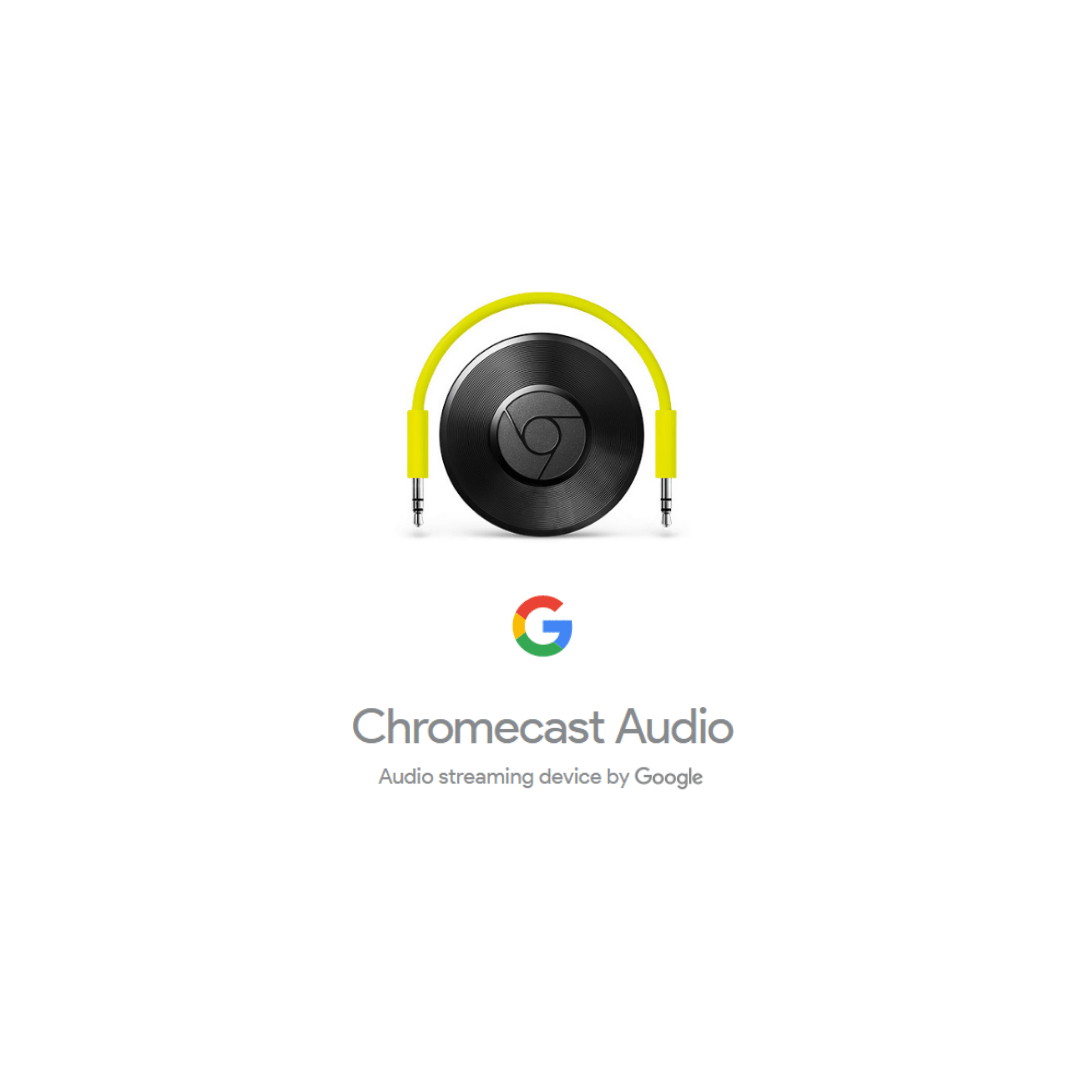
In the rapidly evolving landscape of audio streaming, Chromecast Audio stands at a critical juncture, where advancements in technology and shifting user preferences will shape its future. As users increasingly demand higher quality audio experiences and seamless connectivity, it’s essential to explore how these trends will influence Chromecast Audio.
Potential advancements in streaming technology are likely to enhance the capabilities and user experience of Chromecast Audio. With the rise of higher-resolution audio streaming and the growing popularity of lossless formats such as FLAC and ALAC, Chromecast Audio could integrate support for these technologies, allowing users to enjoy superior sound quality. Additionally, advancements in network technology, such as Wi-Fi 6 and beyond, promise faster and more reliable connections, which could significantly enhance streaming capabilities and reduce latency issues.
Trends Impacting Chromecast Audio Development
As the audio streaming market continues to evolve, several key trends are shaping the development of devices like Chromecast Audio. Understanding these trends will offer insights into how the device might adapt to meet user needs.
The following trends are notable in the future of audio streaming:
- Increased Focus on Multi-Room Audio: Users are increasingly looking for seamless multi-room audio experiences that allow for synchronized playback across different devices. Chromecast Audio could enhance its integration with smart home systems, enabling users to control their audio environment effortlessly.
- Growth of Subscription Services: With the rise of subscription-based music streaming platforms, Chromecast Audio may focus on partnerships with emerging services to offer exclusive features and content. This collaboration could also involve new user interfaces that simplify access to various streaming libraries.
- Integration with Voice Assistants: The integration of voice control through platforms like Google Assistant is becoming a standard expectation for audio devices. Future developments may see Chromecast Audio offering enhanced voice functionalities, enabling users to control playback and access content through voice commands.
- Emergence of Spatial Audio: With advancements in sound technology, spatial audio is gaining traction, providing immersive listening experiences. Chromecast Audio could adapt to support formats like Dolby Atmos, allowing users to enjoy a more engaging audio environment.
User feedback plays a vital role in shaping the future of Chromecast Audio. Community discussions frequently highlight the importance of user experience and suggest features that could enhance functionality. Feedback trends indicate a strong desire for improved compatibility with various audio formats and streaming services. Additionally, users are increasingly voicing their support for enhanced multi-device connectivity, allowing for smoother transitions between devices while maintaining audio quality.
“User feedback is essential in guiding the evolution of Chromecast Audio, ensuring it stays relevant in a competitive market.”
In light of these discussions, it is clear that the development team must prioritize user-centric improvements to remain competitive in the audio streaming landscape. By actively engaging with the community and considering their suggestions, Chromecast Audio can adapt and thrive amid the rapidly changing technology landscape.
Troubleshooting Common Issues with Chromecast Audio
Using Chromecast Audio can enhance your music streaming experience significantly, but like any technology, it may encounter some issues. Understanding how to identify and resolve these common problems is essential for a smooth listening experience. This guide will provide you with practical solutions and preventative measures to ensure your Chromecast Audio functions optimally.
Identifying and Resolving Frequent Problems
Various issues may arise while using Chromecast Audio, ranging from connectivity glitches to audio playback issues. Recognizing these problems early can save you time and frustration. Here are some common issues and their solutions:
– Connectivity Problems: If your Chromecast Audio is not connecting to Wi-Fi, check the following:
– Ensure your router is functioning correctly.
– Reboot your Chromecast Audio by unplugging it and plugging it back in.
– Confirm that your mobile device is on the same network as your Chromecast Audio.
– Audio Playback Issues: If you’re experiencing interruptions or poor sound quality, consider the following:
– Adjust the volume on both your device and Chromecast Audio.
– Make sure the audio source is compatible and the app is updated.
– Check for any physical obstructions between the router and Chromecast Audio that could affect the signal.
– App Compatibility Issues: Certain apps may not work seamlessly with Chromecast Audio. To troubleshoot:
– Ensure the app is updated to the latest version.
– Restart the app and try casting again.
– Uninstall and reinstall the app if problems persist.
Preventative Measures to Avoid Issues
Taking proactive steps can help minimize the chances of encountering problems with your Chromecast Audio. Here are some effective measures:
– Regularly update your firmware to ensure optimal performance and security.
– Keep your casting device and Chromecast Audio on the same network to avoid intermittent connectivity.
– Maintain a clear line of sight between your Chromecast Audio and the router to enhance signal strength.
– Use a 5GHz Wi-Fi network if available, as it often provides a stronger, faster connection for streaming.
Impact of Firmware Updates on Performance
Firmware updates play a crucial role in the performance and reliability of your Chromecast Audio. These updates often include bug fixes, security enhancements, and new features that can significantly improve your user experience.
– Performance Improvements: Updates may optimize streaming protocols, resulting in smoother audio playback and reduced latency.
– Bug Fixes: Many issues reported by users are addressed in updates, ensuring that previously encountered problems are resolved.
– New Features: Periodic updates can introduce new functionalities, such as support for additional music services or integration with other smart home devices.
Regularly checking for firmware updates and applying them can help you maintain a seamless and enjoyable streaming experience with Chromecast Audio. Keeping your devices updated not only enhances performance but also ensures compatibility with the latest apps and services.
The Impact of Chromecast Audio on Home Entertainment
Chromecast Audio has made a significant mark on the home entertainment landscape by revolutionizing how users engage with audio content in their living spaces. With the shift towards a more interconnected world, Chromecast Audio has facilitated a seamless integration of music streaming services into home audio systems, offering a convenient and versatile listening experience.
The rise of Chromecast Audio has coincided with an increase in audio streaming popularity, indicating a clear shift in media consumption habits. More people are opting for streaming platforms over traditional media formats such as CDs or vinyl records. This trend reflects a broader movement in entertainment, where accessibility and personalization have become paramount. Services like Spotify, Apple Music, and Tidal have paved the way for a new era of audio consumption, where users can curate their playlists and discover new music with just a few clicks.
Demographic Trends in Chromecast Audio Usage
Understanding who utilizes Chromecast Audio provides insight into the broader audio streaming trend. The demographic trends associated with its usage reveal a diverse audience that spans various age groups and interests. The following points highlight the primary user demographics:
- Millennials and Gen Z: These younger generations are leading the charge in audio streaming, as they prioritize digital access. Chromecast Audio appeals to their need for convenience and the ability to stream music from multiple devices.
- Tech-savvy Individuals: Users who embrace technology are more likely to adopt Chromecast Audio, as it enables easy integration with smart home systems and various streaming platforms.
- Music Enthusiasts: Audiophiles and casual listeners alike appreciate the enhanced sound quality and ease of use that Chromecast Audio provides, making it an attractive option for in-home audio solutions.
- Families: Households with multiple members benefit from Chromecast Audio’s ability to stream different music in various rooms simultaneously, catering to diverse musical tastes within the family.
The impact of Chromecast Audio extends beyond just user demographics; it also plays a pivotal role in shaping the future of home entertainment. By fostering a culture of streaming, Chromecast Audio has encouraged traditional media providers to adapt and innovate, leading to a more competitive and dynamic audio landscape.
“The shift towards audio streaming is not just a trend; it’s a transformation of how we experience music in our daily lives.”
This evolution underscores the importance of platforms like Chromecast Audio in defining the future of home entertainment, ensuring that users can enjoy a personalized, high-quality audio experience with ease.
Closing Summary
In conclusion, Chromecast audio not only elevates your listening experience but also integrates perfectly with your smart home devices, making it a game-changer in the world of audio streaming. As technology evolves, so does Chromecast audio, promising an exciting future for music lovers eager to embrace innovations in sound quality and accessibility.
Questions Often Asked
What devices are compatible with Chromecast audio?
Chromecast audio works with a wide range of speakers that have a 3.5mm, optical, or RCA input, as well as various smart devices running iOS or Android.
Can I use Chromecast audio without Wi-Fi?
No, Chromecast audio requires a Wi-Fi connection to stream music and control playback from your devices.
Is there a limit to the number of devices that can connect to Chromecast audio?
While multiple devices can connect to Chromecast audio, only one device can control playback at a time.
Does Chromecast audio support high-resolution audio streaming?
Yes, Chromecast audio supports high-resolution audio streaming through compatible music services, delivering exceptional sound quality.
How do I update the firmware for Chromecast audio?
Firmware updates are typically automatic, but you can check for updates in the Google Home app to ensure you have the latest version.