
 Zoe Nora
Did you know that seven rooms can now have high-quality sound for less than $400? In the past, a whole-home audio solution needed costly professional wiring and complex installation. Now, simple wireless technology can sync music across your home at a price that fits many budgets.
Choosing the right multiroom audio system depends on your home’s layout, listening habits, and technical comfort. Whether you want premium sound or a cost-effective setup, we can guide you through the process. By reviewing your needs, you can bring favorite playlists into every room of your house.
Key Takeaways
- Wireless technology has made high-quality home sound affordable and accessible.
- A seven-room setup can cost as little as $400 using budget-friendly speakers.
- Consider your home layout and listening habits before purchasing equipment.
- Premium options offer superior sound quality and advanced control features.
- Professional installation is no longer a requirement for a great experience.
What is a Multiroom Audio System?
Understanding a multiroom audio system helps you create an immersive home environment. This technology connects rooms or listening zones and sends music to each one. Unlike a single-room stereo, it lets you enjoy high-quality audio throughout your living space.
Definition and Overview
Effective home audio distribution depends on how you route the signal. Some systems use central equipment, with one amplifier powering speakers in several rooms. Others use wireless speakers on your local network, while hybrid systems combine wired reliability with a wireless multiroom sound system.
To learn more about these systems, explore what is multi-room audio and see how they fit your lifestyle. Unlike a standard stereo tied to one location, these systems can synchronize audio throughout your home. They can also play different tracks in every room at the same time.
Key Features of Multiroom Systems
The main appeal of a modern multiroom audio system is its flexible, simple operation. With independent zone control, family members can enjoy different content in separate areas without interference. These systems also offer seamless streaming from your favorite online platforms.
You can start with one speaker and expand your home audio distribution over time. Most systems use intuitive apps, and many support wall controls and voice assistants for hands-free operation. A high-quality wireless multiroom sound system keeps your home flexible, connected, and ready for any occasion.
Benefits of a Multiroom Audio System
We often find that modern sound works best when it flows through our living spaces. By integrating smart home audio, we eliminate dead zones and enjoy high-quality sound in every room.
Enhanced Sound Experience
These systems keep music perfectly synchronized as we move from the kitchen to the living room. High-end systems like Sonos achieve this with sub-millisecond timing, ensuring a flawless listening experience.
Accessible options, such as Google speaker groups, maintain timing within an imperceptible 10–20 milliseconds. This precision keeps favorite tracks from sounding echoed or disjointed anywhere.
Versatile Listening Options
A robust multi-zone audio setup lets us customize each area for specific needs. We can play a relaxing podcast in the bedroom while streaming an upbeat playlist in the kitchen.
Each zone supports individual volume adjustments, giving us total control over our home atmosphere. We can choose whole-home playback for a party or isolated audio for focused work.
Easy Control and Accessibility
Modern connected home audio makes daily routines more convenient. We can manage our entire library through smartphone apps or simple voice commands.
These systems work with popular streaming services, giving us instant access to millions of songs. The following table compares these features across different usage scenarios:
| Feature | Whole-Home Mode | Individual Zone Mode |
|---|---|---|
| Volume Control | Synchronized Master | Independent Levels |
| Audio Source | Single Stream | Multiple Streams |
| Best Use Case | Parties and Events | Personalized Relaxation |
| Latency | Optimized Sync | Zero Interference |
Factors to Consider Before Buying
Planning a home sound setup means balancing technical needs with your living space. A holistic approach can help your investment provide lasting satisfaction. Assess your environment first to avoid common problems that reduce audio quality.
Room Size and Layout
Your home’s size and layout affect how sound travels. Large, open-plan areas need powerful speakers, while smaller rooms suit compact, focused units. Acoustic surfaces like hardwood floors or high ceilings can create echoes, so add rugs or curtains to soften reflections.
When designing a multi-zone audio setup, consider how you move through your home. You do not need identical equipment in every room; match each speaker to its area. A kitchen may need a moisture-resistant unit, while a listening room needs high-fidelity hardware.
Sound Quality and Performance
Your sound quality expectations should guide your hardware choices. Casual listeners may prefer entry-level devices for background music, while audiophiles should choose systems supporting high-resolution streaming and crystal-clear playback.
Budget and Brand Reputations
Set a clear budget to narrow your options. Market prices range from affordable smart speakers to premium audio gear. The table shows possible costs for a five-room installation.
| System Tier | Estimated Cost | Best For |
|---|---|---|
| Entry-Level | $150 | Casual listening |
| Mid-Range | $600 | Balanced performance |
| Premium | $1,250 | Audiophile quality |
Brand reputation also matters when choosing a multiroom audio system. Established companies often offer better software updates and long-term product support. A trusted brand can keep your system compatible with new streaming services for years.
Connectivity Options
A reliable WiFi audio system depends on a strong home network. Before buying, confirm that your router covers every speaker location. If the signal is weak, consider mesh network extenders for a stable connection.
Some users prefer a hybrid approach, combining wireless convenience with wired stability in primary zones. Check whether your chosen multiroom audio system supports both Bluetooth and WiFi. This keeps your multi-zone audio setup working during temporary internet interruptions.
Popular Multiroom Audio Brands
Choosing a multiroom audio system takes more than checking the name on the box. We should assess synchronization, the user interface, and long-term expansion for our living spaces.
Sonos
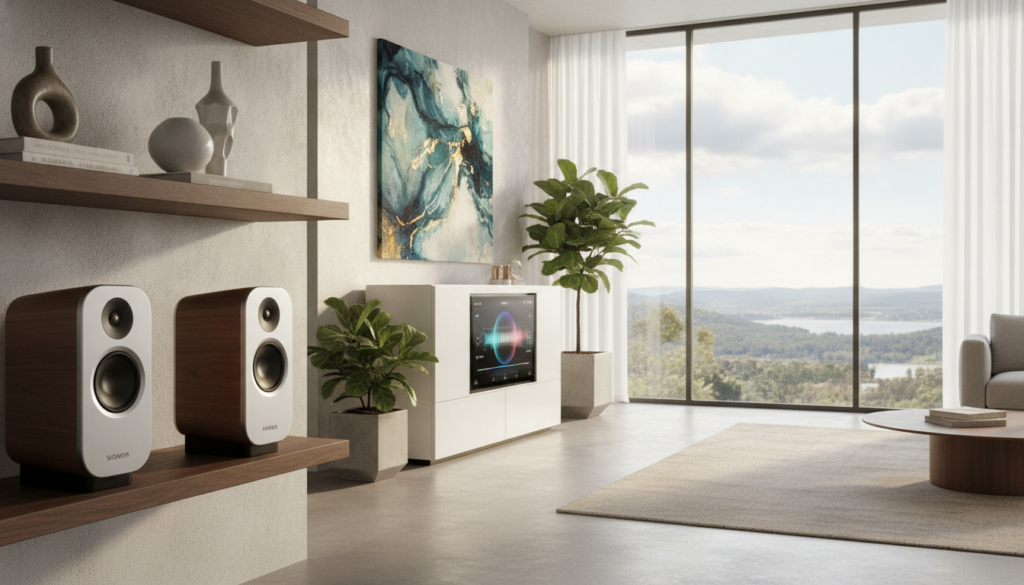
Sonos remains a top choice for users who value seamless synchronization. Its ecosystem groups speakers across rooms without noticeable lag. It suits users who want a reliable, simple experience that works.
Bose
Bose focuses on premium sound performance and build quality. Its hardware often creates a signature acoustic profile with rich, detailed audio. We find these systems best for dedicated listening areas focused on high-fidelity sound.
Amazon Echo
Amazon Echo devices offer unmatched convenience for households using the Alexa ecosystem. They provide a budget-friendly way to build a multiroom audio system with voice commands. They suit users who value smart home integration over pure audiophile-grade performance.
Yamaha
Yamaha takes a unique approach with MusicCast technology, which supports many audio formats. Its equipment connects vintage turntables with modern streaming services. This brand suits users who need a flexible setup for various media sources.
| Brand | Primary Strength | Best For |
|---|---|---|
| Sonos | Reliable Grouping | Whole-home audio |
| Bose | Sound Quality | Premium listening |
| Amazon Echo | Voice Control | Smart home users |
| Yamaha | Versatility | Diverse media setups |
Wireless vs. Wired Systems
Building a strong audio setup starts with understanding wired and wireless technology. Your connection choice shapes how you enjoy music throughout your house. Whether you renovate or retrofit, your chosen infrastructure affects long-term performance.
Pros and Cons of Wireless Systems
A wireless multiroom sound system is a smart choice for avoiding major construction. These systems use your existing network to send signals, so they install easily in finished rooms. You can add or move speakers anytime, offering unmatched flexibility for your living space.
However, these systems depend fully on your local network. A high-quality WiFi audio system needs a stable router to prevent dropouts or latency issues. Modern technology has improved, but heavy network traffic can still disrupt listening.
Advantages of Wired Connections
For reliable performance, home audio distribution through physical cables remains the gold standard. Wired connections prevent signal interference, so music plays clearly in every room without interruption. This approach suits new construction or major renovations, where wires can hide behind walls and ceilings.
Many experts recommend a hybrid whole-home audio solution for the best of both worlds. Use wired infrastructure in primary listening zones for consistent performance and high-fidelity sound. Then add wireless components elsewhere for control and convenience throughout your home.
Setting Up Your Multiroom Audio System
Creating seamless sound at home starts with a well-planned multiroom speaker setup. The process may seem complex, but clear steps help music move smoothly from room to room.
Necessary Equipment
Building a strong multiroom audio system takes more than speakers. You usually need active speakers, amplifiers, and dedicated streamers to manage your network.
Your network hardware also matters. A reliable router supports any wireless multiroom sound system, but a wired Ethernet connection may improve high-resolution audio stability. For expert guidance, explore this comprehensive guide to the best multiroom wireless speaker to choose the right components.
Placement Considerations
Effective home audio distribution depends greatly on hardware placement. Consider room size, wall materials, and listening positions for even coverage throughout your house.
Avoid placing speakers in corners or enclosed cabinets, which can muffle sound and create unwanted resonance. A thoughtful multi-zone audio setup considers each room’s acoustics, keeping audio crisp and clear wherever you stand.
Initial Configuration Tips
After installing the hardware, configure the software. Connect your devices to a stable WiFi audio system and install all necessary firmware updates for peak performance.
We recommend the following steps for a smooth start:
- Name your zones: Clearly label each room in your control app to avoid confusion during playback.
- Group your speakers: Create logical groups for common areas to allow for synchronized music across the entire floor.
- Calibrate volume: Perform a per-room volume check to ensure that the sound levels are balanced across your entire home.
Proper calibration prevents volume spikes as you move between zones. Consistency is key for an immersive audio experience throughout your home.
Integrating Smart Home Features
High-quality sound works best when it connects with your digital ecosystem. Modern smart home audio systems do more than play music; they can guide home entertainment. Connect speakers to a wider network, then manage your home with simple commands or routines.
Voice Control
Voice assistants such as Amazon Alexa, Google Assistant, and Apple Siri have changed how we use media. These platforms let you change tracks, adjust volume, or switch rooms without touching anything. Still, consider platform limitations because some speakers work best with certain ecosystems.
For instance, a speaker made mainly for Alexa may offer limited features on a Siri-based home network. Check cross-platform support before buying hardware, so voice commands work across your preferred devices.
Compatibility with Smart Devices
A truly connected home audio system may need to link different brands. AirPlay 2 can stream high-quality audio from Apple devices to many third-party speakers. This flexibility lets you mix equipment while keeping a cohesive soundstage throughout the house.
For advanced setups, tools like the Home Assistant Music Assistant add-on can change everything. This software groups Sonos, Google Cast, and AirPlay devices in one unified interface. Choose one ecosystem for simplicity or a flexible cross-platform setup, but let devices communicate easily and improve daily listening habits.
Common Mistakes to Avoid
We found several common errors that can harm a new multiroom speaker setup. Modern technology makes installation easier, but small oversights can weaken your listening experience.
Overlooking Audio Quality
Many buyers choose speakers based only on looks or brand popularity. A sleek design does not always promise high-fidelity sound reproduction.
Prioritize internal components and frequency response over exterior finishes. True audio quality depends on hardware that handles varied sound profiles across different zones.
Ignoring Room Acoustics
Your room strongly affects how sound waves travel. Hard surfaces like tile, glass, and hardwood floors can cause echoes that muddy audio.
“Sound is not just about the speakers; it is about how the room breathes with the music.” — Anonymous
Add soft furnishings such as rugs, curtains, or acoustic panels to improve clarity. They absorb reflections and create a balanced soundstage in your multiroom speaker setup.
Failing to Test Before Purchase
Do not assume a system performs the same in every room. A speaker that sounds crisp in a small bathroom may lack depth in an open-plan living area.
We suggest testing your equipment in its intended location before finalizing installation. Remember these pitfalls to help your system perform at its best:
- Underestimating network congestion, which can lead to audio dropouts.
- Using identical volume settings for rooms with vastly different sizes.
- Neglecting to calibrate the system after the initial multiroom speaker setup.
User Experiences and Reviews
When planning your multiroom speaker setup, user experiences often matter more than marketing brochures. Real-world results can differ from lab tests, especially for connectivity and app stability.
Real Customer Feedback
Many homeowners report that entry-level devices work well for casual background music. Users seeking high-fidelity audio often find budget options lack the depth needed for dedicated listening rooms.
Comparing costs for a standard five-room configuration shows a clear price gap. Budget-conscious buyers often choose Google Nest Minis or Echo Dots, while audiophiles prefer premium hardware like the Sonos Era 100.
| System Type | Estimated 5-Room Cost | Primary Use Case |
|---|---|---|
| Google Nest Mini | $150 | Voice control & background audio |
| Amazon Echo Dot | $250 | Smart home integration |
| Apple HomePod Mini | $500 | Ecosystem-focused listening |
| Sonos Era 100 | $1,250 | High-fidelity music enjoyment |
Expert Opinions and Recommendations
Experts suggest prioritizing your room’s needs over general star ratings. A perfect system for a small apartment might disappoint in a large, open-concept living area.
“The best audio system is the one that disappears into your home, providing seamless sound without constant technical intervention.”
If possible, test your preferred multiroom speaker setup in a controlled environment. Reliability and app usability are often the most critical factors for lasting satisfaction.
Your choice should match your listening priorities. Whether you value budget-friendly convenience or premium sound quality, a solution can fit your lifestyle perfectly.
Future Trends in Multiroom Audio
Technology changes quickly, shaping how we enjoy sound in our living spaces. Flexible standards help keep our investments useful as new formats emerge.
Innovations on the Horizon
Open ecosystems like Linkplay help hardware from different manufacturers communicate, while protocols such as AirPlay 2 and Google Cast support cross-brand compatibility. These tools allow us to build a whole-home audio solution that grows with our needs. Future updates will likely bring deeper integration for spatial audio, moving beyond simple stereo setups to create truly immersive environments.
The Role of Streaming Services
High-resolution streaming platforms now push the boundaries of what a Multiroom audio system can deliver. We expect upcoming software updates to support advanced formats like Dolby Atmos, transforming how we listen to music at home.
By prioritizing scalable equipment and reliable networking, we create Smart home audio that adapts to modern demands. A well-planned Connected home audio network keeps our favorite media accessible in every room for years to come.
FAQ
What exactly is a multiroom audio system and how does it function in our home?
How much should we expect to invest in a multiroom speaker setup?
FAQ
What exactly is a multiroom audio system and how does it function in our home?
A multiroom audio system distributes music across separate rooms or distinct multi-zone audio setup areas. We can use centralized equipment, decentralized wireless speakers, or a hybrid whole-home audio solution. Independent zone control and app-based management let us sync one track throughout the house or play different playlists in each room.
How much should we expect to invest in a multiroom speaker setup?
Cost depends on our sound quality expectations and the number of rooms. We can create a basic seven-room setup for less than 0 using budget wireless speakers like the Google Nest Mini. A premium connected home audio experience with five Sonos Era 100 speakers may cost approximately
FAQ
What exactly is a multiroom audio system and how does it function in our home?
A multiroom audio system distributes music across separate rooms or distinct multi-zone audio setup areas. We can use centralized equipment, decentralized wireless speakers, or a hybrid whole-home audio solution. Independent zone control and app-based management let us sync one track throughout the house or play different playlists in each room.
How much should we expect to invest in a multiroom speaker setup?
Cost depends on our sound quality expectations and the number of rooms. We can create a basic seven-room setup for less than $400 using budget wireless speakers like the Google Nest Mini. A premium connected home audio experience with five Sonos Era 100 speakers may cost approximately $1,250, offering superior acoustics and more advanced integration features.
What is the difference between a wireless multiroom sound system and a wired installation?
A wireless multiroom sound system is easier to install in existing homes because it uses our existing WiFi audio system instead of new cabling. Wired home audio distribution offers unmatched stability and often suits new construction or major renovations. A hybrid approach uses wired infrastructure in primary listening areas and wireless speakers in smaller rooms for better flexibility.
Can we group speakers from different brands like Sonos, Bose, and Amazon Echo together?
Most brands design smart home audio products for their own ecosystems, which usually provide the best reliability. Still, AirPlay 2 and Google Cast can group compatible devices from Sonos, Bose, and Amazon Echo. Advanced users can use Home Assistant’s Music Assistant add-on to sync Sonos, Google Cast, and AirPlay devices in one multi-zone audio setup.
Does a WiFi audio system suffer from lag or synchronization issues between rooms?
Modern systems, including Sonos, limit the “echo” effect and can synchronize audio with sub-millisecond timing. Google speaker groups may vary by 10–20 milliseconds, but most people cannot notice this between rooms. A robust network matters, so we sometimes recommend wired Ethernet for stationary players and stable connected home audio.
How do room acoustics and layout affect our choice of a multiroom speaker setup?
Placement matters as much as the hardware. Large, open-plan layouts may need multiple speakers for even coverage, while smaller rooms might need only one compact unit. Hard surfaces like tile and glass reflect sound, while rugs and furniture absorb it, so we should match each room with the right speaker type.
What are the benefits of integrating voice assistants like Alexa or Google Assistant into our smart home audio?
Voice control makes connected home audio more convenient for daily routines. Amazon Echo or Google Nest lets us adjust volume, skip tracks, or announce messages throughout the whole-home audio solution. This hands-free control helps in high-traffic kitchens or bathrooms, without a phone or tablet.
What future trends should we consider when choosing a multiroom audio system today?
We should choose systems that support emerging standards like spatial audio and Dolby Atmos. AirPlay 2, for instance, supports spatial audio on compatible devices starting with iOS 18. Open ecosystems and scalable hardware can keep our multiroom audio system compatible as streaming services and wireless protocols evolve.
,250, offering superior acoustics and more advanced integration features.
What is the difference between a wireless multiroom sound system and a wired installation?
A wireless multiroom sound system is easier to install in existing homes because it uses our existing WiFi audio system instead of new cabling. Wired home audio distribution offers unmatched stability and often suits new construction or major renovations. A hybrid approach uses wired infrastructure in primary listening areas and wireless speakers in smaller rooms for better flexibility.
Can we group speakers from different brands like Sonos, Bose, and Amazon Echo together?
Most brands design smart home audio products for their own ecosystems, which usually provide the best reliability. Still, AirPlay 2 and Google Cast can group compatible devices from Sonos, Bose, and Amazon Echo. Advanced users can use Home Assistant’s Music Assistant add-on to sync Sonos, Google Cast, and AirPlay devices in one multi-zone audio setup.
Does a WiFi audio system suffer from lag or synchronization issues between rooms?
Modern systems, including Sonos, limit the “echo” effect and can synchronize audio with sub-millisecond timing. Google speaker groups may vary by 10–20 milliseconds, but most people cannot notice this between rooms. A robust network matters, so we sometimes recommend wired Ethernet for stationary players and stable connected home audio.
How do room acoustics and layout affect our choice of a multiroom speaker setup?
Placement matters as much as the hardware. Large, open-plan layouts may need multiple speakers for even coverage, while smaller rooms might need only one compact unit. Hard surfaces like tile and glass reflect sound, while rugs and furniture absorb it, so we should match each room with the right speaker type.
What are the benefits of integrating voice assistants like Alexa or Google Assistant into our smart home audio?
Voice control makes connected home audio more convenient for daily routines. Amazon Echo or Google Nest lets us adjust volume, skip tracks, or announce messages throughout the whole-home audio solution. This hands-free control helps in high-traffic kitchens or bathrooms, without a phone or tablet.
What future trends should we consider when choosing a multiroom audio system today?
We should choose systems that support emerging standards like spatial audio and Dolby Atmos. AirPlay 2, for instance, supports spatial audio on compatible devices starting with iOS 18. Open ecosystems and scalable hardware can keep our multiroom audio system compatible as streaming services and wireless protocols evolve.