
 Zoe Nora
Did you know over 80% of music is now digital? Yet, most listeners miss the rich details in original studio recordings. The move from physical media to digital has changed how we listen to music. But, we don’t have to give up sound quality for the ease of using our devices.
Getting the best streaming quality is easier than ever. By knowing your device’s tech specs, you can enjoy a flawless streaming experience. Ready to improve your setup? Our ultimate guide to high-fidelity music streaming shows you the way. With high-res streaming, you can hear music just as the artist meant it, on your phone or home system.
Key Takeaways
- Digital music consumption has evolved, but audio fidelity remains a top priority for enthusiasts.
- Modern technology makes professional-grade sound accessible to everyday listeners.
- Optimizing your device ecosystem is essential for a superior listening session.
- High-resolution audio captures the intricate details often lost in compressed formats.
- Consistent quality requires a balance of the right service, hardware, and connection.
What is High-Res Streaming?
Exploring high-res streaming shows us how much detail we miss in our daily media. Many of us are used to digital media but often miss out on its full potential. We aim to make our favorite content more immersive.
Definition of High-Resolution Audio and Video
In audio, high-resolution means music with a sample rate over 44.1 kHz and a bit depth over 16-bit. These numbers show how close the digital signal is to the original sound. High-res files capture more detail in every note.
For video, high-resolution means 4K or higher resolutions. This gives us a sharper, more real image. Together, these standards offer the best streaming quality for today’s home entertainment.
“True high-resolution audio is not just about the numbers; it is about preserving the emotional intent of the artist exactly as it was captured in the studio.”
Importance of Quality in Streaming
Standard digital formats often use heavy compression to save space. This compression loses important data from the original recording. Choosing high-res options keeps the playback close to the studio master.
High-quality streaming lets us hear background instruments and see details in dark scenes. It turns a routine activity into a premium experience. It’s the difference between just hearing a song and feeling like you’re in the recording booth.
Differences Between Standard and High-Res Streaming
Knowing the technical differences helps us choose better for our home setups. The table below shows the main differences between standard and high-resolution formats.
| Feature | Standard Streaming | High-Res Streaming |
|---|---|---|
| Audio Sample Rate | 44.1 kHz (CD Quality) | 96 kHz – 192 kHz |
| Bit Depth | 16-bit | 24-bit or higher |
| Data Compression | Lossy (Data removed) | Lossless (Data preserved) |
| Visual Clarity | 1080p (Standard HD) | 4K / HDR / Ultra HD |
Choosing high-res streaming means we value the media’s integrity. Whether you love music or movies, knowing these differences helps upgrade your digital life.
Benefits of High-Res Streaming
High-res streaming opens up a world of sound and vision. It brings us closer to the original studio master. This makes our media feel authentic and immersive.
Choosing an optimal streaming resolution lets our devices show content as the creators meant. This move away from lossy formats is key for those who want true sound quality at home.
Enhanced Audio Experience
The main perk of high-res streaming is bringing back dynamic range. In standard compressed files, small vocal details and instrument fades get lost.
High-resolution audio keeps these fine details, making live performances sound different from recordings. Every sound, from cymbal crashes to vocalist breaths, is crystal clear. This gives us a richer listening experience.
Improved Visual Quality
Visual quality also gets a big boost with higher bitrates. More pixels mean sharper edges and smoother motion in action scenes.
Also, optimal streaming resolution makes color gradients look natural, not banded or pixelated. This precision makes our favorite movies look vibrant and real on modern screens.
Greater Detail and Clarity
The aim of high-res streaming is to bridge the gap between us and the content. We get a sense of depth and texture that standard streams can’t match.
Whether watching a detailed documentary or enjoying a symphony, high-resolution formats offer clear, engaging experiences. They turn passive viewing and listening into active, engaging activities.
The Best Devices for High-Res Streaming
Choosing the right equipment is key to enjoying your media fully. Not all devices can handle the big data streams needed for high definition streaming. Your devices must be able to decode high-bitrate files smoothly without losing quality.
Streaming Devices That Support High-Res
Modern streaming boxes are built for high-resolution content. They have more power than smart TV apps, making streaming smoother.
- Apple TV 4K: Great for high-bitrate video and lossless audio services.
- Nvidia Shield TV Pro: Powerful for upscaling and advanced audio formats.
- Roku Ultra: Reliable for consistent 4K HDR playback.
Recommended TVs for High-Res Video
Your TV is crucial for visual quality. To enjoy high definition streaming, you need a TV that supports HDR10+ and Dolby Vision.
Choose an OLED or high-end Mini-LED panel for the best visuals. These displays offer deep blacks and vibrant colors, making your optimal streaming resolution shine.
High-Quality Audio Players
Audio lovers know that hardware can limit sound quality. When listening to lossless tracks, your player’s internal parts are very important.
For top-notch sound, use a dedicated high-quality audio player or a high-end DAC. Note that services like Apple Music lossless audio need wired headphones to avoid Bluetooth compression. A quality connection keeps every detail of the original recording intact.
Recommended Services for High-Res Streaming
Starting your journey to better sound and vision begins with choosing a service that values quality. It’s crucial to pick a platform that meets your high-fidelity media needs. We need to look at how each service handles data to ensure you get high definition streaming on your devices.
Subscription Services Offering High-Res Audio
For music lovers, some platforms really stand out for their lossless quality. Tidal and Qobuz are known for their studio-grade audio, pleasing even the most critical listeners. They offer a huge library of tracks, letting you hear music as the artist meant it.
Apple Music has also joined the high-res audio scene, offering it for free to subscribers. Using these services, you can enjoy high definition streaming that highlights the details in your favorite songs. Make sure your device supports the file formats these platforms use.
Streaming Platforms for High-Resolution Video
Visual quality is just as key as sound when setting up your home theater. Netflix, Disney+, and Apple TV+ lead with 4K and HDR content. These services adjust to give you the optimal streaming resolution based on your internet speed.
To fully enjoy these platforms, ensure your display is set up right. High definition streaming needs a stable connection for the best quality. When everything is right, your video will look clearer and more vivid.
Comparison of High-Res Streaming Services
Choosing the right service depends on your needs and what you already have. The table below shows the main differences between popular services to help you decide.
| Service Name | Primary Focus | Max Quality | Optimal Streaming Resolution |
|---|---|---|---|
| Tidal | Audiophile Music | Hi-Res Lossless | N/A (Audio Only) |
| Apple TV+ | Original Video | 4K HDR/Dolby Vision | 2160p |
| Qobuz | High-Res Audio | 24-bit/192kHz | N/A (Audio Only) |
| Netflix | Diverse Video | 4K HDR | 2160p |
Setting Up Your Device for High-Res Streaming
Getting a great entertainment experience starts with the right setup. When you choose high definition streaming, your home setup is key.
Without the right setup, even the best hardware can’t deliver top quality. We suggest a step-by-step approach to get your setup ready for high-bandwidth media.
Internet Speed Requirements
High-res content needs a fast and stable internet connection to avoid buffering. For 4K video and lossless audio, a minimum download speed of 25 Mbps per device is recommended.
If many people use the network at once, aim for even higher speeds. A strong connection is essential for a good media setup.
Choosing the Right Cables and Connections
Physical connections are often more reliable than wireless. We recommend using high-speed Ethernet cables to connect your streaming devices to your router.
If HDMI cables are your choice, make sure they support 4K or 8K resolution. High-quality cables ensure crystal clear streaming every time.
Optimizing Your Home Network
Your router’s location greatly affects device performance. Place your router in a central, elevated spot, away from walls or metal that might block the signal.
If you use Wi-Fi, consider a mesh network system to cover all areas of your home. This reduces interference and creates the best environment for uninterrupted, high-quality media consumption.
How to Stream High-Res Content
To get high-quality streaming, focus on your content and app settings. First, connect your hardware right. Then, set up your software to handle high-res files well for the best results.
Finding High-Res Music and Videos
Start by finding content in high-res formats. Many sites have special sections for high-quality music and movies. This lets you access top-notch recordings easily.
You can also add your own music and movies to your digital collection. Use special software to rip your CDs and DVDs. This way, you can enjoy your personal collection with the same clarity as new digital releases. For tips on improving your setup, check out our guide on high-res streaming.
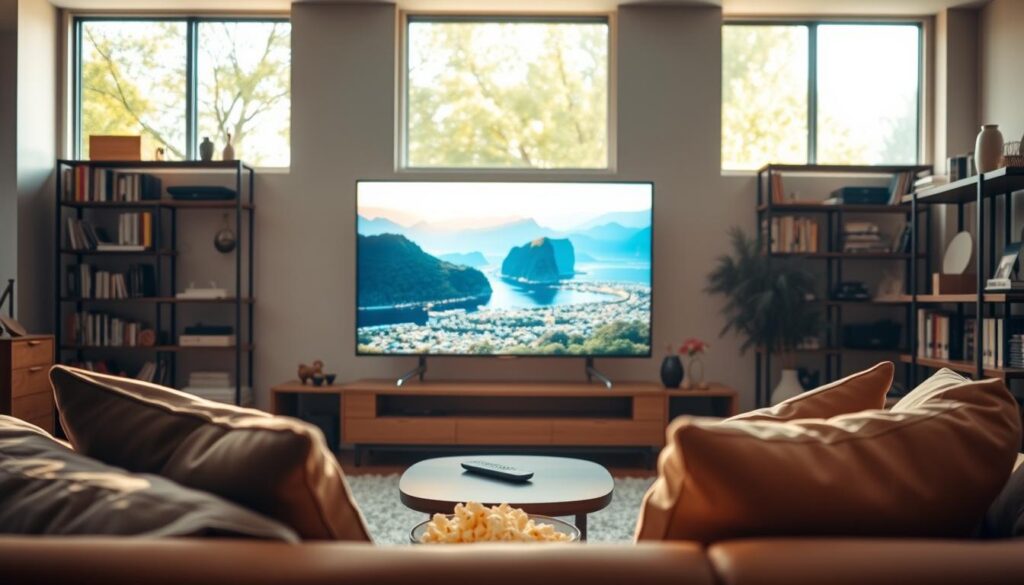
Setting Up Apps on Your Device
Once you’ve picked your content, tweak your app settings. Go to the quality menu and choose the highest bitrate or resolution.
Consistency is key when setting up apps. Make sure your software isn’t reducing the quality of your files. Also, keep your apps updated to stay current with streaming tech.
Troubleshooting Common Streaming Issues
Even with a great setup, you might run into problems. If you see buffering or stuttering, check your network first. Make sure your internet isn’t slow because of other devices.
If the quality seems off, check your device’s settings. Make sure it’s not set to a lower quality by default. By following these steps, you can keep your streaming crystal clear and enjoy a smooth experience every time.
Streaming High-Res Audio
To get the best sound, it’s not just about a premium subscription. We need to focus on the file types and devices we use every day for high-quality streaming.
Best Formats for High-Res Audio
Not all digital files sound the same. Look for lossless formats like FLAC (Free Lossless Audio Codec) or ALAC (Apple Lossless Audio Codec). These formats keep all the audio data, ensuring the best sound.
WAV files have uncompressed audio but lack metadata. Picking the right format is key for crystal clear streaming at home or on the move.
“The goal of high-resolution audio is to capture the full range of sound as it was intended by the artist in the recording studio.”
Configuring Audio Settings on Your Device
After picking your music, make sure your device can handle high-bitrate files. Many apps, like Apple Music, let you switch to Hi-Res Lossless audio. This can go up to 24-bit/192kHz.
- Navigate to your app’s audio quality settings.
- Select “Lossless” or “Hi-Res Lossless” for streaming.
- Ensure your device output matches the source quality.
Setting up your device right stops it from downgrading the audio. This simple step lets you enjoy your subscription fully.
Recommended Headphones and Speakers
Good hardware is crucial for the best sound. Use high-quality wired headphones or studio monitors to hear every detail in high-res tracks.
Wireless Bluetooth can compress audio, losing the high-res file’s benefits. Reliable wired gear ensures a crystal clear streaming experience, bringing out every sound in your favorite songs.
Streaming High-Res Video
To enjoy high bitrate streaming, we need to understand how devices handle video. A great home theater experience isn’t just about the screen size. It’s about finding the right mix of resolution, frame rate, and data speed.
Understanding Video Formats and Resolutions
Today’s digital content uses special codecs for clear images without using too much bandwidth. High-quality streaming often means 4K Ultra HD, which is four times clearer than 1080p. But, there’s more to it than just resolution.
The bitrate shows how much data each second of video uses. A higher bitrate means better texture and smoother motion. This helps avoid the blocky look of lower quality streams. Make sure your service provider offers the highest data rate possible.
Adjusting Video Settings for Optimal Quality
Most streaming players let you change output settings to fit your display. Go to your device’s display menu and set the output resolution to “Auto” or 4K if your TV can handle it. This ensures your hardware doesn’t reduce the quality unnecessarily.
Also, turn on “Match Content” or “Match Frame Rate” for better high bitrate streaming. These settings make your device match the original frame rate of the content. This helps avoid the “judder” effect from mismatched frame rates.
Compatibility with 4K and HDR
For top-notch visuals, everything in your signal chain must work together. Your streaming device, HDMI cables, and TV need to support the same standards like HDR10 or Dolby Vision. If any part is outdated, your quality will suffer.
Devices like the Apple TV 4K are great, but they need proper setup for high-end color. Always check that your HDMI cables are “High Speed” or “Ultra High Speed” rated. This ensures your display works at its best.
Enhancing Your High-Res Streaming Experience
To get the best sound, you need to control your playback area. Modern devices can do great, but they need some tweaks. This is to get the best sound when streaming in high resolution.

Using External DACs (Digital-to-Analog Converters)
Most devices use parts that might not handle complex sounds well. For sounds above 48kHz, you need an external Digital-to-Analog Converter (DAC). It keeps the signal clean.
A DAC avoids the noise in your computer or phone. This keeps your sound clear and detailed. It also stops unwanted noise during high bitrate streaming.
“The quality of your digital-to-analog conversion is the single most important factor in determining the final sound signature of your high-resolution audio system.”
Setting Up Surround Sound Systems
A good surround sound system makes your favorite shows feel real. Make sure your receiver can handle formats like Dolby Atmos or DTS:X.
- Put your speakers at ear level for the best sound.
- Use high-quality cables to keep the signal strong.
- Fix your room’s sound to cut down on echo and distortion.
Customizing Audio and Video Settings
Software settings are also key to a great experience. Check your app settings to make sure you’re getting the best quality.
Choose “Maximum” or “Lossless” quality in your apps. Adjusting these settings ensures top-notch sound and video for streaming in high resolution.
Challenges of High-Res Streaming
The charm of top-notch audio and video is clear. Yet, we face many technical challenges to enjoy it smoothly. Streaming in high resolution needs a strong network setup, which many homes find hard to keep up.
Bandwidth Limitations and Solutions
High-quality streaming eats up a lot of data. This can quickly use up your internet plan, leading to extra charges.
To solve this, we suggest hardwiring your devices with Ethernet cables instead of Wi-Fi. This keeps your connection steady, crucial for uninterrupted streaming.
Cost Considerations
High-end setups come with big upfront costs. You’ll need to buy expensive 4K displays or top-notch audio gear. Plus, you’ll need to pay for premium subscriptions for better streams.
Make sure your current gear can handle the quality you’re paying for. High bitrate streaming might need special DACs or fast HDMI cables, increasing your budget.
Compatibility Issues
Not all devices support the latest audio and video formats. Sometimes, high-quality files won’t work with older TVs or sound systems.
Before choosing a service, check if your devices support the codecs. Ensuring hardware compatibility helps avoid problems and makes your high-quality media worth it.
Future of High-Res Streaming
The world of digital entertainment is changing fast. We’re moving towards a more immersive experience. Media quality is becoming the main focus for big platforms.
Soon, streaming in high resolution will be available to everyone. This will happen without needing to know a lot about technology.
Trends in Streaming Technology
Artificial intelligence is changing how we watch videos. It uses smart algorithms to adjust quality based on your internet. This keeps your stream smooth, even when lots of people are online.
With 5G and soon 6G, we’ll get faster data transfers. This means we can watch videos without interruptions. No more slow loading times.
Streaming Quality Enhancements on the Horizon
We’re expecting big changes in video and audio quality. Soon, we’ll see 8K video and spatial audio that feels like real life. These upgrades will make watching videos feel more real.
The table below shows how streaming will improve:
| Feature | Current Standard | Future Standard |
|---|---|---|
| Video Resolution | 4K UHD | 8K / 12K |
| Audio Format | Lossless Stereo | Immersive Spatial |
| Latency | Low | Near-Zero |
| Data Delivery | Adaptive Bitrate | AI-Predictive |
Predictions for the Next Generation of Streaming
Soon, all streaming will be in high quality. The difference between “standard” and “high-res” will fade away. This will make streaming better for everyone.
Smart home systems will help make this happen. They’ll automatically set up your devices for the best viewing experience. Streaming in high resolution will soon be the norm, not just a luxury.
Conclusion: Embracing High-Res Streaming
Upgrading your home entertainment setup changes how you enjoy digital media. We think the best streaming quality reveals new details in your favorite music and movies.
You have the tools to create a top-notch listening and viewing space. Choose premium gear from Sony, Sonos, or Apple. This ensures your devices handle high-quality data smoothly.
Keeping your network stable and settings right leads to perfect streaming. Try these settings on Tidal or Qobuz to see the difference.
Your quest for high-quality media is a journey of improvement. Share your setup with others to keep the conversation going. Enjoy the rich sound and clear images that today’s tech offers.